> ## Documentation Index
> Fetch the complete documentation index at: https://docs.flexprice.io/llms.txt
> Use this file to discover all available pages before exploring further.
# Connecting to Billing
> Learn how to connect events to billing and see usage in invoices
Events alone don't generate revenue - they need to be connected to pricing plans and customer subscriptions to create billable charges. This guide shows you how to transform your ingested events into actual invoices.
## How Events Flow to Billing
The complete flow from events to invoices:
1. **Events** → Usage data transmitted to Flexprice
2. **Features** → Define what you're tracking and how to aggregate
3. **Plans** → Set pricing for features
4. **Subscriptions** → Connect customers to plans
5. **Invoices** → Automatic billing based on usage
## Prerequisites
* A metered feature created and configured
* Events being transmitted and validated
* A customer created in Flexprice
## Step 1: Create a Pricing Plan
### Navigate to Plans
1. Log into your Flexprice Admin Dashboard
2. In the left sidebar, click on **Product Catalog**
3. Click on **Plans**
4. Click **"Create Plan"**
### Configure the Plan
1. **Plan Name**: Give your plan a descriptive name (e.g., "Basic Plan", "Pro Plan")
2. **Description**: Optional description of what the plan includes
3. **Billing Cycle**: Choose how often customers are billed (monthly, annually, etc.)
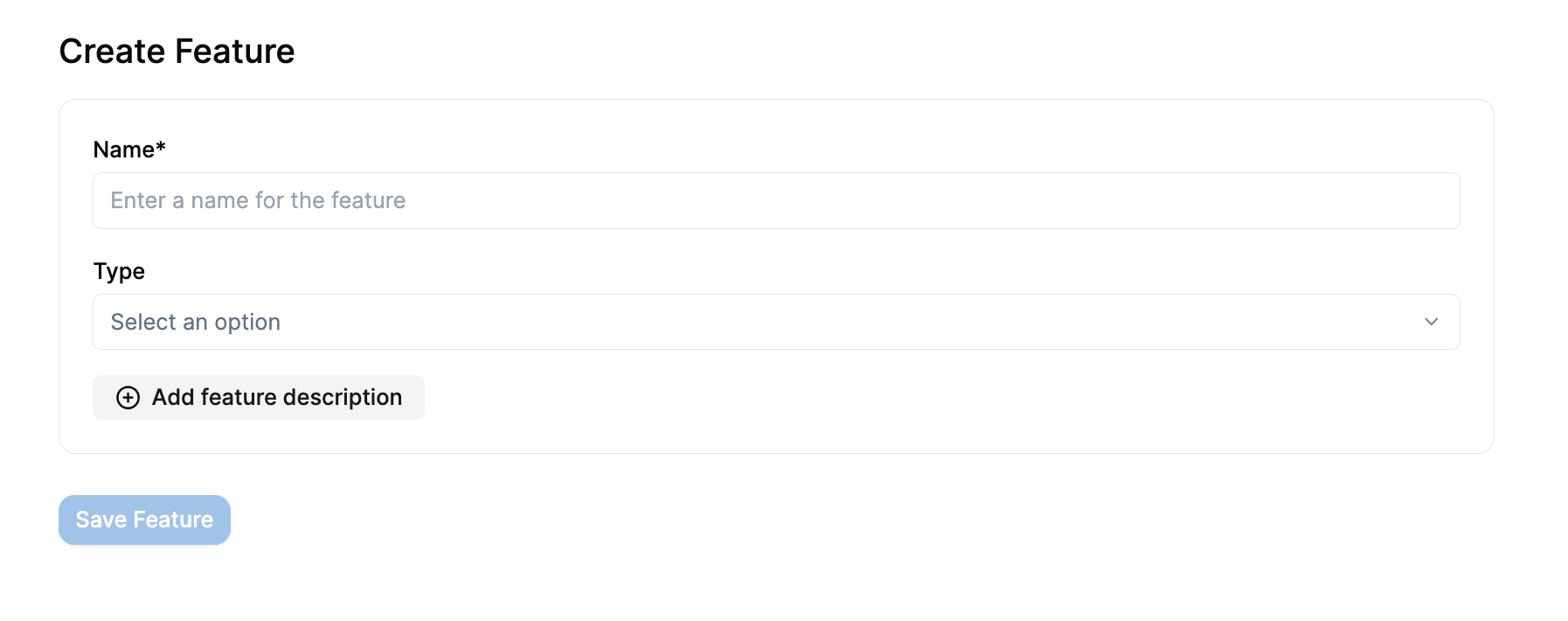
### Add Your Feature
1. Click **"Add Feature"** or **"Add Charge"**
2. Select your metered feature from the list
3. Configure the pricing:
**For Usage-Based Pricing:**
* **Price Model**: Choose "Usage Based"
* **Price**: Set the price per unit (e.g., \$1 per credit)
* **Free Tier**: Optional free usage before billing starts
**Example Configuration:**
* Feature: Model Usage
* Price: \$1.00 per credit
* Free Tier: 100 credits per month
 ### Advanced Pricing Options
**Tiered Pricing:**
* First 1000 credits: \$1.00 each
* Next 1000 credits: \$0.80 each
* Additional credits: \$0.60 each
**Package Pricing:**
* 1000 credits for $800 (effective $0.80 per credit)
**Volume Discounts:**
* Set percentage discounts based on usage volume
### Save the Plan
Click **"Save Plan"** to create your pricing plan.
## Step 2: Assign Plan to Customer
### Create Subscription
1. Go to **Customers** in the left sidebar
2. Find and click on your customer
3. Click **"Create Subscription"**
4. Select the plan you just created
5. Set the subscription start date
6. Click **"Create Subscription"**
### Advanced Pricing Options
**Tiered Pricing:**
* First 1000 credits: \$1.00 each
* Next 1000 credits: \$0.80 each
* Additional credits: \$0.60 each
**Package Pricing:**
* 1000 credits for $800 (effective $0.80 per credit)
**Volume Discounts:**
* Set percentage discounts based on usage volume
### Save the Plan
Click **"Save Plan"** to create your pricing plan.
## Step 2: Assign Plan to Customer
### Create Subscription
1. Go to **Customers** in the left sidebar
2. Find and click on your customer
3. Click **"Create Subscription"**
4. Select the plan you just created
5. Set the subscription start date
6. Click **"Create Subscription"**
 ### Verify Subscription
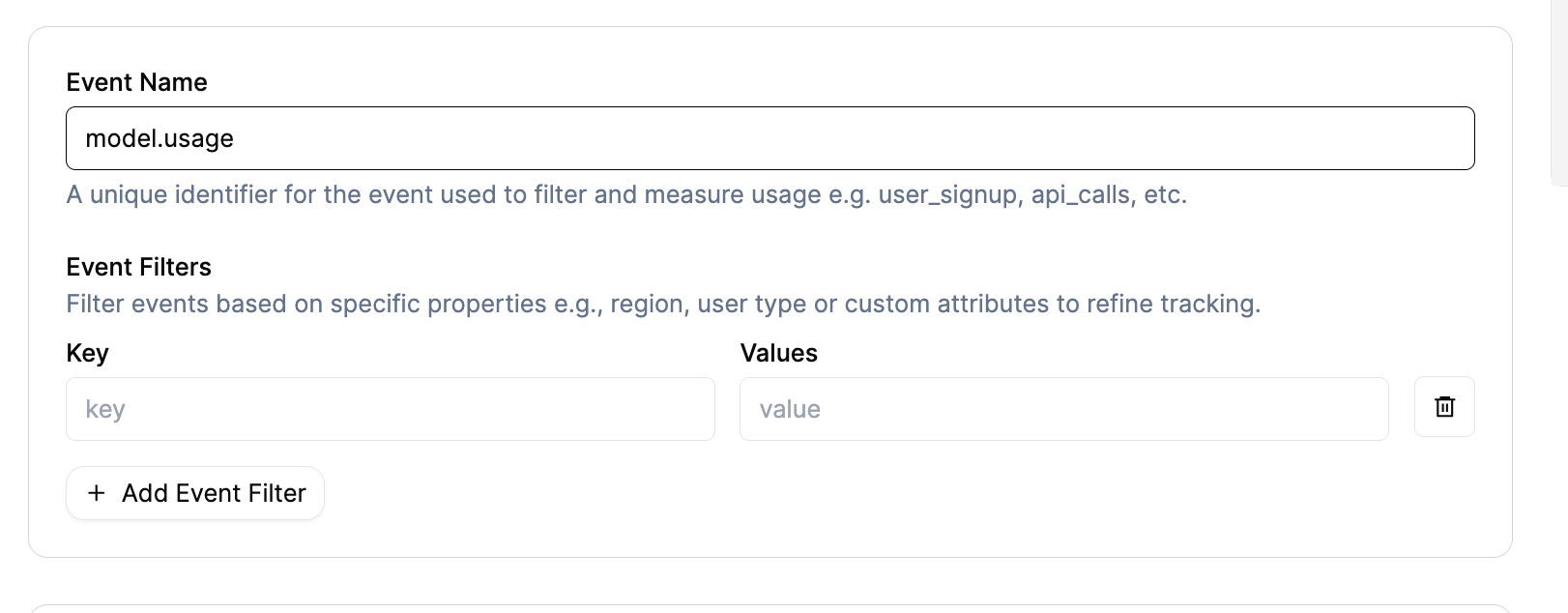
After creating the subscription, you should see:
* Subscription status: Active
* Plan name and billing cycle
* Next billing date
## Step 3: Monitor Usage and Billing
### Check Upcoming Invoices
1. Go to the customer's subscription page
2. Click on **"Upcoming Invoices"** tab
3. You'll view a preview of the next invoice with:
* Usage quantities from your events
* Calculated amounts based on your pricing
* Billing period information
### Verify Subscription
After creating the subscription, you should see:
* Subscription status: Active
* Plan name and billing cycle
* Next billing date
## Step 3: Monitor Usage and Billing
### Check Upcoming Invoices
1. Go to the customer's subscription page
2. Click on **"Upcoming Invoices"** tab
3. You'll view a preview of the next invoice with:
* Usage quantities from your events
* Calculated amounts based on your pricing
* Billing period information
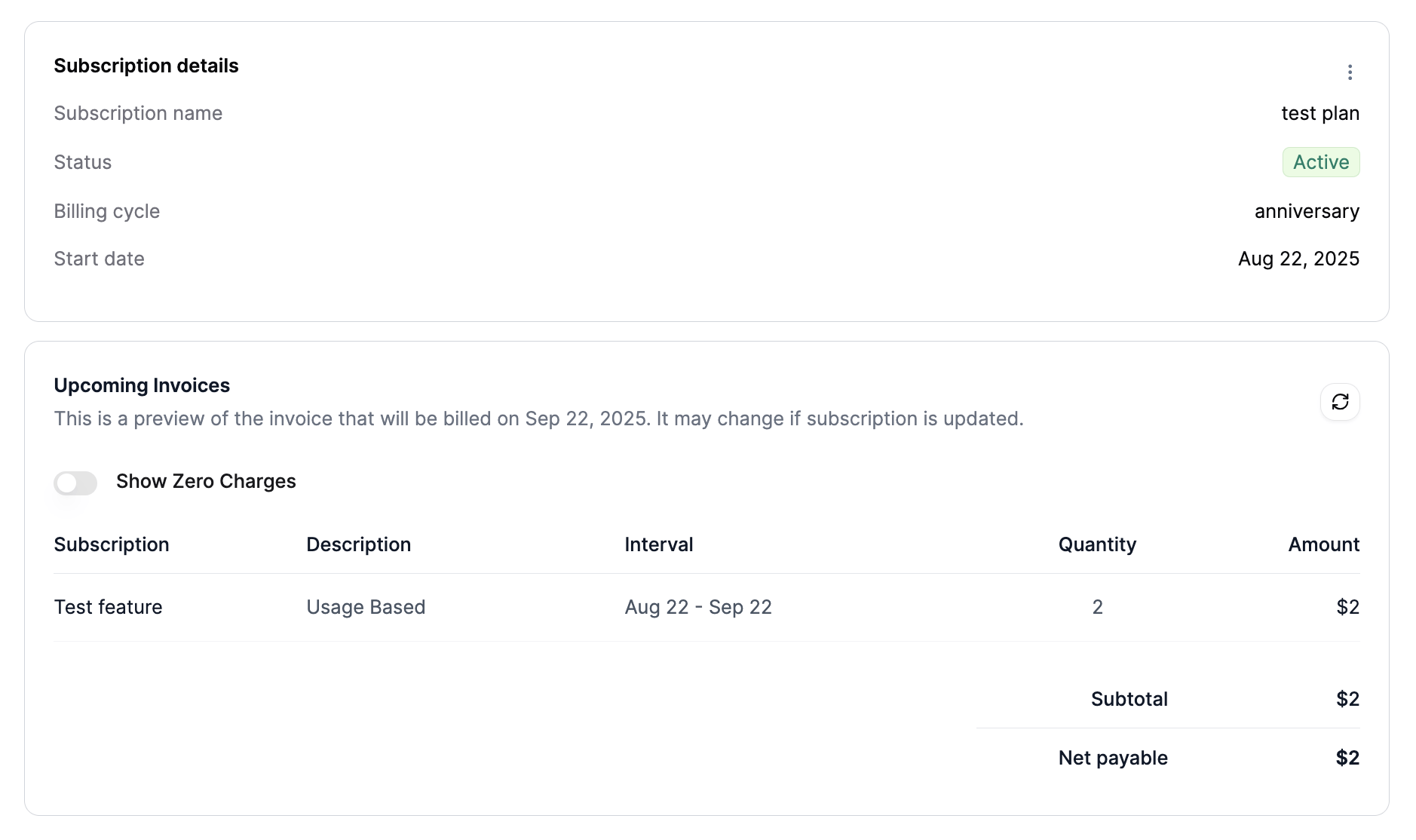 **Example Invoice Preview:**
```
Subscription Description Interval Quantity Amount
Test Feature Usage Based Aug 22 - Sep 22 2 $2
```
### Understanding the Billing
* **Quantity**: Total usage aggregated from your events
* **Amount**: Calculated based on your pricing plan
* **Interval**: Current billing period
* **Description**: Shows "Usage Based" for metered features
## Real-World Example
Let's walk through a complete example:
### 1. Feature Configuration
* **Feature Name**: Model Usage
* **Event Name**: `model.usage`
* **Aggregation**: Sum of `credits`
* **Usage Reset**: Periodic (monthly)
### 2. Events Transmitted
```json theme={null}
[
{
"event_name": "model.usage",
"external_customer_id": "cust_123",
"properties": { "credits": 5 }
},
{
"event_name": "model.usage",
"external_customer_id": "cust_123",
"properties": { "credits": 3 }
}
]
```
### 3. Plan Configuration
* **Plan Name**: Basic Plan
* **Feature**: Model Usage
* **Pricing**: \$1.00 per credit
* **Free Tier**: 10 credits per month
### 4. Billing Calculation
* **Total Usage**: 5 + 3 = 8 credits
* **Free Credits**: 10 (no charge for first 10)
* **Billable Credits**: 0 (8 \< 10, so no charge)
* **Amount**: \$0.00
### 5. If More Usage Occurs
If the customer uses 15 credits total:
* **Total Usage**: 15 credits
* **Free Credits**: 10
* **Billable Credits**: 5
* **Amount**: \$5.00
## Advanced Billing Scenarios
### Multiple Features
You can add multiple metered features to a single plan:
**Plan: Pro Plan**
* Model Usage: \$1.00 per credit
* API Calls: \$0.01 per call
* Storage: \$0.10 per GB
**Customer Usage:**
* 50 credits consumed
* 1000 API calls
* 5 GB storage
**Invoice:**
```
Model Usage Usage Based Aug 22 - Sep 22 50 $50
API Calls Usage Based Aug 22 - Sep 22 1000 $10
Storage Usage Based Aug 22 - Sep 22 5 $0.50
Total: $60.50
```
### Tiered Pricing
**Plan: Enterprise Plan**
* Model Usage:
* First 1000 credits: \$0.80 each
* Next 1000 credits: \$0.60 each
* Additional: \$0.40 each
**Customer Usage: 2500 credits**
* First 1000: \$800
* Next 1000: \$600
* Additional 500: \$200
* **Total: \$1600**
## Monitoring and Analytics
### Usage Trends
1. Go to **Usage Tracking** → **Query**
2. Select your feature and customer
3. View usage over time to identify patterns
### Billing Analytics
1. Go to **Invoices** section
2. View historical invoices and revenue
3. Analyze customer usage patterns
## Common Billing Issues
### 1. No Charges Appearing
**Possible Causes:**
* Feature not added to plan
* Customer not subscribed to plan
* Usage below free tier
* Wrong billing period
**Solutions:**
* Verify feature is in the plan
* Check subscription status
* Review free tier settings
* Confirm billing cycle dates
### 2. Wrong Amounts
**Possible Causes:**
* Incorrect pricing configuration
* Wrong aggregation values
* Billing period mismatch
**Solutions:**
* Review plan pricing settings
* Check event aggregation
* Verify billing cycle alignment
### 3. Unexpected Charges
**Possible Causes:**
* Events transmitted to wrong customer
* Incorrect usage reset setting
* Duplicate events
**Solutions:**
* Verify external\_customer\_id
* Check Usage Reset configuration
* Review event history for duplicates
## Best Practices
### 1. Test Billing Setup
Before going live:
1. Create a test customer
2. Transmit a few test events
3. Verify charges appear correctly
4. Check invoice calculations
### 2. Monitor Usage Patterns
Regularly check:
* Usage trends and spikes
* Customer behavior patterns
* Revenue impact of pricing changes
### 3. Set Up Alerts
Consider alerts for:
* Unusual usage spikes
* Failed billing attempts
* Revenue thresholds
### 4. Document Pricing
Keep clear documentation of:
* Feature pricing structure
* Free tier limits
* Billing cycle details
* Customer-specific overrides
## Pricing Strategies
### Usage-Based Pricing
**Pros:**
* Aligns cost with value
* Scales automatically
* Fair for customers
**Cons:**
* Revenue can be unpredictable
* Complex to forecast
### Tiered Pricing
**Pros:**
* Encourages higher usage
* Predictable revenue at scale
* Rewards loyal customers
**Cons:**
* More complex to configure
* Can be confusing for customers
### Hybrid Models
Combine multiple pricing approaches:
* Base subscription fee
* Usage-based charges
* Volume discounts
## Next Steps
After setting up billing:
1. **Monitor Performance** - Track usage and revenue
2. **Optimize Pricing** - Adjust based on customer behavior
3. **Scale Operations** - Add more features and customers
4. **Automate Processes** - Set up webhooks and integrations
## Troubleshooting
### "No charges in upcoming invoice"
* Check that events are being transmitted
* Verify feature is in the plan
* Confirm customer subscription is active
* Review free tier settings
### "Wrong billing amounts"
* Verify pricing configuration
* Check event aggregation values
* Review billing period dates
* Confirm usage reset settings
### "Unexpected charges"
* Review recent events for the customer
* Check for duplicate events
* Verify external\_customer\_id mapping
* Review plan configuration changes
## Getting Help
If you're experiencing billing issues:
1. Check the **[Event Debugger](/docs/event-ingestion/event-debugger)** for event processing status
2. Review your plan configuration carefully
3. Verify customer subscription status
4. Contact support with specific examples and error messages
This documentation is built and hosted on [Mintlify](https://mintlify.com), a developer documentation platform.
**Example Invoice Preview:**
```
Subscription Description Interval Quantity Amount
Test Feature Usage Based Aug 22 - Sep 22 2 $2
```
### Understanding the Billing
* **Quantity**: Total usage aggregated from your events
* **Amount**: Calculated based on your pricing plan
* **Interval**: Current billing period
* **Description**: Shows "Usage Based" for metered features
## Real-World Example
Let's walk through a complete example:
### 1. Feature Configuration
* **Feature Name**: Model Usage
* **Event Name**: `model.usage`
* **Aggregation**: Sum of `credits`
* **Usage Reset**: Periodic (monthly)
### 2. Events Transmitted
```json theme={null}
[
{
"event_name": "model.usage",
"external_customer_id": "cust_123",
"properties": { "credits": 5 }
},
{
"event_name": "model.usage",
"external_customer_id": "cust_123",
"properties": { "credits": 3 }
}
]
```
### 3. Plan Configuration
* **Plan Name**: Basic Plan
* **Feature**: Model Usage
* **Pricing**: \$1.00 per credit
* **Free Tier**: 10 credits per month
### 4. Billing Calculation
* **Total Usage**: 5 + 3 = 8 credits
* **Free Credits**: 10 (no charge for first 10)
* **Billable Credits**: 0 (8 \< 10, so no charge)
* **Amount**: \$0.00
### 5. If More Usage Occurs
If the customer uses 15 credits total:
* **Total Usage**: 15 credits
* **Free Credits**: 10
* **Billable Credits**: 5
* **Amount**: \$5.00
## Advanced Billing Scenarios
### Multiple Features
You can add multiple metered features to a single plan:
**Plan: Pro Plan**
* Model Usage: \$1.00 per credit
* API Calls: \$0.01 per call
* Storage: \$0.10 per GB
**Customer Usage:**
* 50 credits consumed
* 1000 API calls
* 5 GB storage
**Invoice:**
```
Model Usage Usage Based Aug 22 - Sep 22 50 $50
API Calls Usage Based Aug 22 - Sep 22 1000 $10
Storage Usage Based Aug 22 - Sep 22 5 $0.50
Total: $60.50
```
### Tiered Pricing
**Plan: Enterprise Plan**
* Model Usage:
* First 1000 credits: \$0.80 each
* Next 1000 credits: \$0.60 each
* Additional: \$0.40 each
**Customer Usage: 2500 credits**
* First 1000: \$800
* Next 1000: \$600
* Additional 500: \$200
* **Total: \$1600**
## Monitoring and Analytics
### Usage Trends
1. Go to **Usage Tracking** → **Query**
2. Select your feature and customer
3. View usage over time to identify patterns
### Billing Analytics
1. Go to **Invoices** section
2. View historical invoices and revenue
3. Analyze customer usage patterns
## Common Billing Issues
### 1. No Charges Appearing
**Possible Causes:**
* Feature not added to plan
* Customer not subscribed to plan
* Usage below free tier
* Wrong billing period
**Solutions:**
* Verify feature is in the plan
* Check subscription status
* Review free tier settings
* Confirm billing cycle dates
### 2. Wrong Amounts
**Possible Causes:**
* Incorrect pricing configuration
* Wrong aggregation values
* Billing period mismatch
**Solutions:**
* Review plan pricing settings
* Check event aggregation
* Verify billing cycle alignment
### 3. Unexpected Charges
**Possible Causes:**
* Events transmitted to wrong customer
* Incorrect usage reset setting
* Duplicate events
**Solutions:**
* Verify external\_customer\_id
* Check Usage Reset configuration
* Review event history for duplicates
## Best Practices
### 1. Test Billing Setup
Before going live:
1. Create a test customer
2. Transmit a few test events
3. Verify charges appear correctly
4. Check invoice calculations
### 2. Monitor Usage Patterns
Regularly check:
* Usage trends and spikes
* Customer behavior patterns
* Revenue impact of pricing changes
### 3. Set Up Alerts
Consider alerts for:
* Unusual usage spikes
* Failed billing attempts
* Revenue thresholds
### 4. Document Pricing
Keep clear documentation of:
* Feature pricing structure
* Free tier limits
* Billing cycle details
* Customer-specific overrides
## Pricing Strategies
### Usage-Based Pricing
**Pros:**
* Aligns cost with value
* Scales automatically
* Fair for customers
**Cons:**
* Revenue can be unpredictable
* Complex to forecast
### Tiered Pricing
**Pros:**
* Encourages higher usage
* Predictable revenue at scale
* Rewards loyal customers
**Cons:**
* More complex to configure
* Can be confusing for customers
### Hybrid Models
Combine multiple pricing approaches:
* Base subscription fee
* Usage-based charges
* Volume discounts
## Next Steps
After setting up billing:
1. **Monitor Performance** - Track usage and revenue
2. **Optimize Pricing** - Adjust based on customer behavior
3. **Scale Operations** - Add more features and customers
4. **Automate Processes** - Set up webhooks and integrations
## Troubleshooting
### "No charges in upcoming invoice"
* Check that events are being transmitted
* Verify feature is in the plan
* Confirm customer subscription is active
* Review free tier settings
### "Wrong billing amounts"
* Verify pricing configuration
* Check event aggregation values
* Review billing period dates
* Confirm usage reset settings
### "Unexpected charges"
* Review recent events for the customer
* Check for duplicate events
* Verify external\_customer\_id mapping
* Review plan configuration changes
## Getting Help
If you're experiencing billing issues:
1. Check the **[Event Debugger](/docs/event-ingestion/event-debugger)** for event processing status
2. Review your plan configuration carefully
3. Verify customer subscription status
4. Contact support with specific examples and error messages
This documentation is built and hosted on [Mintlify](https://mintlify.com), a developer documentation platform.