> ## Documentation Index
> Fetch the complete documentation index at: https://docs.flexprice.io/llms.txt
> Use this file to discover all available pages before exploring further.
# Link features to plans
In **Flexprice**, managing customer access to features is done through **entitlements**. An **entitlement** defines which features a customer can access based on their subscription plan. This ensures that each customer receives the correct level of access, allowing precise control over feature availability and usage limits.
**Linking Features to Plans through Entitlements**
* Choose the plan to which you want to link features.
* Navigate to the **Entitlements** section within the selected plan.
* Click **Add** to add the desired features to the plan.
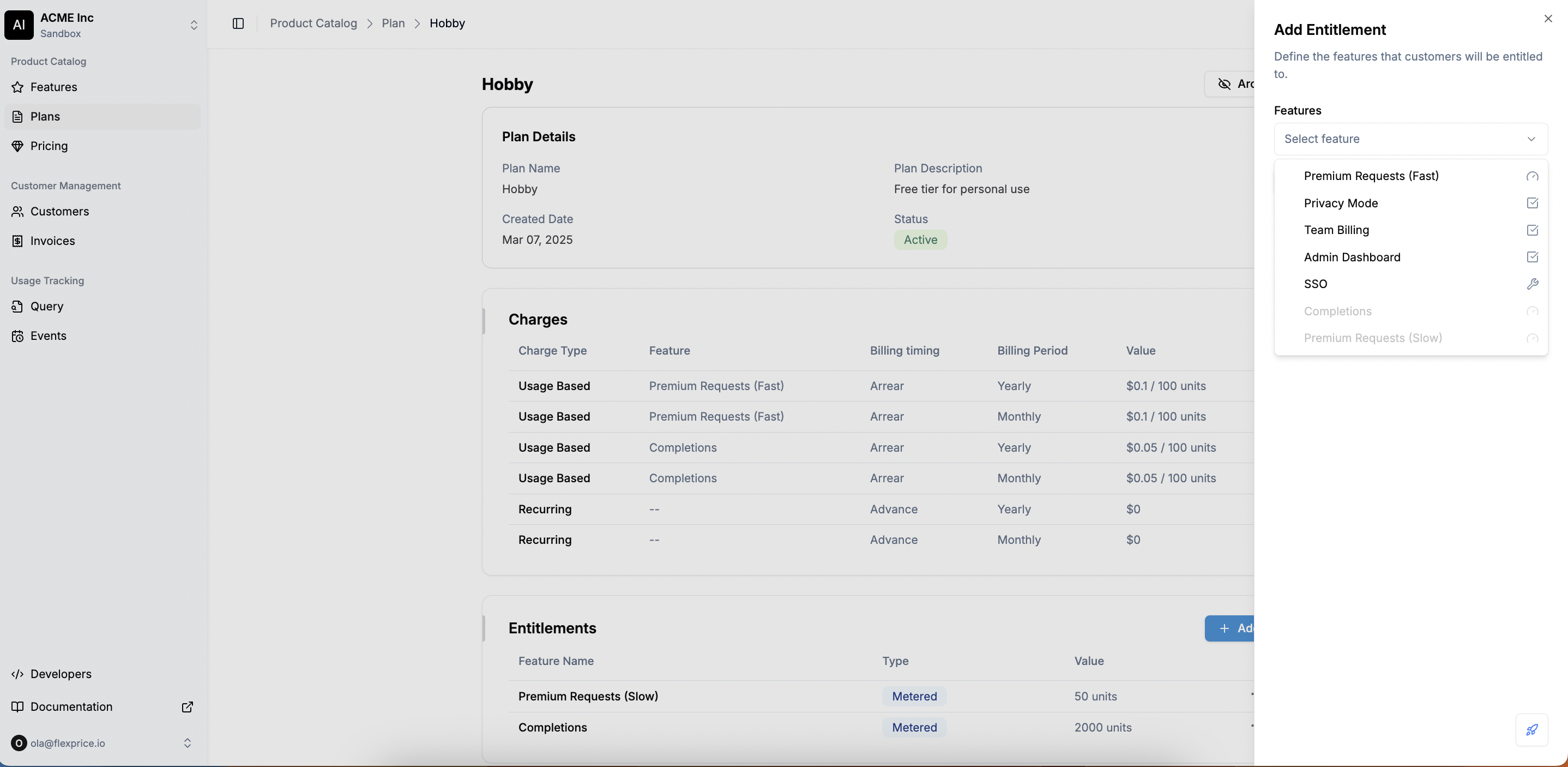 * Configure access parameters, including usage limits, permissions, and other relevant settings.
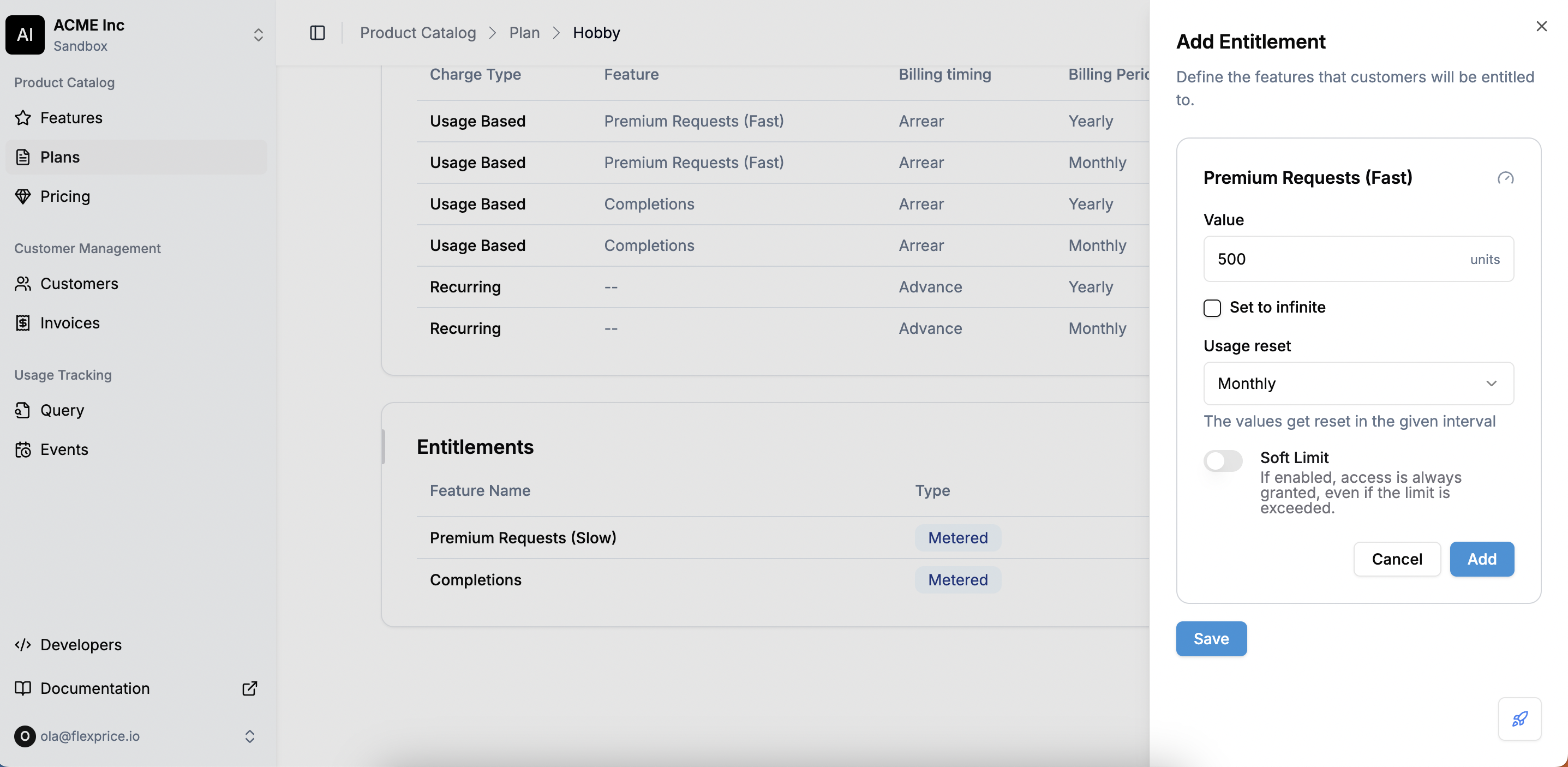 * Click **Save**, and the entitlements will be applied to all customers on this plan.
**Configuring Entitlements for Different Feature Types**
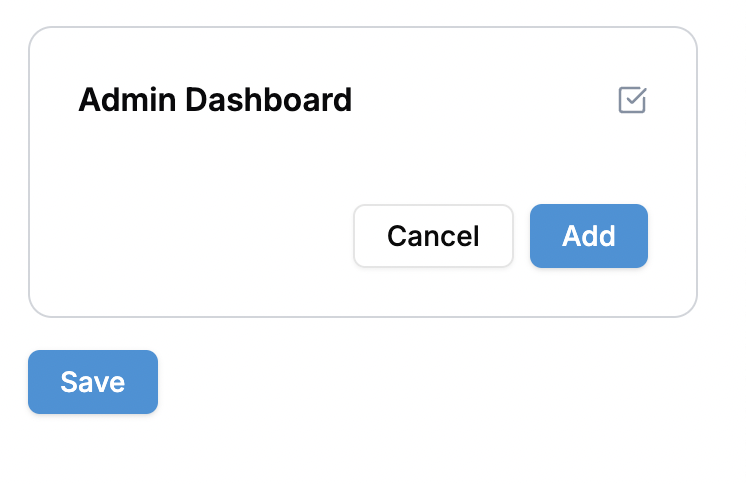
* **Boolean Features**
* Selecting a Boolean feature **grants or restricts** access for customers on this plan.
* No further configuration is required—just **Add** or **Cancel**.
* Click **Save**, and the entitlements will be applied to all customers on this plan.
**Configuring Entitlements for Different Feature Types**
* **Boolean Features**
* Selecting a Boolean feature **grants or restricts** access for customers on this plan.
* No further configuration is required—just **Add** or **Cancel**.
 * **Metered features**
* **Setting the Value**
* **Metered features**
* **Setting the Value**
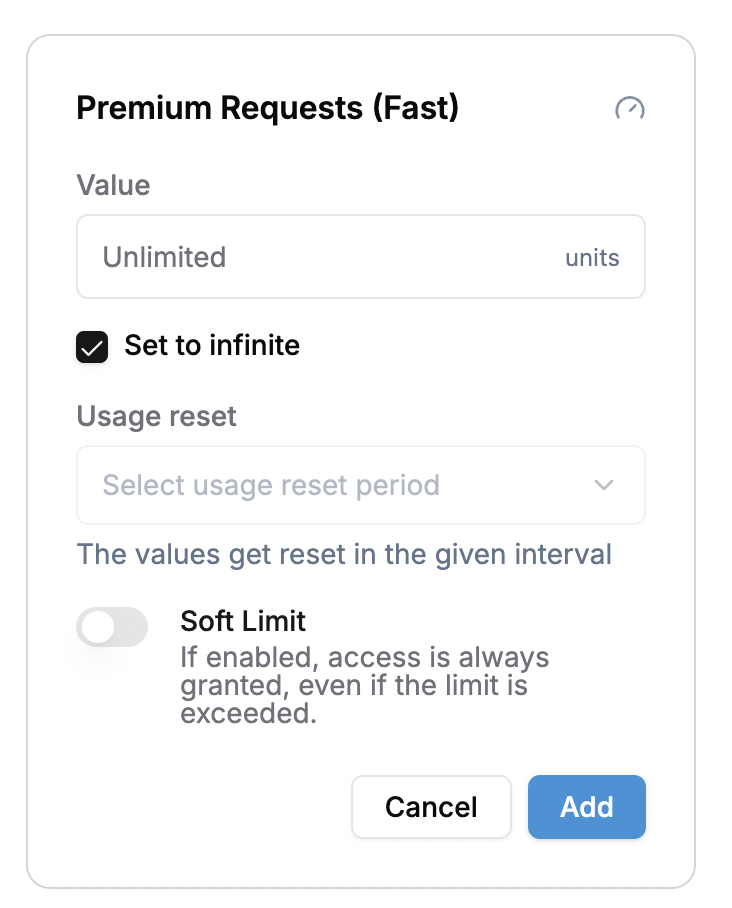 * Enter the maximum usage limit a customer is allowed before restrictions apply.
* If there is no cap, select Set to Infinite.
* **Usage reset**
* Enter the maximum usage limit a customer is allowed before restrictions apply.
* If there is no cap, select Set to Infinite.
* **Usage reset**
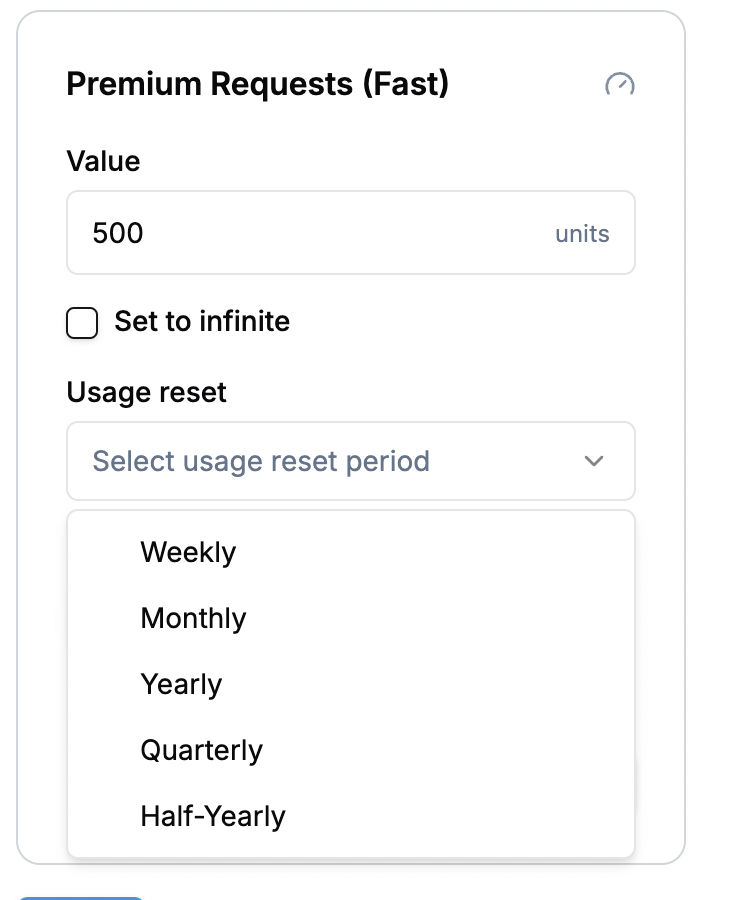 * By default, metered features reset at the start of each billing period.
* If needed, you can configure a separate reset interval, independent of the billing period.
* When enabled, usage resets to zero at the specified interval, regardless of when the billing cycle occurs.
💡 **Example:** A plan is billed **annually**, but API call limits **reset every month**. Setting a **monthly reset** ensures that users get a fresh allocation of calls each month.
* **Soft Limit vs. Hard Limit**
Once a customer reaches their allocated limit, there are two ways to handle additional usage:
* Soft Limit (Overage Allowed)
* Customers can exceed their limit.
* Excess usage may be charged separately (based on pricing rules).
* Common for pay-as-you-go models.
💡 Example: A GPT API plan allows 50,000 tokens/month, but if exceeded, additional tokens are charged \$0.10 per 1,000 tokens.
* Hard Limit (Strict Cap)
* Customers cannot exceed the limit.
* Once they reach their limit, requests are blocked.
* Typically used for free tiers or strict allowances.
* **Static Features**
* By default, metered features reset at the start of each billing period.
* If needed, you can configure a separate reset interval, independent of the billing period.
* When enabled, usage resets to zero at the specified interval, regardless of when the billing cycle occurs.
💡 **Example:** A plan is billed **annually**, but API call limits **reset every month**. Setting a **monthly reset** ensures that users get a fresh allocation of calls each month.
* **Soft Limit vs. Hard Limit**
Once a customer reaches their allocated limit, there are two ways to handle additional usage:
* Soft Limit (Overage Allowed)
* Customers can exceed their limit.
* Excess usage may be charged separately (based on pricing rules).
* Common for pay-as-you-go models.
💡 Example: A GPT API plan allows 50,000 tokens/month, but if exceeded, additional tokens are charged \$0.10 per 1,000 tokens.
* Hard Limit (Strict Cap)
* Customers cannot exceed the limit.
* Once they reach their limit, requests are blocked.
* Typically used for free tiers or strict allowances.
* **Static Features**
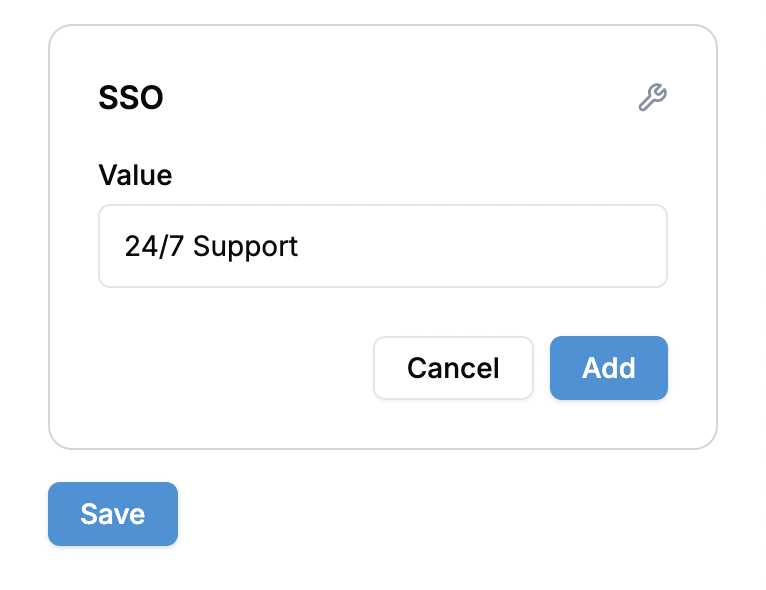 * Instead of setting limits, define a custom value.
* Example: 24/7 support, premium customer service, AI model access.
* Customers will see these benefits listed as part of their subscription.
The linked features are now associated with the plan, and subscribers will have access according to the configured entitlements.
* Instead of setting limits, define a custom value.
* Example: 24/7 support, premium customer service, AI model access.
* Customers will see these benefits listed as part of their subscription.
The linked features are now associated with the plan, and subscribers will have access according to the configured entitlements.