> ## Documentation Index
> Fetch the complete documentation index at: https://docs.flexprice.io/llms.txt
> Use this file to discover all available pages before exploring further.
# View subscription
> View a customer’s subscription details, active plans, and upcoming invoices.
Once a customer is assigned a subscription, you can view their active plans and upcoming invoices.
* In **Customer Management > Customers**, select the customer profile.
* The **Subscriptions** section lists all active plans assigned to the customer.
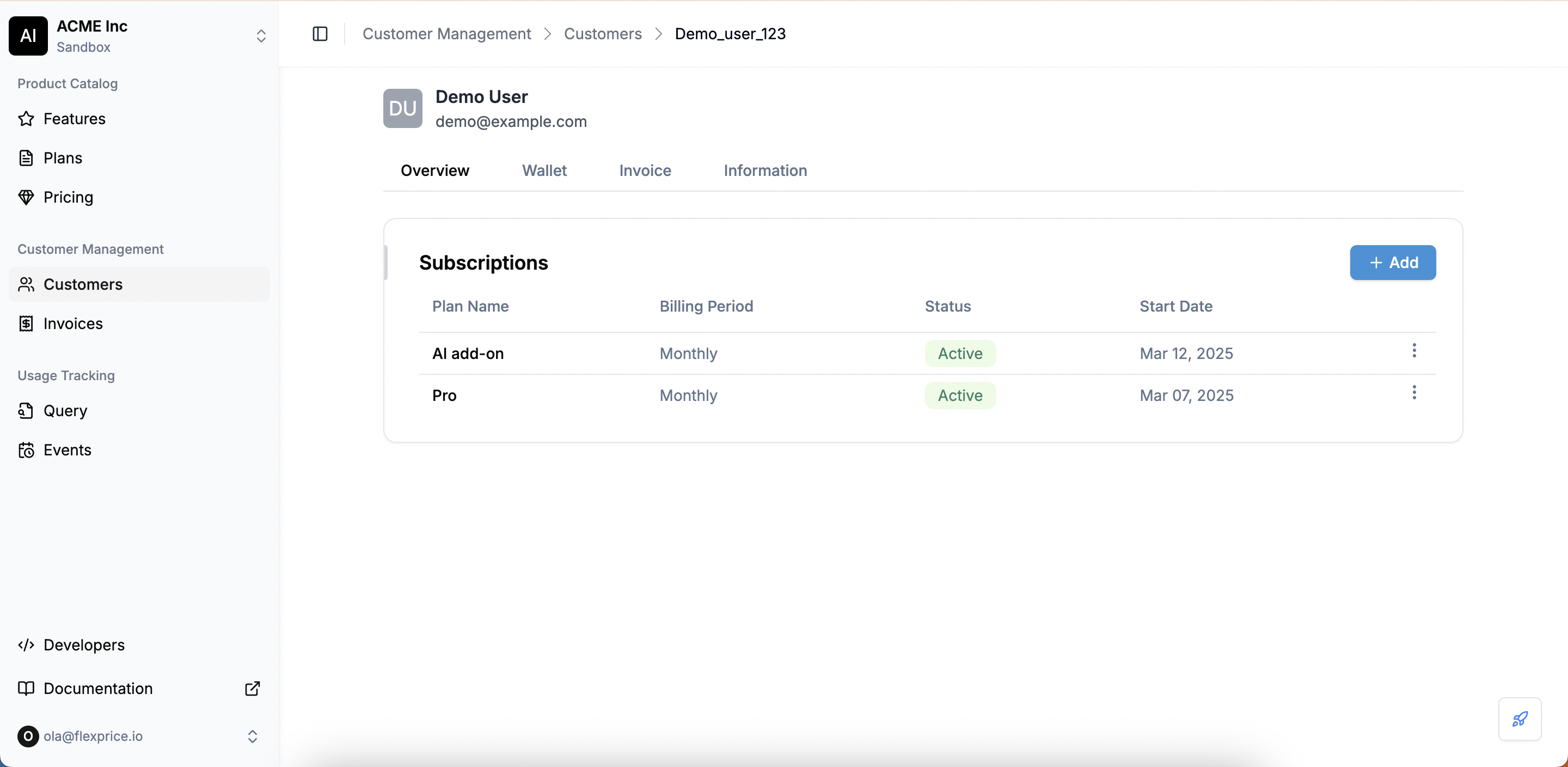 * Clicking on a plan will open the **Subscription Details** page.
* Here, you can view:
* **Plan Name**
* **Billing Period**
* **Subscription Status**
* **Start Date**
* **Upcoming Invoice**
* If the customer is on a usage-based plan, you can refresh the invoice to see real-time calculations based on their latest consumption.
**View Upcoming Invoices**
* Clicking on a plan will open the **Subscription Details** page.
* Here, you can view:
* **Plan Name**
* **Billing Period**
* **Subscription Status**
* **Start Date**
* **Upcoming Invoice**
* If the customer is on a usage-based plan, you can refresh the invoice to see real-time calculations based on their latest consumption.
**View Upcoming Invoices**
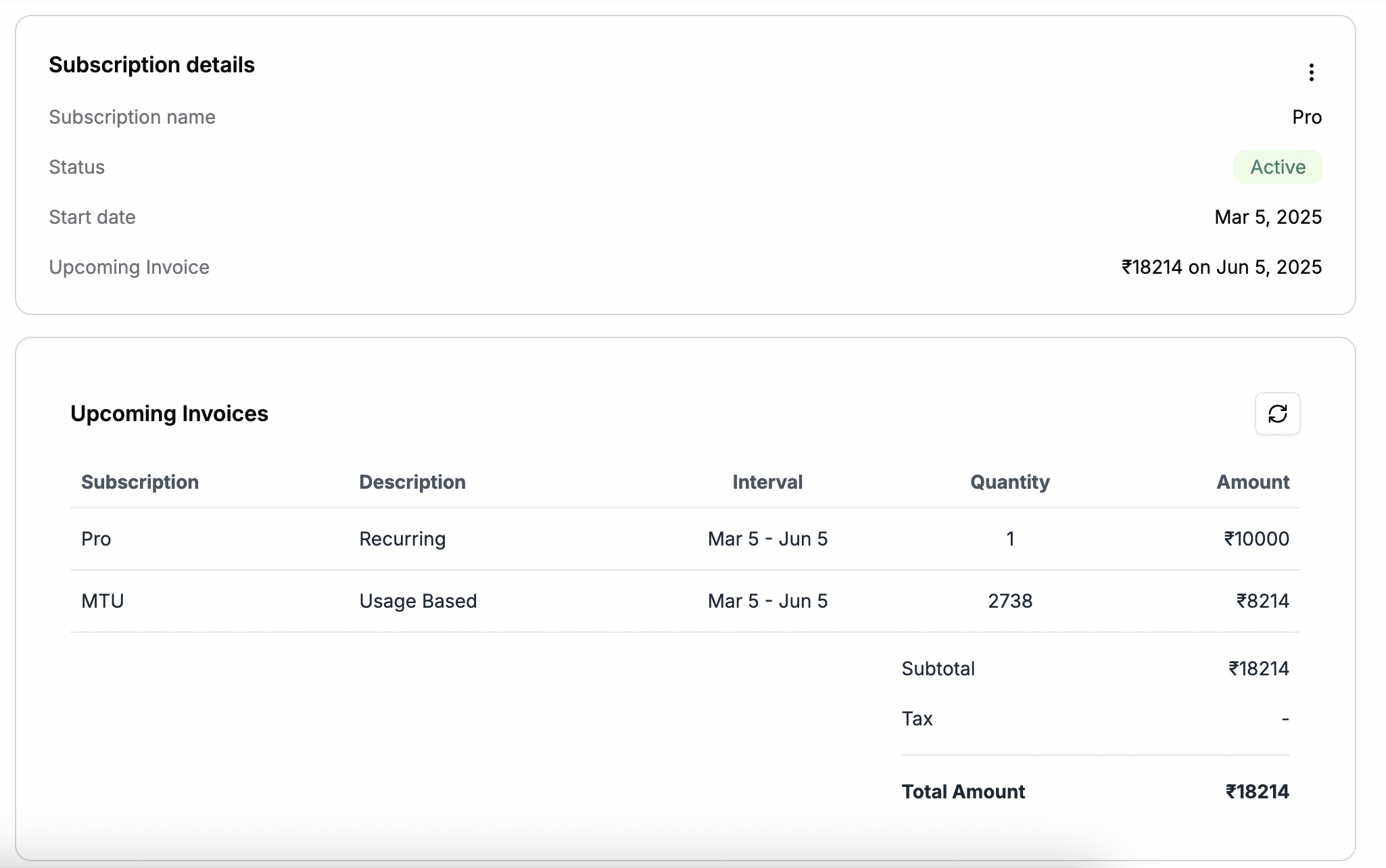 * Whenever a customer starts using usage-based features, any additional charges associated with it will reflect in the upcoming invoice.
* Click the **Refresh Icon** to update and view real-time billing calculations.
* Whenever a customer starts using usage-based features, any additional charges associated with it will reflect in the upcoming invoice.
* Click the **Refresh Icon** to update and view real-time billing calculations.