

Overview
The AWS Marketplace integration reports a subscription’s Flexprice-computed usage to your AWS Marketplace product, going forward from when it is set up. You sell and manage your product on AWS Marketplace yourself; Flexprice’s role is to compute usage and report it, so AWS can bill the buyer and pay you out. Setting this up is a one-time job with three parts:- Your AWS listing: a product with a single usage dimension, priced so AWS bills exactly what Flexprice computes
- An IAM role: cross-account permission for Flexprice to report usage into your AWS account
- A Flexprice connection: stores the role details so reporting can run
Prerequisites
Before setting up your AWS Marketplace connection, ensure you have:- Approved AWS Marketplace Seller Account - With permission to create and publish products
- AWS IAM Access - To create a policy and a cross-account role in your seller account
Step 1: Create Your AWS Marketplace Listing
Create your product in the AWS Marketplace Management Portal. The integration supports products priced with exactly one usage dimension.1
Choose your pricing model
Select a usage-based pricing model for your product.
2
Create a single usage dimension
Add one usage dimension. Note its API identifier: this is the dimension name Flexprice reports against, and AWS makes it immutable once created.
3
Set the dimension price to $0.01
Price your single usage dimension at
$0.01 per unit.AWS only accepts whole numbers as a usage quantity, so Flexprice reports your billable amount in cents. Pricing at this rate means AWS multiplies those cents back into the exact amount Flexprice computed, down to the cent.Step 2: Set Up IAM Credentials for Flexprice to Meter on Your Behalf
Flexprice reports usage by assuming a cross-account IAM role in your AWS account. You create a policy allowing the metering action, then attach it to a role that trusts Flexprice and requires an external ID.Create the IAM Policy
1
Specify permissions
In the AWS IAM console, go to Policies → Create policy, switch to the JSON editor, and paste the following. It grants the single permission Flexprice needs, and nothing else.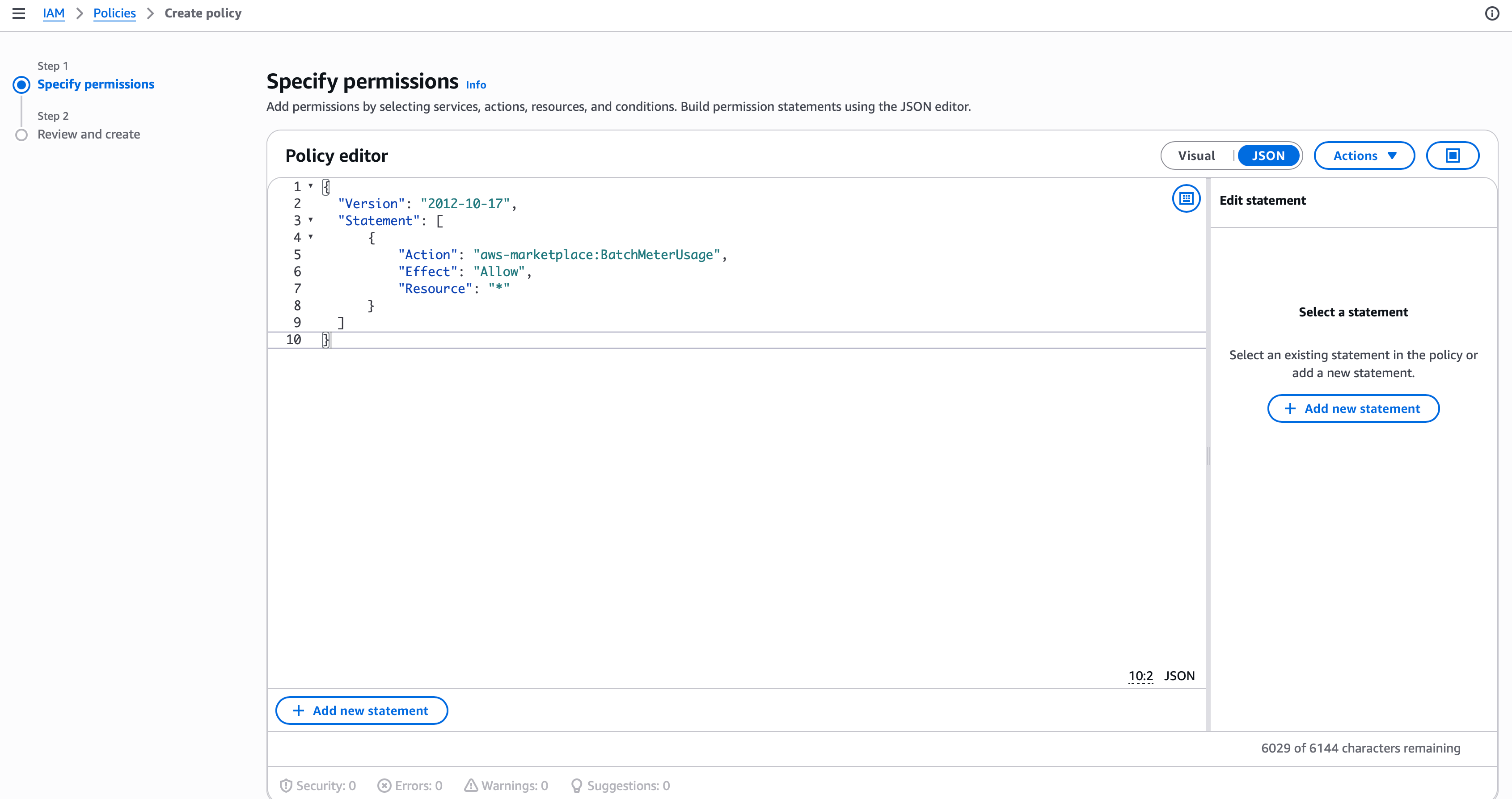
2
Review and create the policy
Name the policy, for example 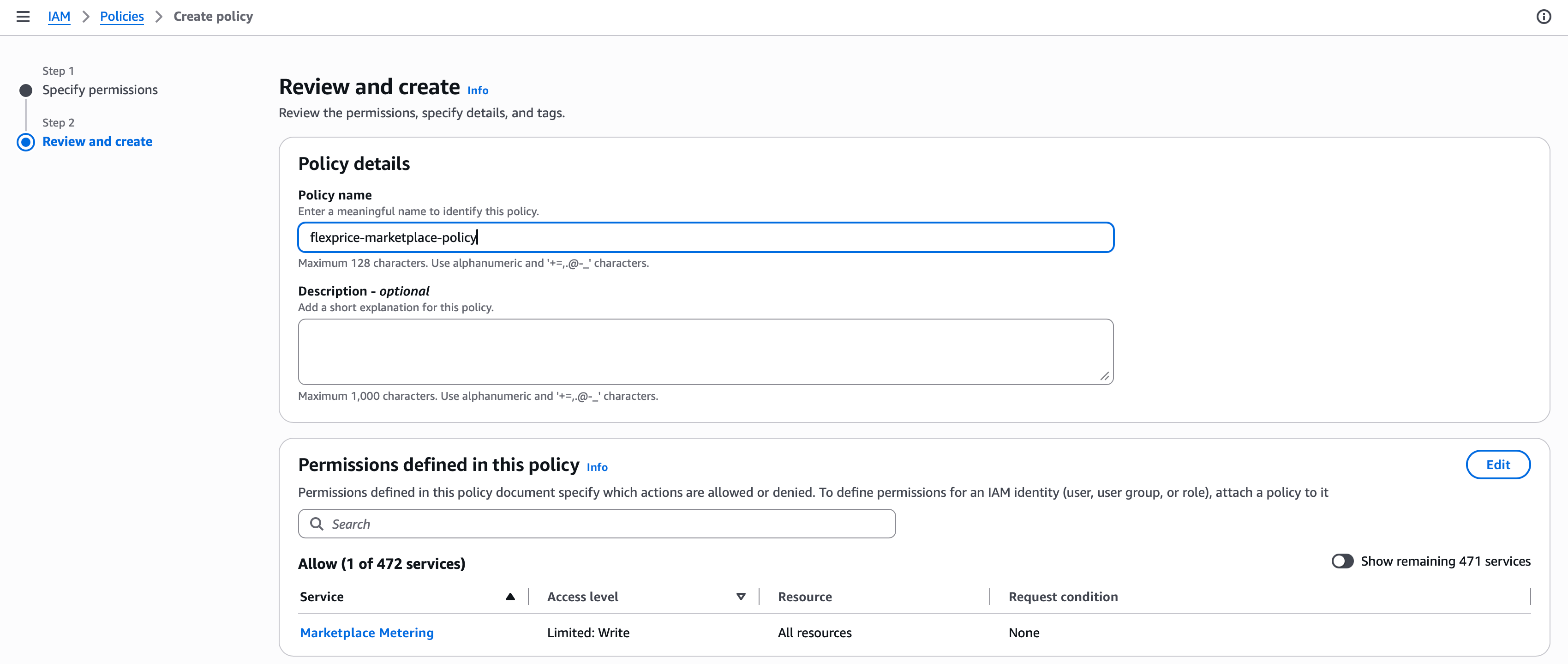
flexprice-marketplace-policy, then choose Create policy.Get Your Account ID and External ID
Go to your AWS Marketplace connection setup in Flexprice to find your AWS account ID and external ID. You need both in the next step.Create the Cross-Account Role
1
Select a custom trust policy
In the AWS IAM console, go to Roles → Create role, and under Trusted entity type choose Custom trust policy. Paste the following, replacing 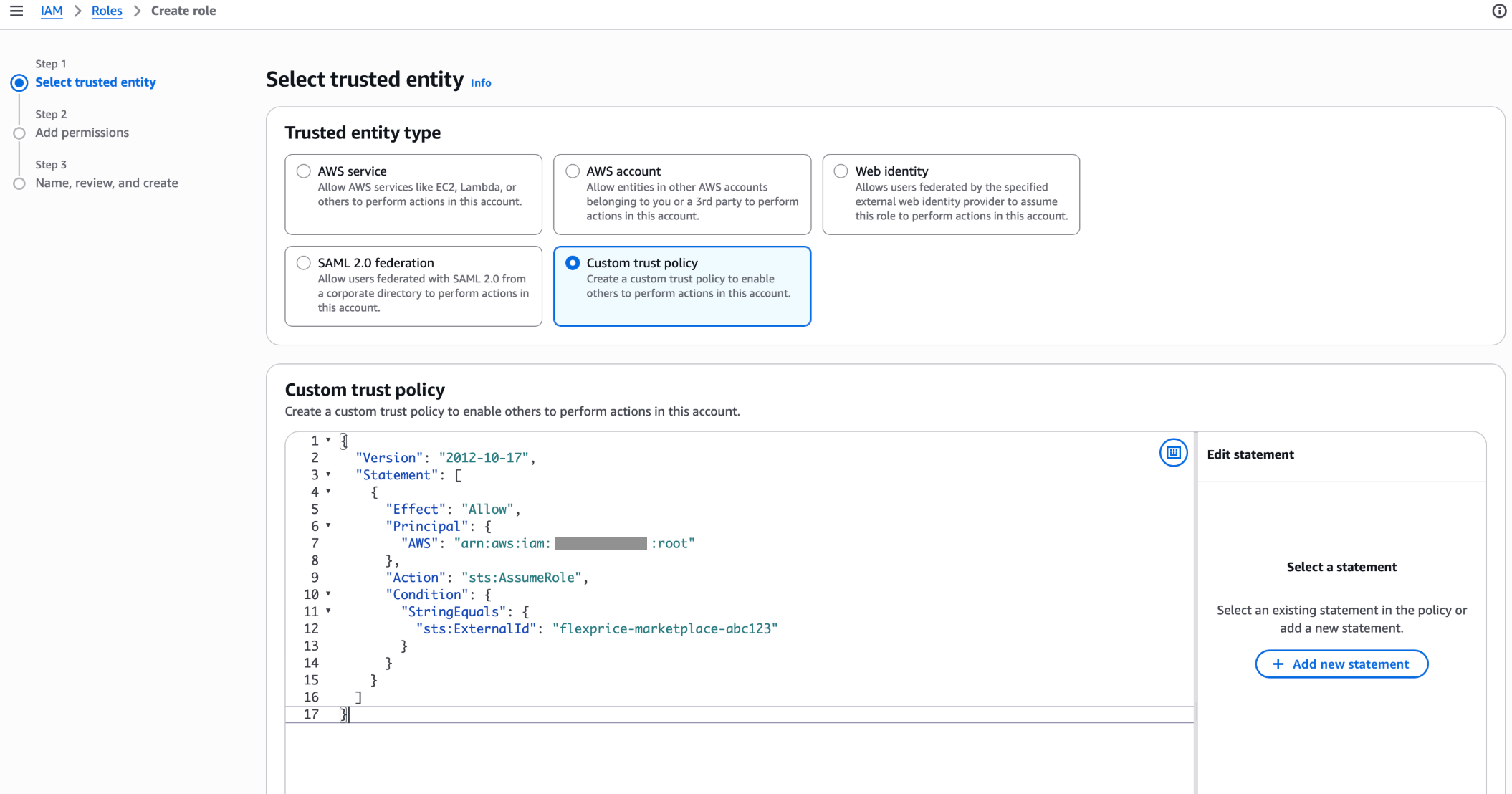
<YOUR_EXTERNAL_ID> with the external ID from the previous step and keeping the account ID exactly as written.2
Attach the policy
Search for and select the policy you created above.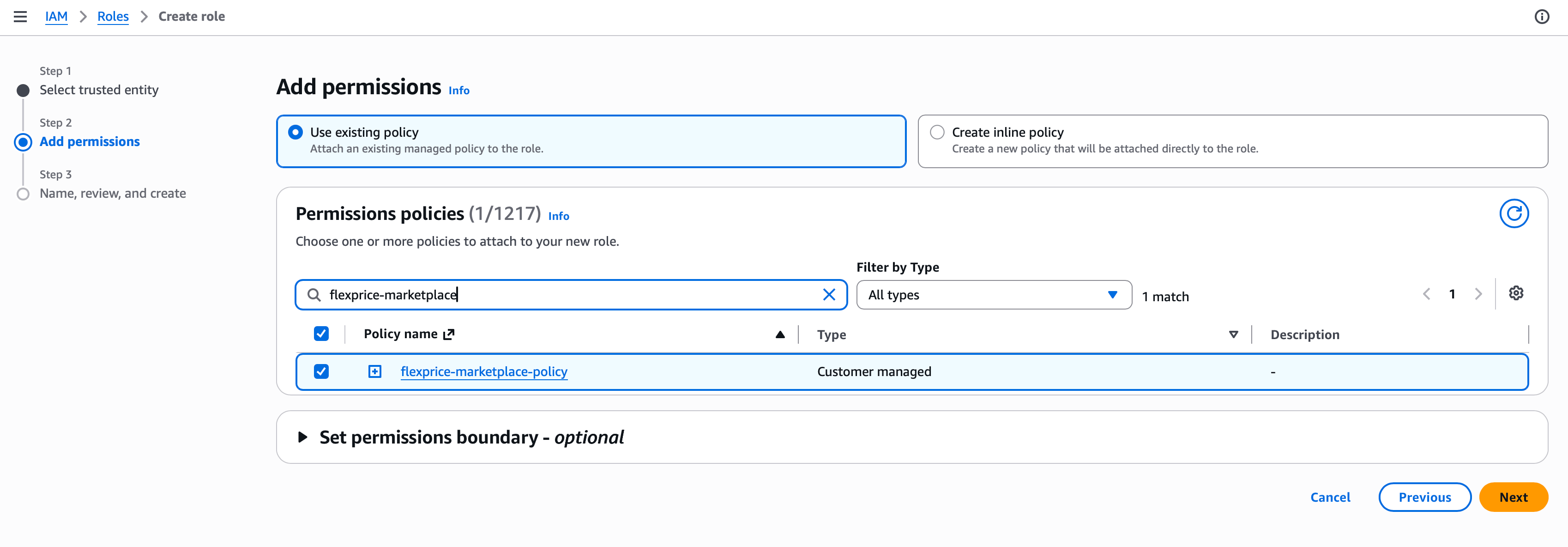
3
Review, and create the role
Give the role a name, for example 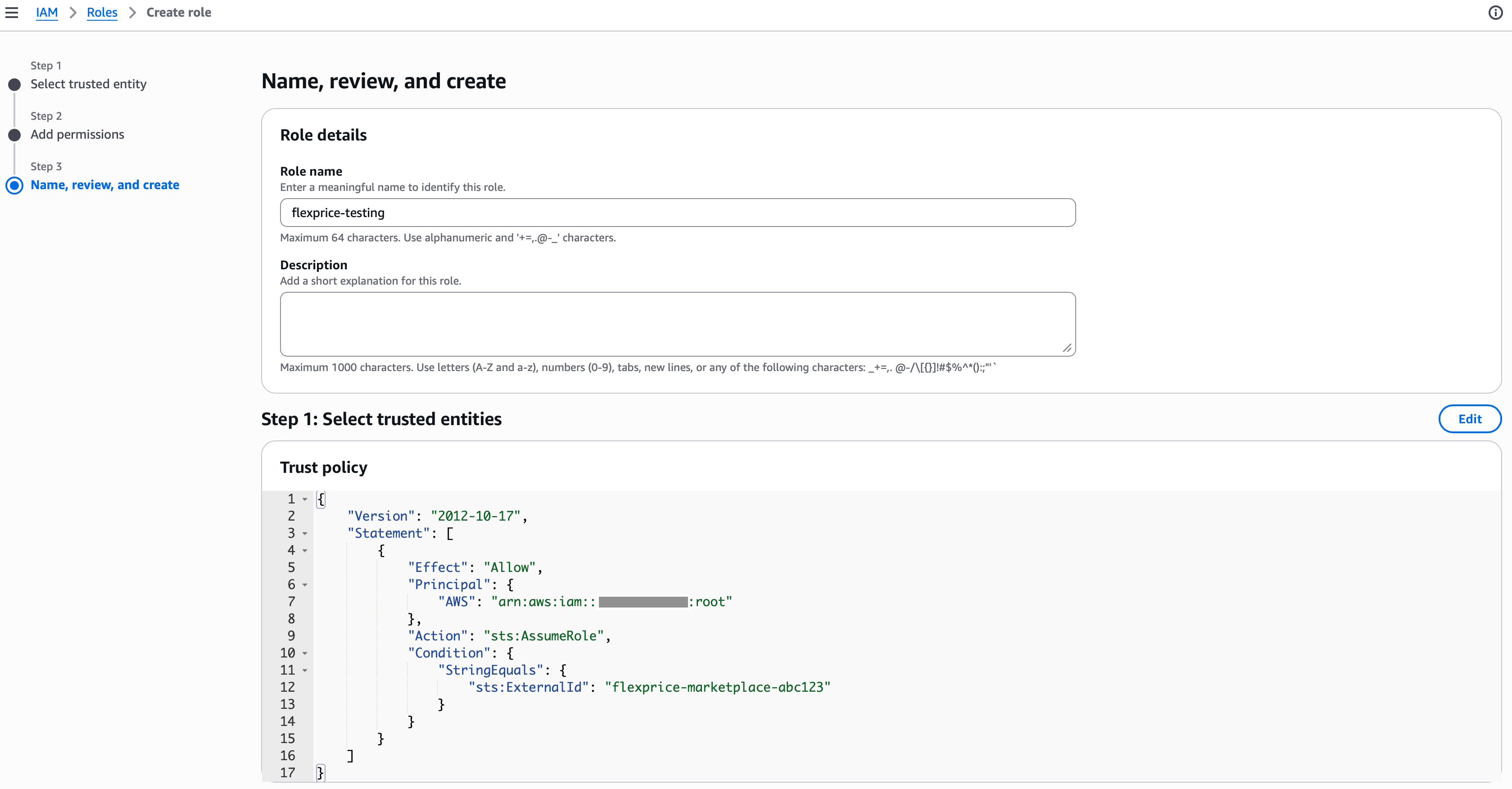
flexprice-marketplace-role, confirm the trust policy matches what you pasted, and choose Create role.4
Copy the role ARN
Open the role and copy its ARN. It has the format
arn:aws:iam::<YOUR_ACCOUNT_ID>:role/<role-name>.Step 3: Create the AWS Marketplace Connection
Using Flexprice Dashboard
You can create an AWS Marketplace connection directly from the Flexprice dashboard under Integrations → AWS Marketplace.API Request
Endpoint:POST /v1/connections
Headers:
Response
sync_config.aws_marketplace.region selects the AWS Marketplace Metering Service endpoint your usage is reported to.
Connection Verification
Creating the connection immediately attempts to assume your role. The connection is only saved if that succeeds, so a successful response confirms your trust policy and external ID actually work rather than failing silently later.
Next Steps
Agreement Registration
Link each buyer’s AWS agreement to a Flexprice subscription.
Usage Reporting
Understand what gets metered to AWS and when.