

Overview
The GCP Marketplace integration reports a subscription’s Flexprice-computed usage to your GCP Marketplace product, going forward from when it is set up. You sell and manage your product on GCP Marketplace yourself; Flexprice’s role is to compute usage and report it, so GCP can bill the buyer and pay you out. Setting this up is a one-time job with three parts:- Your GCP listing: a product with a single usage metric, priced so GCP bills exactly what Flexprice computes
- Workload Identity Federation: lets Flexprice authenticate into your GCP project without a long-lived GCP key
- A Flexprice connection: stores the federation details so reporting can run
Prerequisites
Before setting up your GCP Marketplace connection, ensure you have:- GCP Marketplace Producer Portal access - Enrolled as a producer, with permission to create and publish products
- GCP IAM Access - To create a workload identity pool, provider, and service account in your producer project
Step 1: Create Your GCP Marketplace Listing
Create your product in the GCP Marketplace Producer Portal. The integration supports products priced with exactly one usage metric.1
Choose your pricing model
Select a usage-based pricing model for your product.
2
Create a single usage metric
Add one metered dimension to your product’s Service Control managed service. Note its metric name: this is what Flexprice reports against.
3
Set the metric price to $0.01
Price your single usage metric at
$0.01 per unit.GCP’s Service Control API only accepts whole numbers as a metric value, so Flexprice reports your billable amount in cents. Pricing at this rate means GCP multiplies those cents back into the exact amount Flexprice computed, down to the cent.Once your pricing model is submitted, GCP assigns your product a Service Control managed service name and finalizes your metric’s identifier. Both are account-specific and visible in Producer Portal’s Technical integration section, see Configure usage reporting to Google. You need both, as
service_name and metric_name, when registering agreements, see Agreement Registration.Step 2: Set Up Workload Identity Federation for Flexprice to Meter on Your Behalf
Flexprice reports usage by authenticating into your GCP project through Workload Identity Federation (WIF). Flexprice’s own AWS identity is federated into a short-lived GCP token, with no long-lived GCP key stored anywhere. You create a workload identity pool and provider that trust Flexprice’s AWS identity, and a service account scoped to report usage only.1
Get Flexprice's AWS account ID and role name
Go to your GCP Marketplace connection setup in Flexprice to find the AWS account ID and role name to trust. You need both to run the setup script below.
2
Run the setup script in your GCP project
In your GCP project’s Cloud Shell (or a terminal with the
gcloud CLI authenticated against your project), fill in GCP_PROJECT_ID, GCP_PROJECT_NUMBER, and SA_ID, and set FLEXPRICE_AWS_ACCOUNT_ID / FLEXPRICE_AWS_ROLE_NAME to the values from the previous step. Then run:3
Copy the generated credentials file
Open
flexprice-gcp-creds.json and copy its full contents. This file contains no private key, only configuration describing how to complete the federation exchange. You need it in the next step.Step 3: Create the GCP Marketplace Connection
Using Flexprice Dashboard
You can create a GCP Marketplace connection directly from the Flexprice dashboard under Integrations → GCP Marketplace. The dashboard walks you through the same setup script and credentials JSON paste described above, with your Flexprice AWS account ID and role name pre-filled.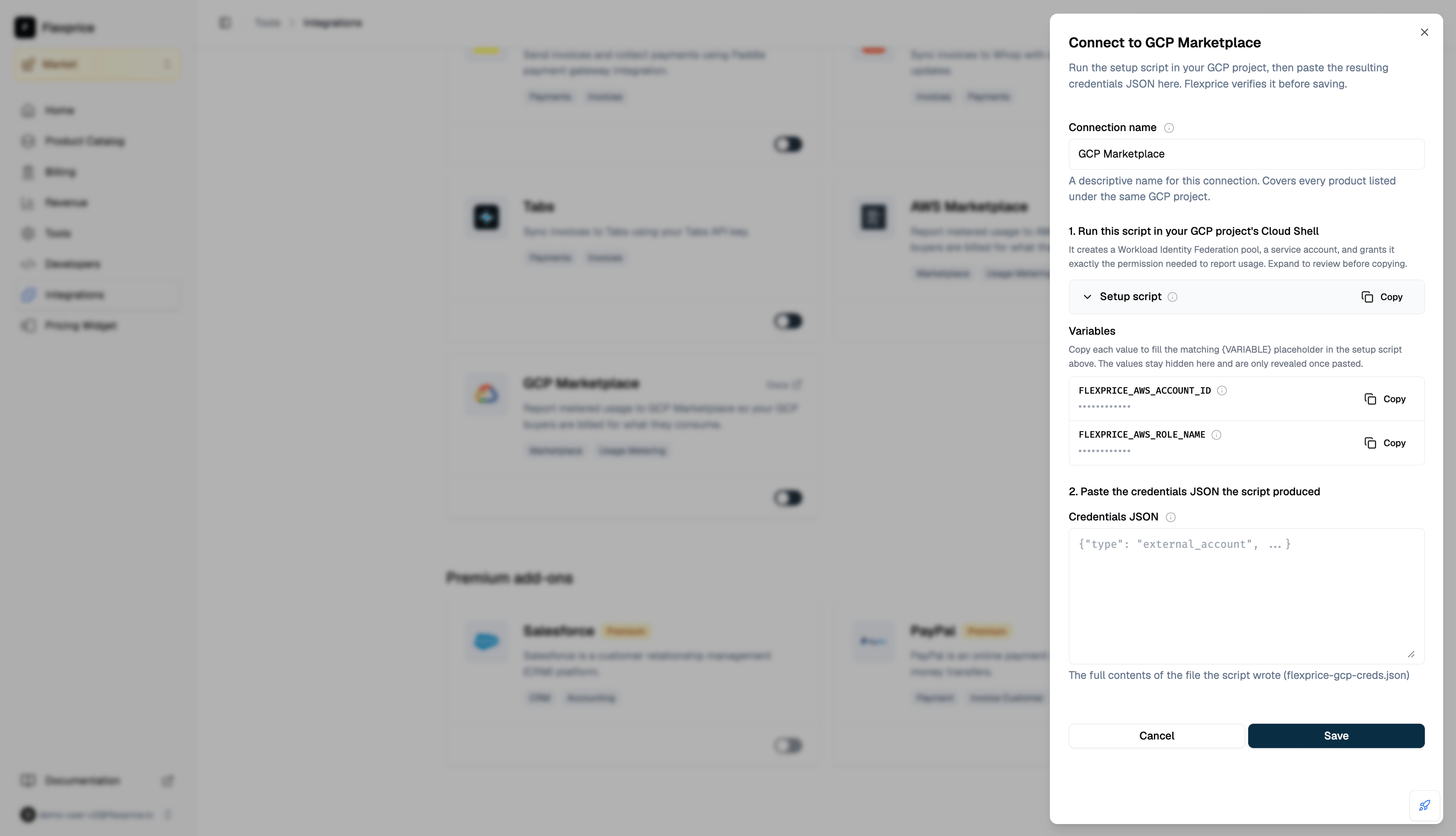
API Request
Endpoint:POST /v1/connections
Headers:
flexprice-gcp-creds.json from Step 2 looks like this:
credentials_json is a string field, not a nested object. Its value is that entire file’s contents, JSON-encoded as one string:
Request Body:
If you are building this request programmatically, read the file and pass its raw contents through your language’s JSON string encoding rather than constructing the escaped string by hand.
Response
Connection Verification
Creating the connection immediately attempts the full Workload Identity Federation exchange: trading your AWS identity for a federated GCP token, then impersonating your service account. The connection is only saved if that succeeds, so a successful response confirms your setup actually works rather than failing silently later.
Next Steps
Agreement Registration
Link each buyer’s GCP entitlement to a Flexprice subscription.
Usage Reporting
Understand what gets metered to GCP and when.