

How It Works
Each billing entity can own one connection per provider: one Stripe connection, one Razorpay connection, one QuickBooks connection and so on. Two entities can’t share a connection, and a connection’s owner can’t change after it’s created. When billing entities are turned on, existing connections are assigned to the default entity. Which connection Flexprice uses depends on the operation:Connecting a Provider for an Entity
In the dashboard
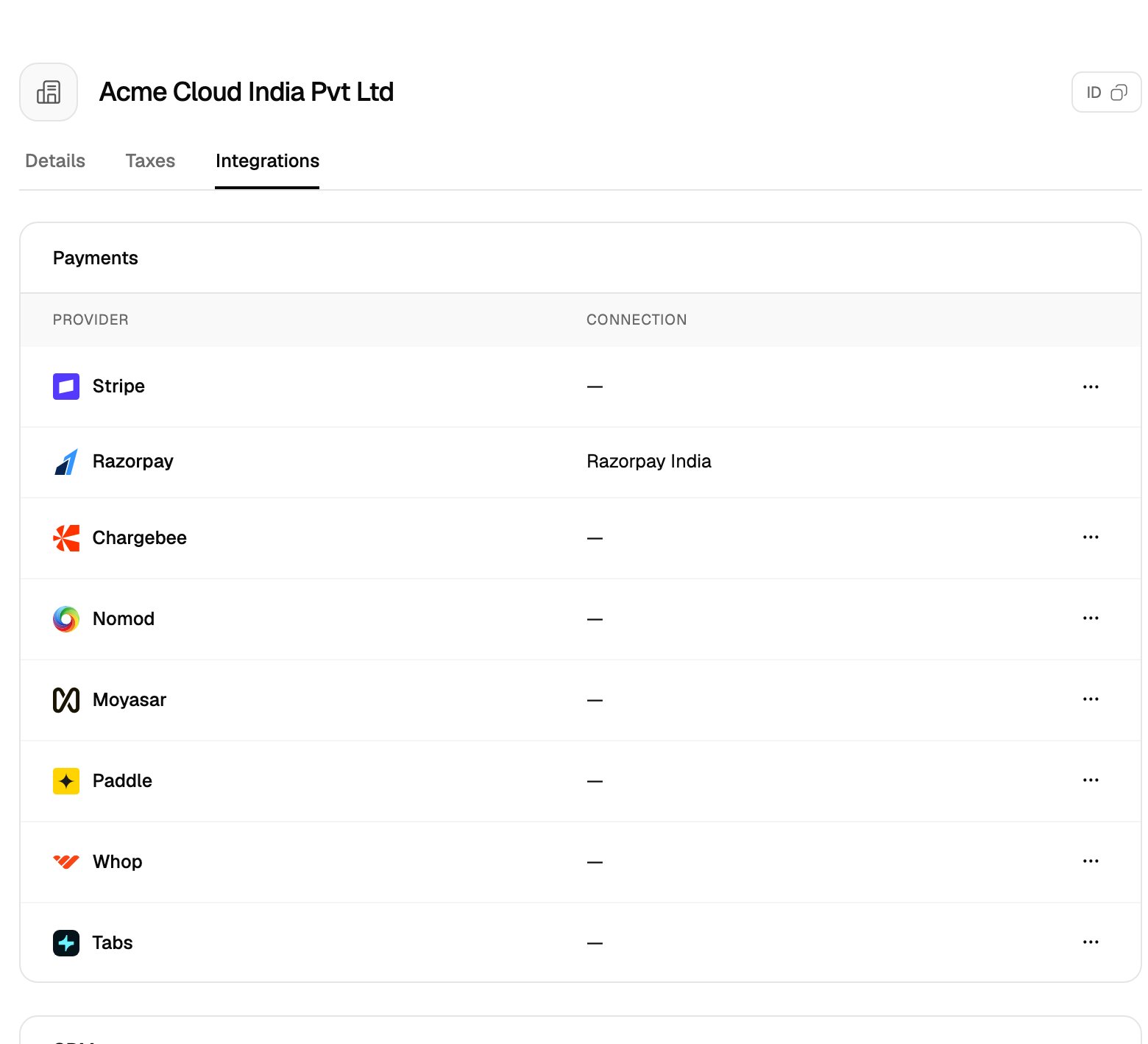
You can start from the provider’s page or from the entity’s page. Both open the same connect panel with the entity preselected.- From the provider page
- From the entity page
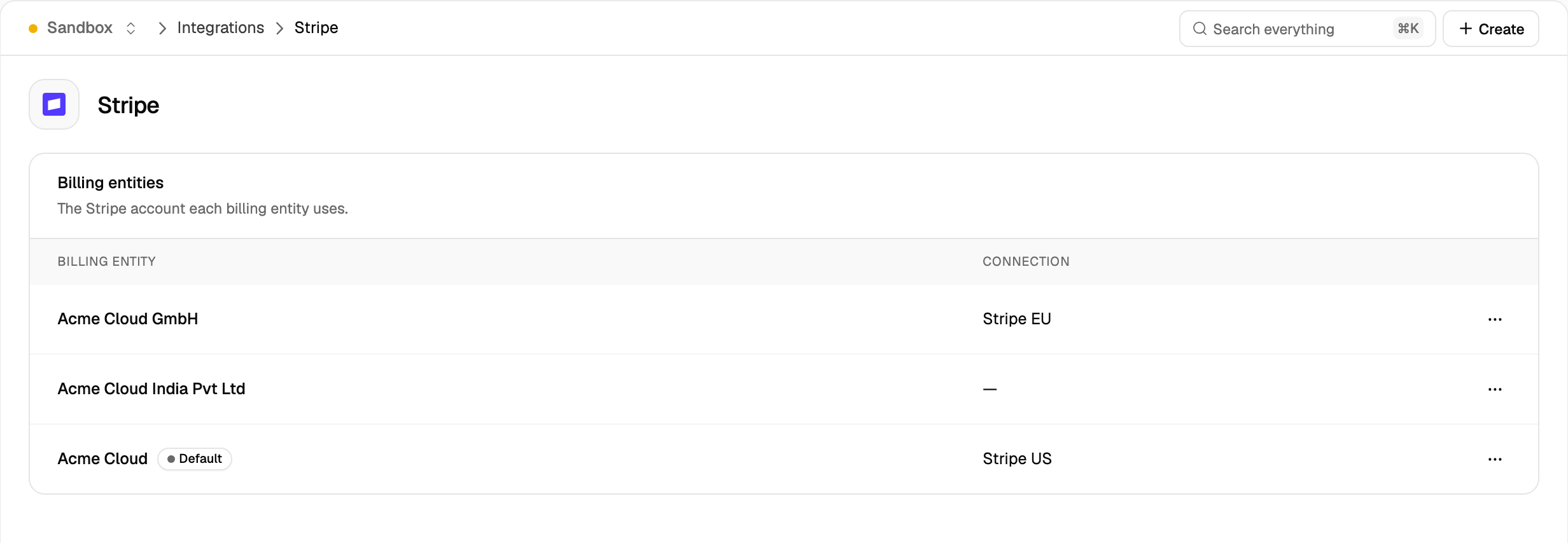
- Go to Integrations and click the provider, for example Stripe. The Billing entities section lists each entity and its connection.
- Open the menu (⋯) on the entity’s row and click Connect.
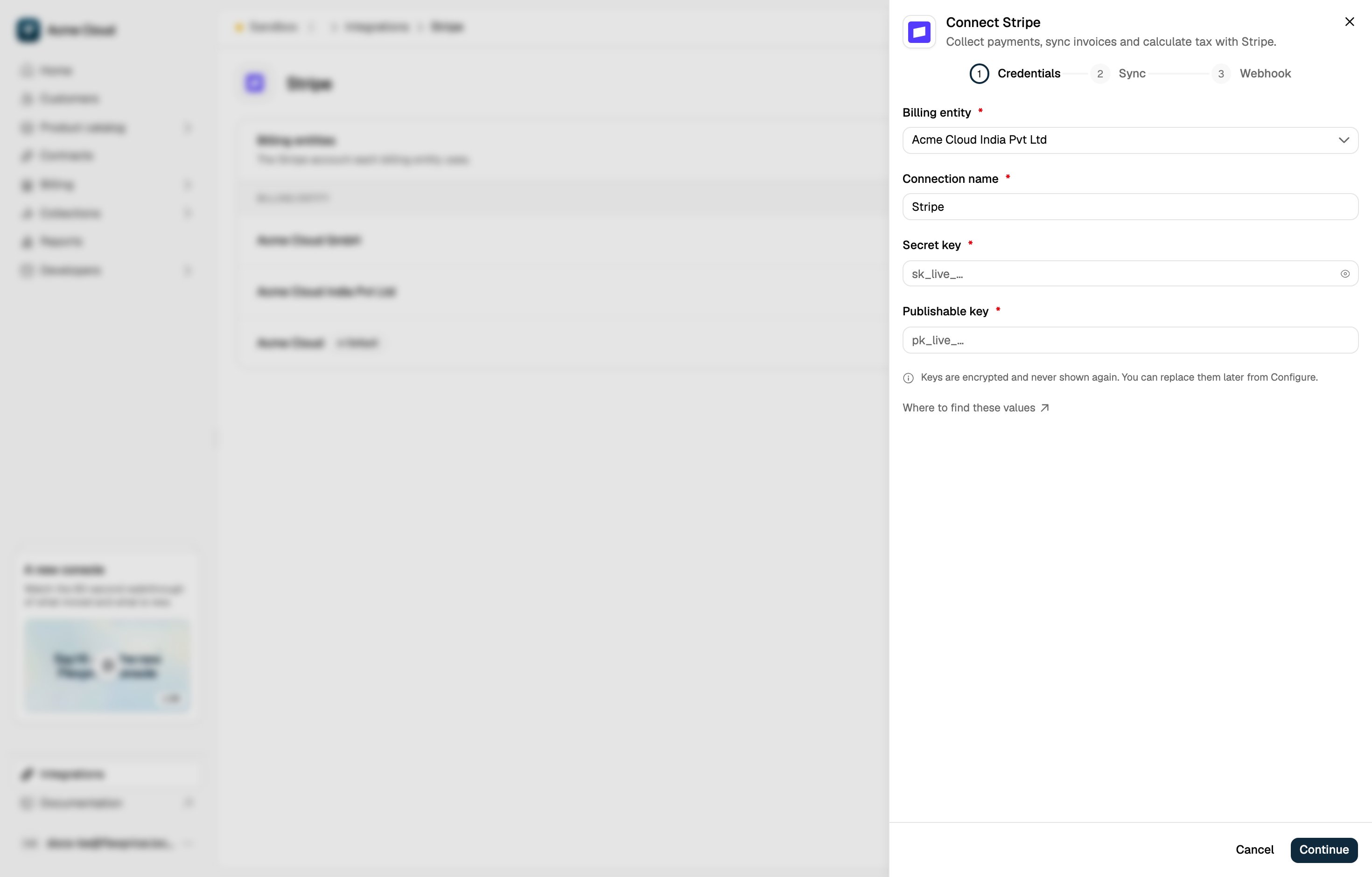
- Check the Billing entity field, then enter the provider’s API keys and choose what to sync.
- On the Webhook step, copy the Webhook URL. It ends in
?connection=<connection_id>. Register it as a webhook endpoint in the provider’s dashboard. - Paste the signing secret from the provider into Webhook signing secret and finish connecting.
From the API
Create the connection withPOST /v1/connections and set billing_entity_id. If billing_entity_id is omitted, the connection belongs to the default entity.
For any entity other than the default, the request must also include a client-generated id: conn_ followed by a ULID. Generating the ID yourself means you know the webhook URL before the connection exists, so you can register it with the provider first.
List an entity’s connections with
GET /v1/connections?billing_entity_id=<ID>.
QuickBooks and Zoho Books connect through OAuth. Send billing_entity_id, and id for a non-default entity, in the POST /v1/oauth/init request.
Webhook URLs
Each connection has its own webhook URL:{tenant_id} is your Flexprice account ID. The dashboard shows the complete URL on the Webhook step. Stripe, Razorpay, Paddle, Nomod, Moyasar, Whop, Chargebee, HubSpot, QuickBooks and Zoho Books use per-connection URLs.
Events sent to a per-connection URL are verified with that connection’s signing secret and applied to its entity. Events for an unknown connection return 404.
The URL without ?connection= keeps routing to the default entity’s connection, so webhook endpoints registered before billing entities were turned on keep working.
Payments Use the Customer’s Entity
A payment can only go through a provider that the customer’s billing entity has connected. Requesting any other provider returns400:
Changing an Entity’s Provider Account
A connection’s owner can’t change. To move an entity to a different account of the same provider:- Disconnect the entity’s current connection.
- Connect the new account for the entity.
- Re-sync the entity’s customers to the new account.
Related Articles
Billing Entities
Enable billing entities and configure seller details, invoice numbering and default tax rates.
Stripe Connection Setup
API keys, webhook events and sync options for a Stripe connection.
Razorpay Connection Setup
API keys and webhook setup for a Razorpay connection.
Integrations
All providers Flexprice connects to.