

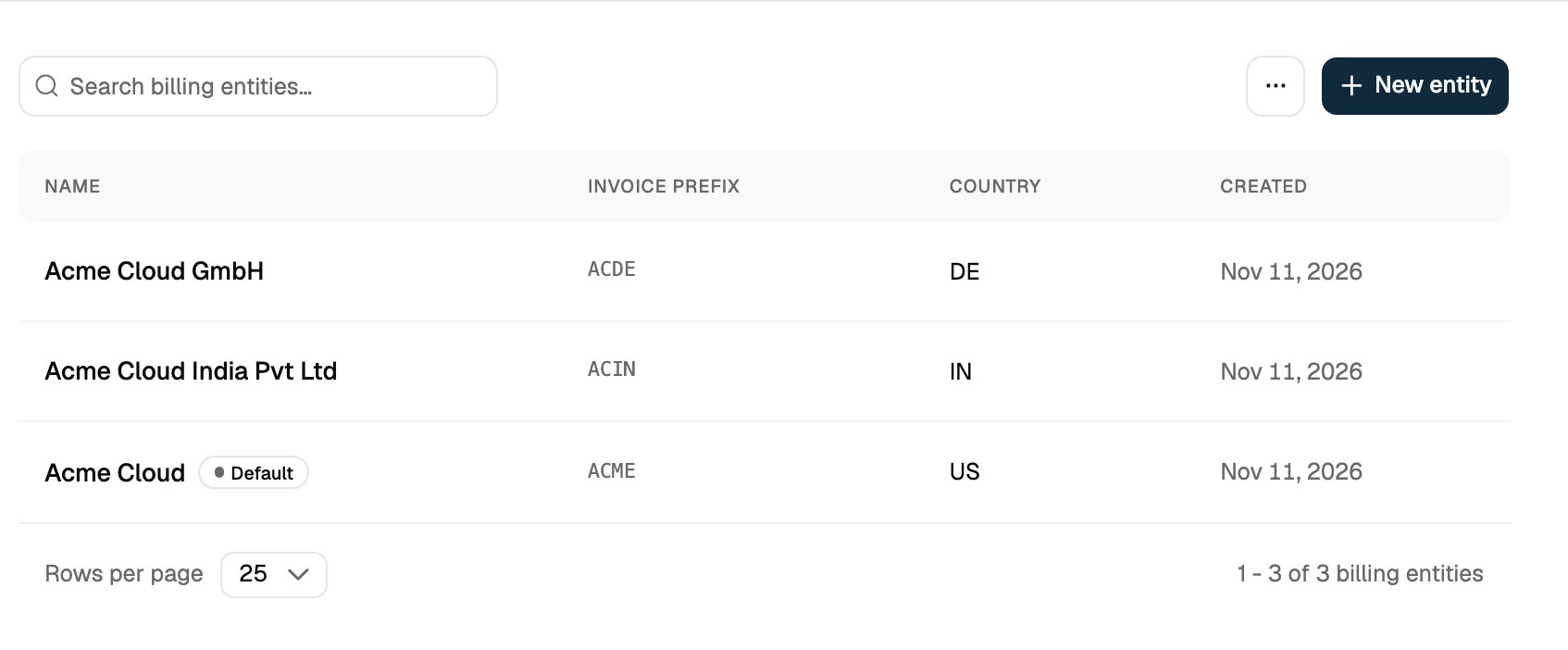
How It Works
- Shared catalog: plans, prices, features and meters are environment-wide and shared by every entity. Only the seller on the invoice differs.
- Customer assignment: a customer’s
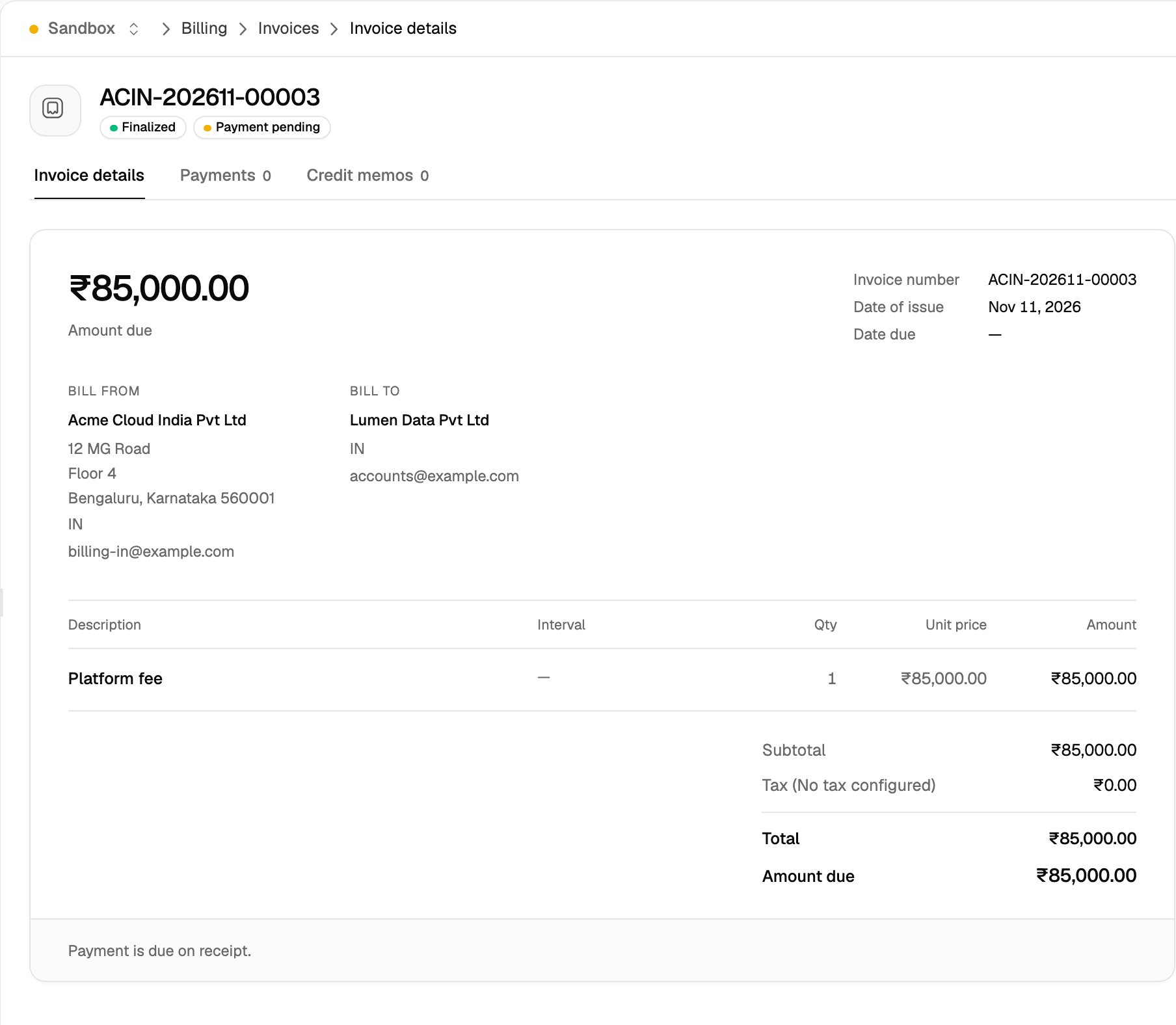
billing_entity_idis set when the customer is created and can’t be changed afterwards. - Seller details: the invoice, its PDF and the hosted invoice page show the entity’s
nameandbilling_detailsas the seller. - Invoice numbering: each entity has its own
invoice_number_prefix, and each prefix keeps its own sequence, for exampleACME-202611-00003andACIN-202611-00001in the same month. - Default tax rates: tax rates associated with an entity are applied to every new customer of that entity.
- Connections: each entity owns its own payment and accounting connections. Payments and syncs for a customer use only the connections of the customer’s entity. See Integrations for Billing Entities.
- Environment scope: billing entities are enabled per environment, so you can try them in a sandbox before production.
Turning On Billing Entities
Billing entities are off in every new environment. Turning them on is an irreversible operation. Enabling provisions a default billing entity for the environment, seeded from your existing configuration. Any customer created without an explicitbilling_entity_id is assigned to it.
Flexprice then runs a background backfill that assigns every existing customer, invoice and connection to the default entity. The environment reports
enabling until the backfill completes, then enabled. Issued invoices keep their numbers, amounts and PDFs, and billing continues uninterrupted while the backfill runs.
In the dashboard
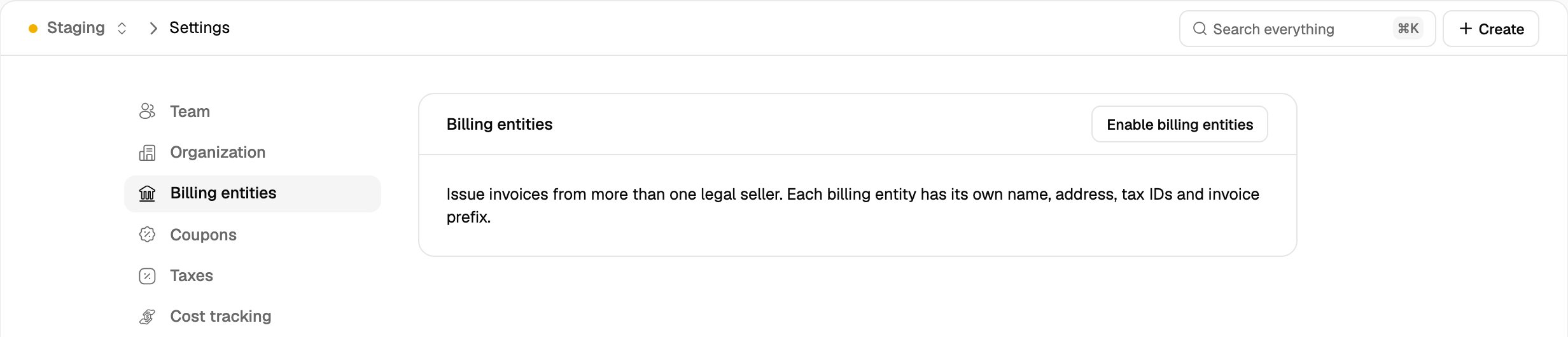
Only users with the Super Admin role can turn on billing entities.- Go to Settings → Billing entities.
- Click Enable billing entities and confirm.
From the API
CallPOST /v1/billing-entities/enable with an API key that has Super Admin access. The request returns 202 and the backfill runs in the background:
GET /v1/billing-entities/status until mode is enabled:
The enable endpoint is idempotent. Calling it while the mode is
enabling resumes the same backfill, and calling it once the mode is enabled returns 200 without changing anything.
What changes once billing entities are on
- Invoice prefix: the prefix is set per entity.
invoice_config.prefixbecomes read-only, and the prefix in Settings → Invoicing can’t be edited. The other numbering settings (format, separator, number of digits, timezone) still apply to every entity. - Default tax rates: account-level tax associations can’t be created or changed. Associate tax rates with a billing entity instead.
- External tax engines: Stripe Tax and other external tax engines can’t be enabled.
- Cloning: the environment can’t be cloned, and can’t be the target of a clone.
Creating a Billing Entity
In the dashboard
- Go to Settings → Billing entities and click New entity.
- On the Entity step, enter the Name and the Billing details printed on invoices. Click Next.
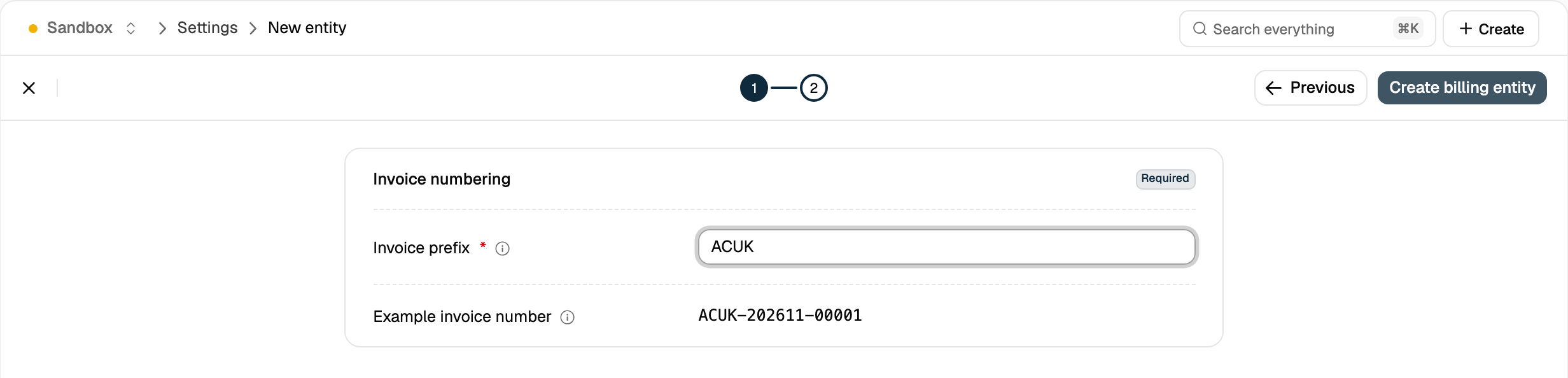
- On the Invoicing step, enter the Invoice prefix. Example invoice number previews the numbers this entity will issue.
- Click Create billing entity.
From the API
409:
While the mode is not
enabled, these endpoints return 400 with “Billing entities are not enabled in this environment”.
Updates to an entity apply to drafts and to invoices finalized afterwards. Finalized invoices keep the seller details saved at finalization (see Invoices).
Default Tax Rates
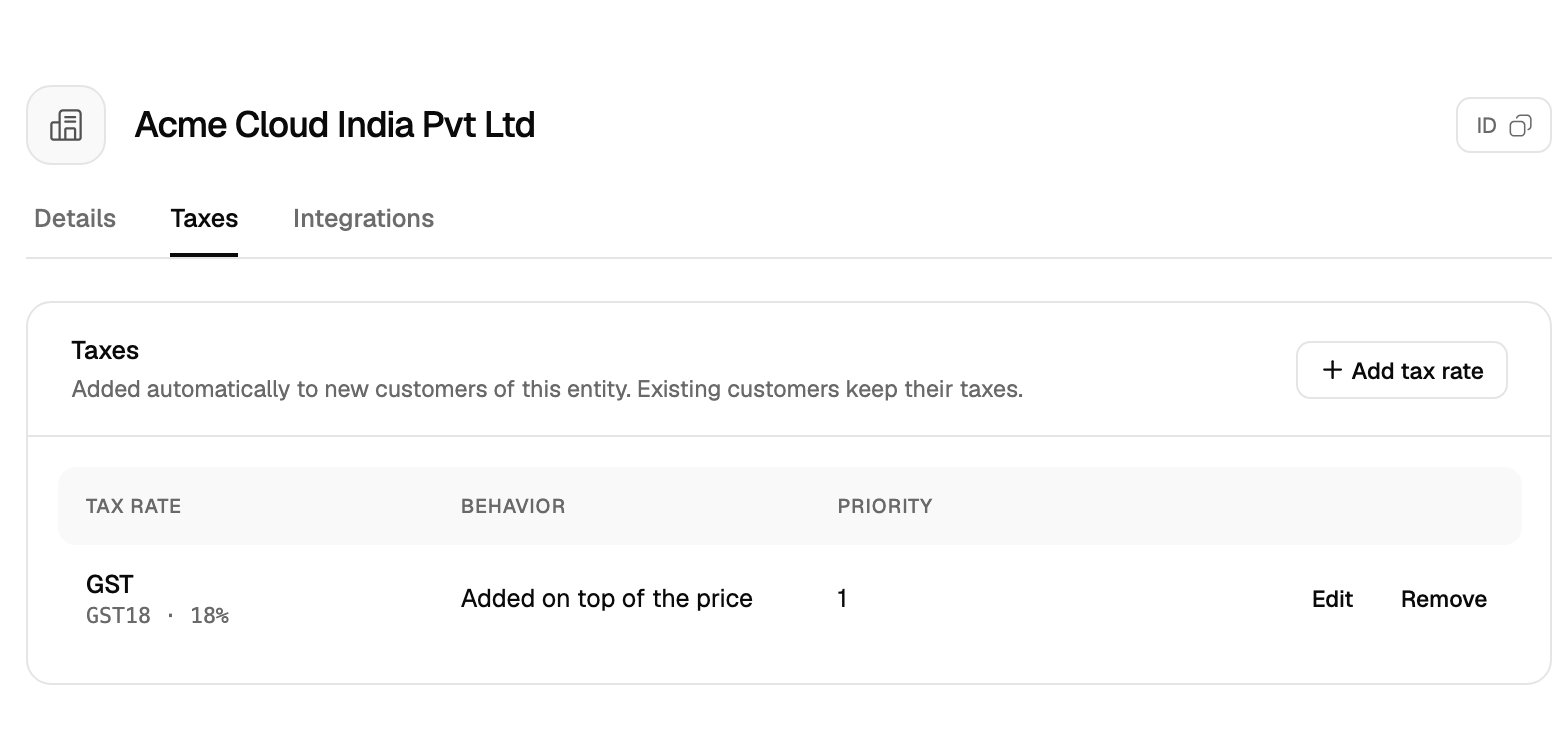
Tax associations withentity_type: billing_entity and auto_apply: true are copied to each new customer of that entity when the customer is created. Existing customers keep their current tax associations.
In the dashboard, open the entity and add rates on the Taxes tab.
POST /v1/taxes/associations:
Assigning Customers
Setbilling_entity_id when you create the customer. If it’s omitted, the customer is assigned to the default entity. The field can’t be changed after creation.
In the dashboard, select the entity in the Billing entity field of the new customer form. The default entity is preselected.
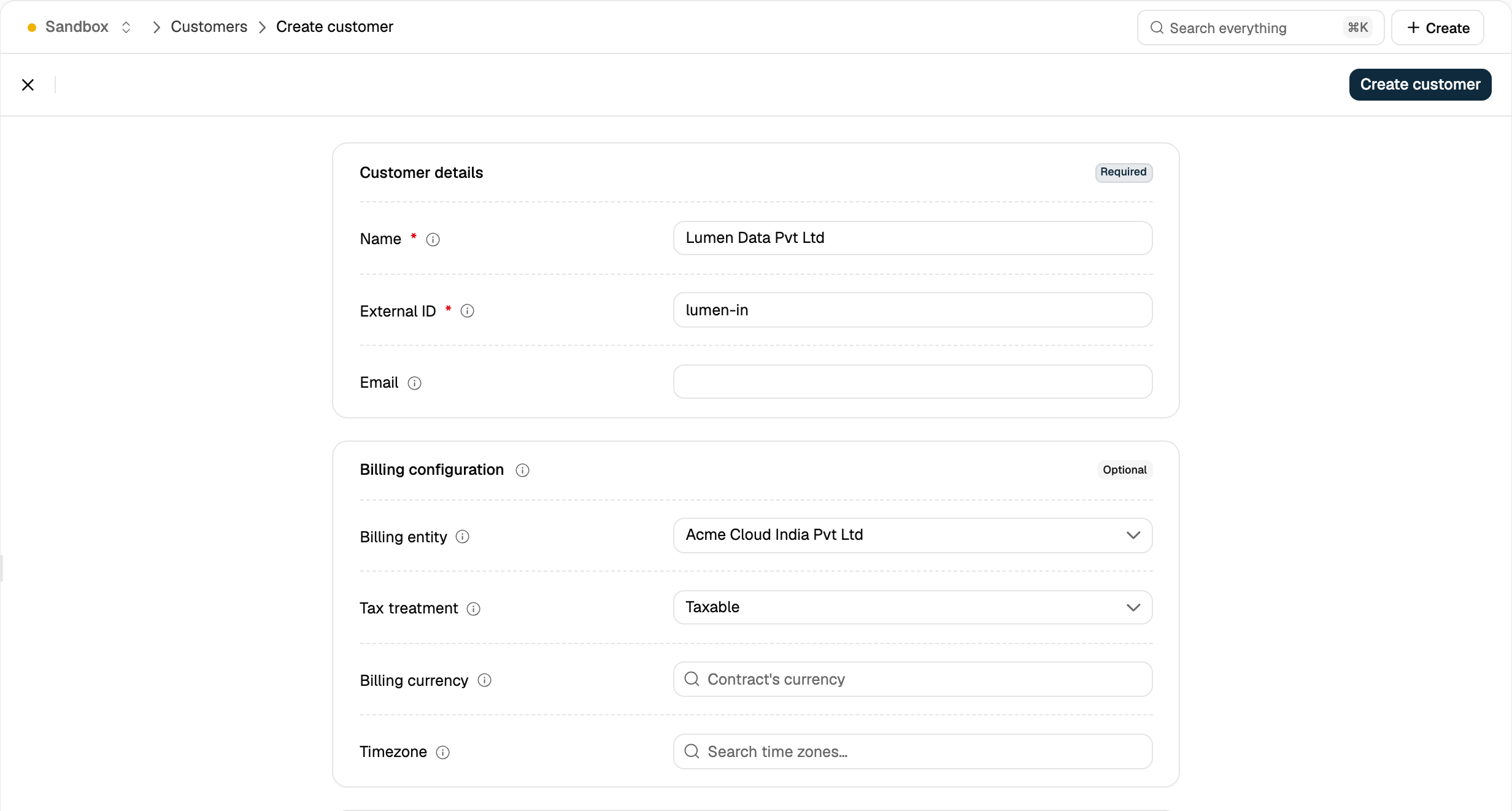
billing_entity_id on a customer update returns 400:
To invoice the same buyer from two entities, create one customer per entity with different
external_id values.Invoices
An invoice’sbilling_entity_id is taken from its customer when the invoice is created and doesn’t change.
- Invoice number: assigned at finalization from the entity’s prefix and sequence.
- Seller details: at finalization, Flexprice saves the entity’s
nameandbilling_detailson the invoice asbilling_entity. The PDF and hosted invoice page render this saved copy, so later edits to the entity don’t change issued invoices.
Delegated and grouped invoicing
Delegated invoicing and grouped invoicing combine customers on one invoice, so every customer involved must belong to the same billing entity. Mixing entities returns400 with “Customers of different billing entities cannot be invoiced together”.
Filtering by Billing Entity
The customer and invoice lists in the dashboard have a Billing entity column and a Billing entity filter. From the API, passbilling_entity_id to the customer and invoice list endpoints:
Limitations
Related Articles
Integrations for Billing Entities
Connect payment and accounting providers per billing entity.
Managing Invoices
Finalize, void and track invoices.
Configuring Taxes
Create the tax rates you associate with each billing entity.
Settings
Invoice numbering settings shared by all billing entities.