

Quick Setup
Getting started with Flexprice Cloud is straightforward and requires no infrastructure setup. Follow these simple steps:- Visit Flexprice Cloud
- Sign up using either:
- Google account
- Email and password
Understanding Environments
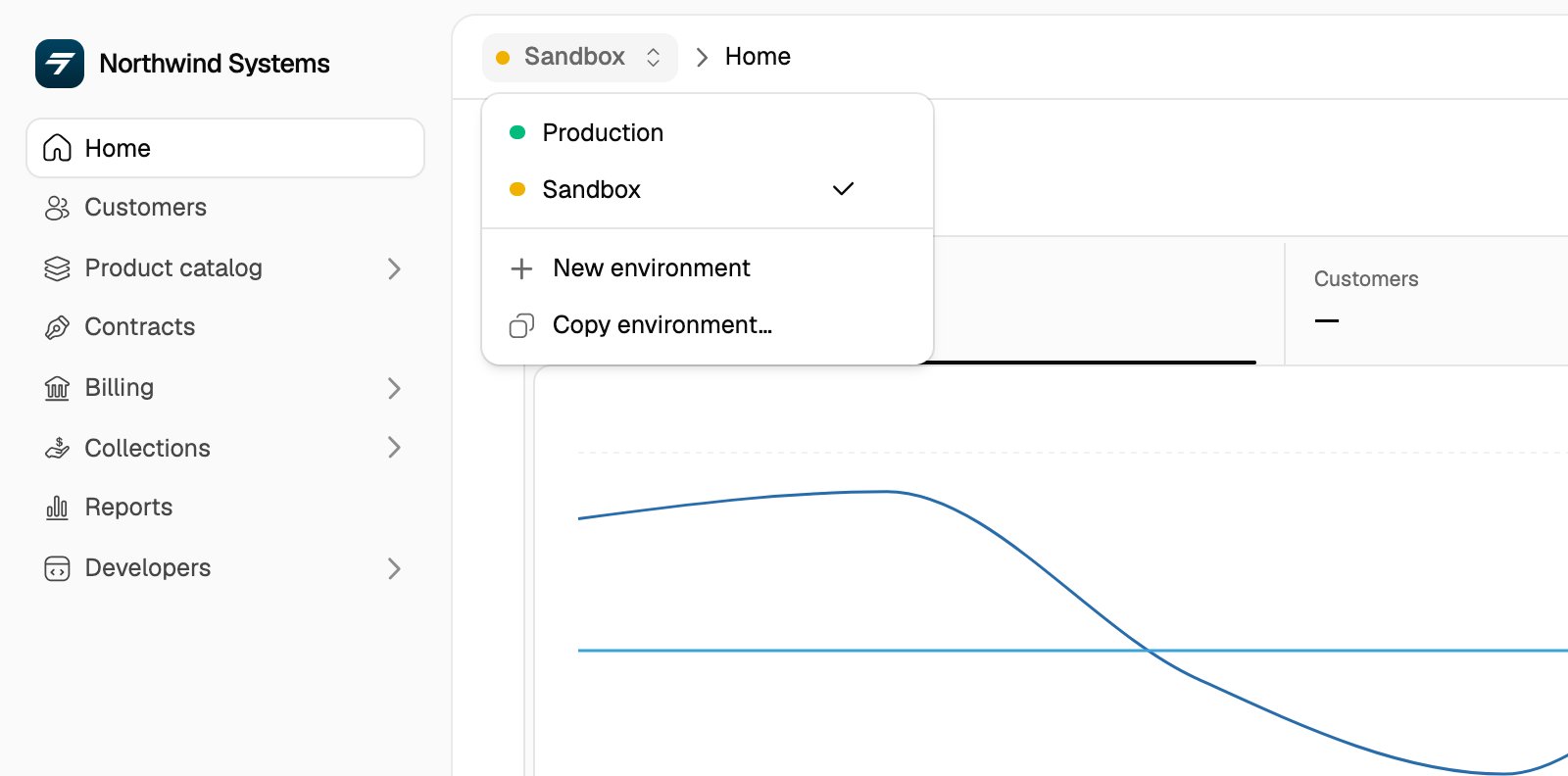
When you first log in, you’ll be placed in the Sandbox environment. Flexprice provides different environments to help you manage your pricing across different stages:Sandbox
A pre-configured environment with Cursor pricing template for you to experiment and learn
Production
Your live environment for real customer data and billing
Exploring the Sample Setup
The Sandbox environment comes pre-configured with Cursor’s pricing model, giving you a practical example of how to structure complex pricing:Cursor Pricing Template
Explore the detailed guide on how Cursor’s pricing is implemented in Flexprice
Setting up API Keys
To integrate Flexprice with your application, you’ll need to generate an API key:1
Open API keys
In the left sidebar, go to Developers → API keys.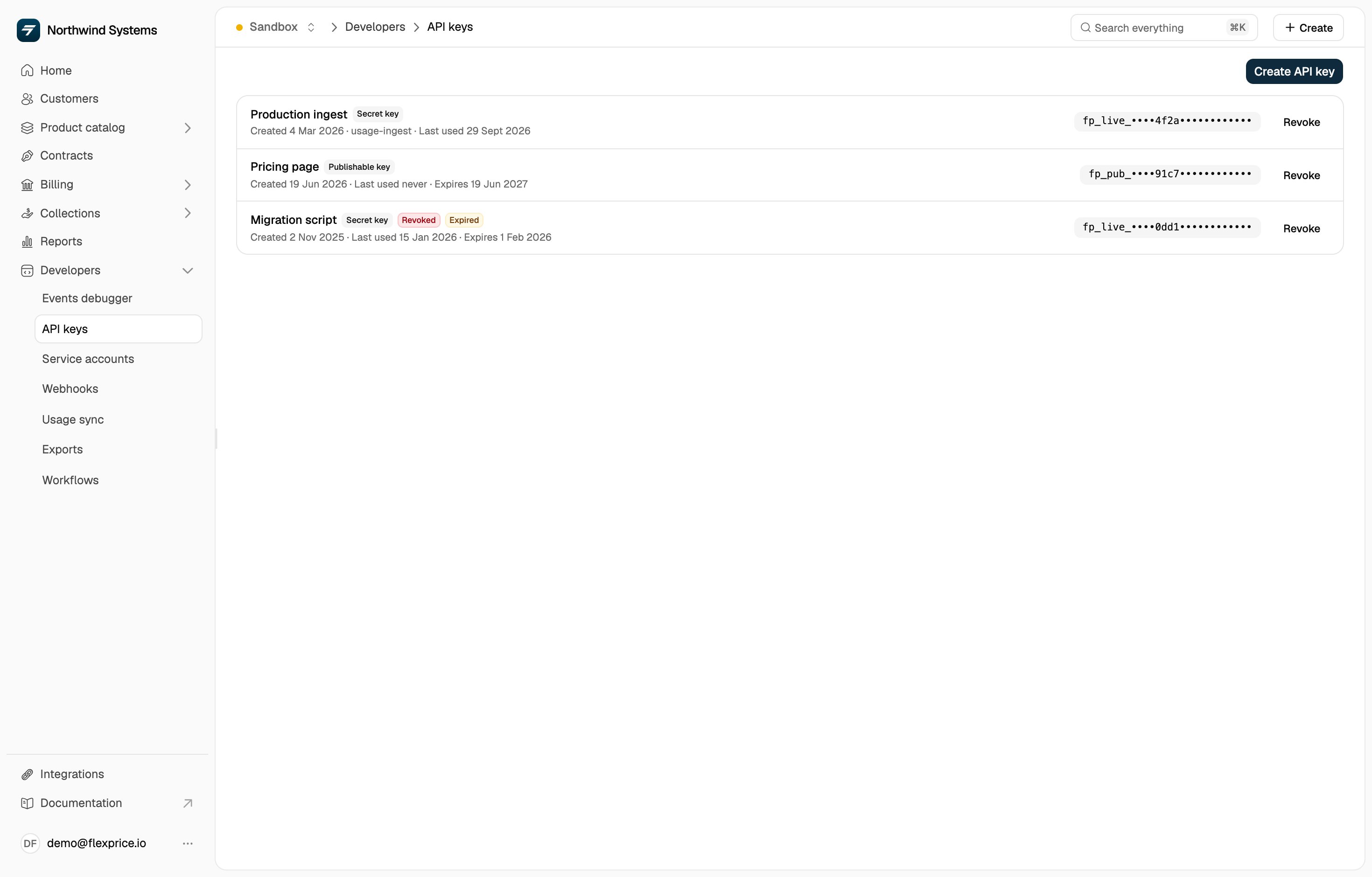
2
Create the key
Click Create API key and configure your key: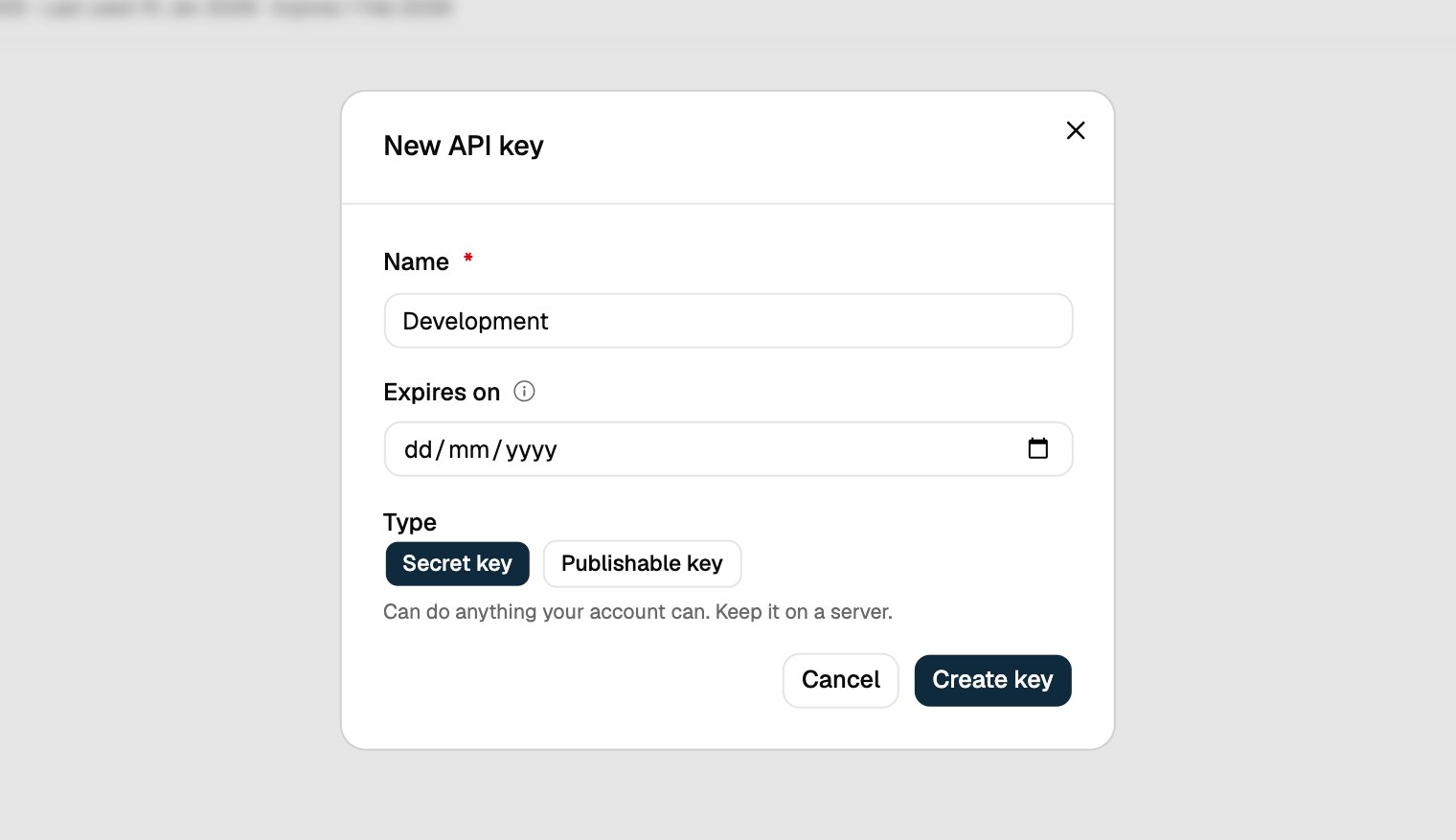
- Name: Give it a descriptive name (e.g., “Development”)
- Expires on: Leave it blank for a key that never expires
- Type: Secret key for calls from your server. It can do anything your account can. A Publishable key is safe to ship in a browser or mobile app, and can only do what a customer may do.
3
Copy the key
Important: Copy your API key immediately with Copy key. It is shown only once: a lost key has to be revoked and replaced. Then click I have saved it.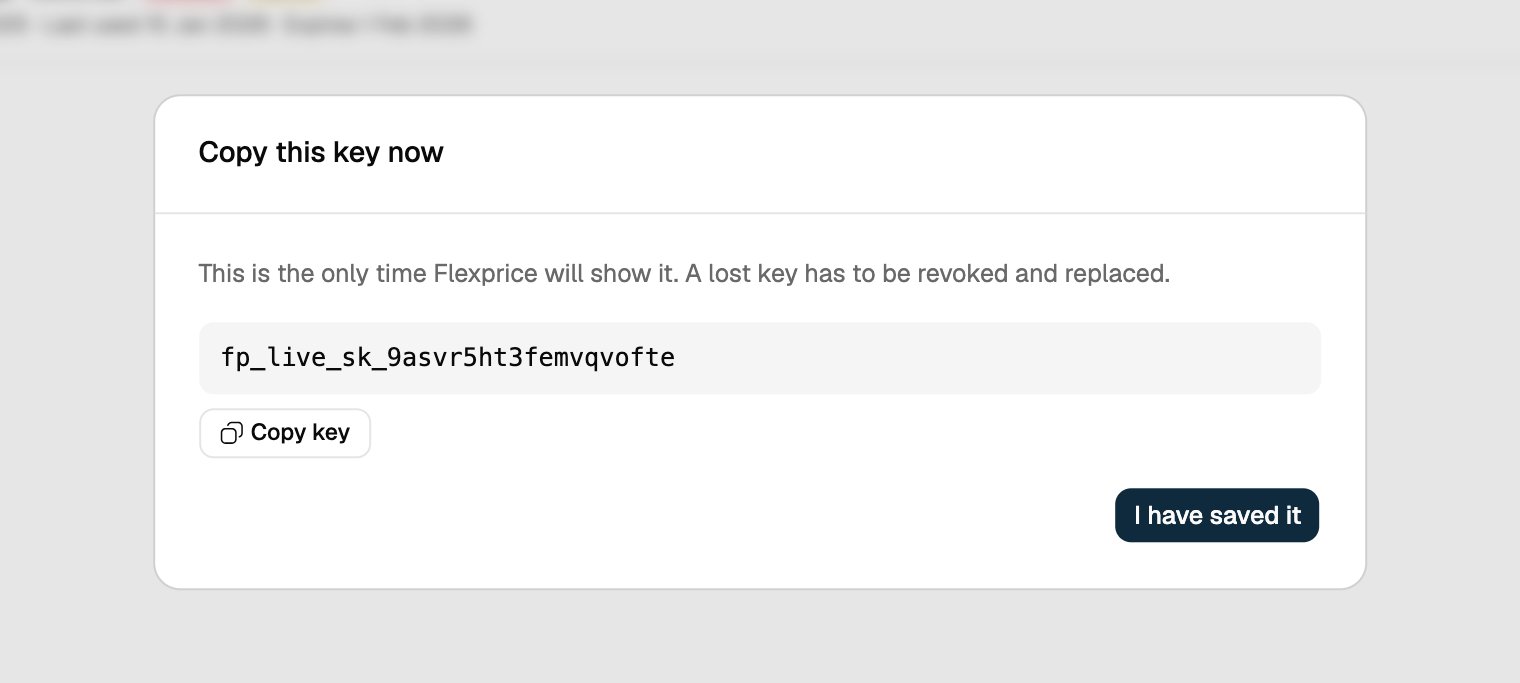
Using Your API Key
Include your API key in all requests to Flexprice API:Need Help?
If you need assistance or have questions:- Email us at support@flexprice.io