

- Open the plan to which you want to link features (Product catalog → Plans).
-
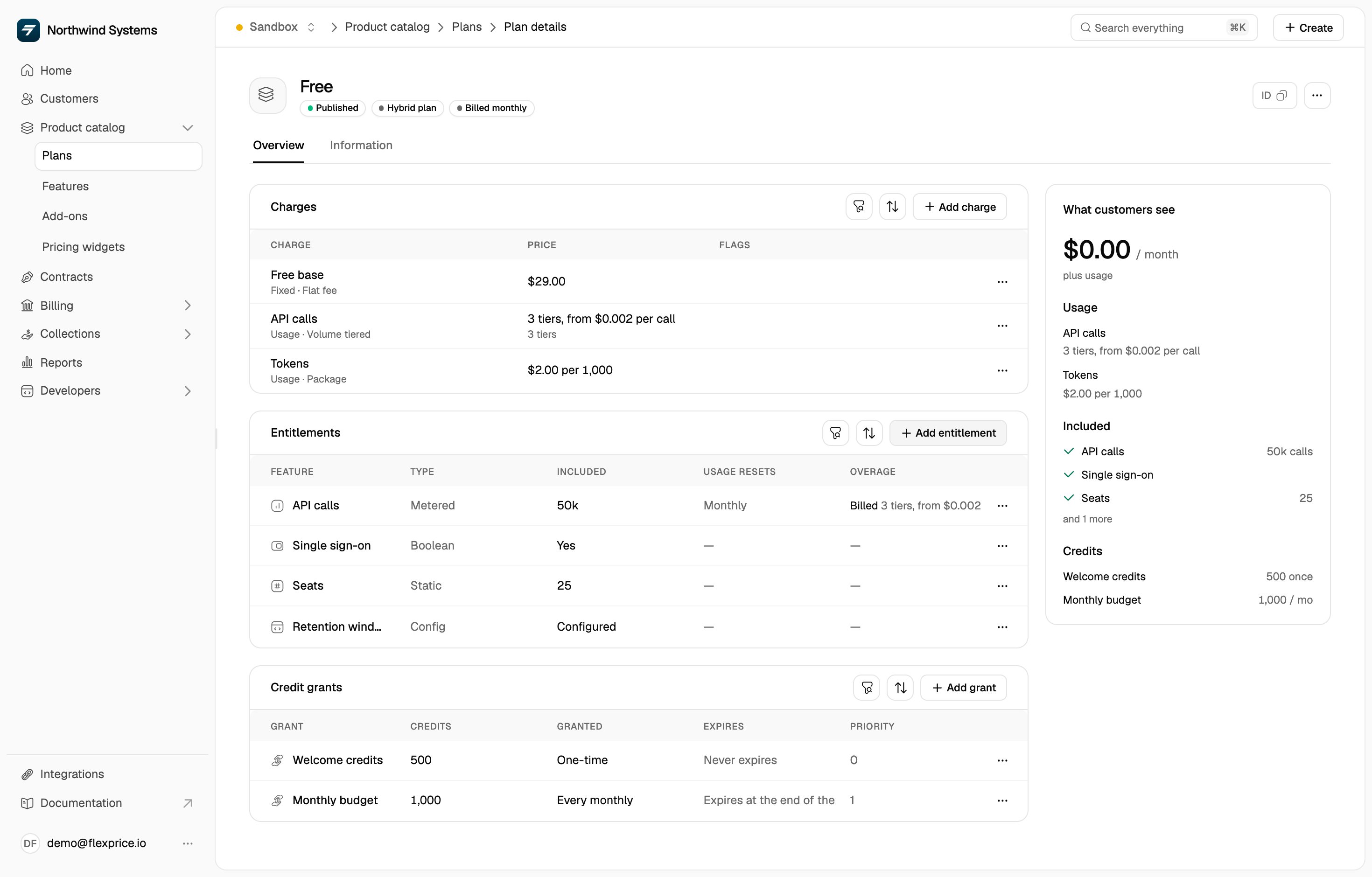
In the plan’s Entitlements card, click Add entitlement.
-
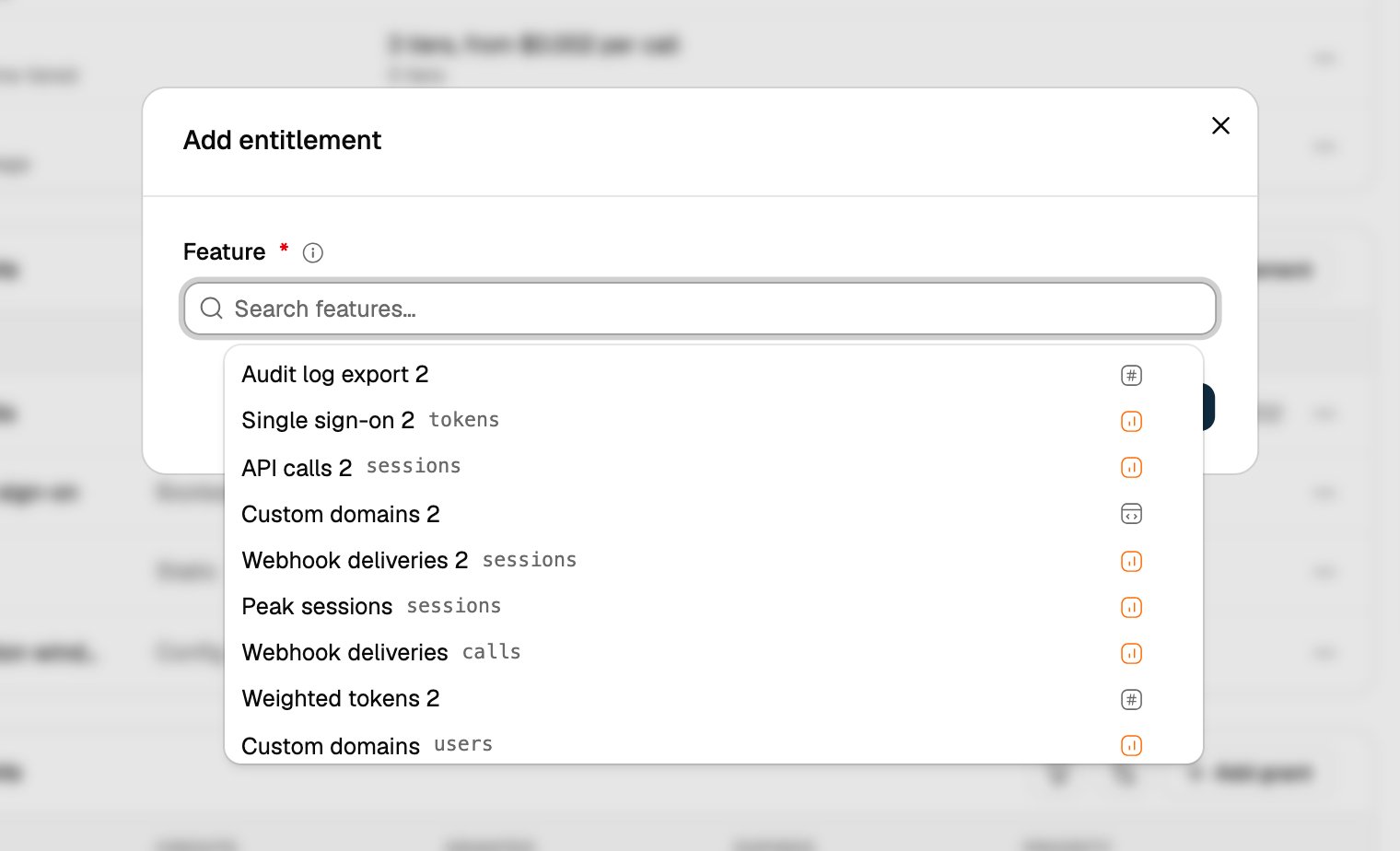
In Feature, choose the feature to include. Features already on the plan aren’t listed.
- Configure access parameters for the feature type (below), then click Create entitlement. The entitlement applies to all customers on this plan.
-
Boolean Features
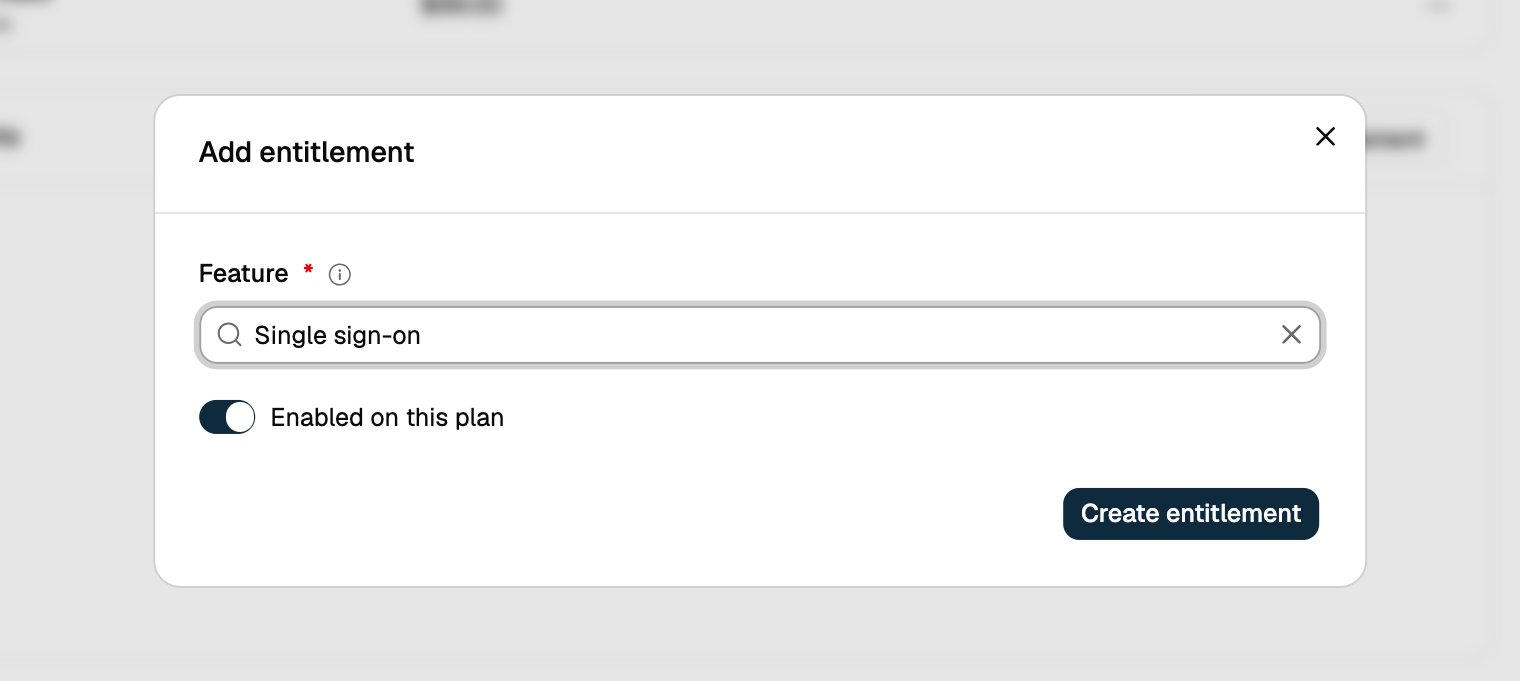
- Turn Enabled on this plan on to grant access for customers on this plan, or off to restrict it.
-
No further configuration is required.
-
Metered features
-
Setting the Value
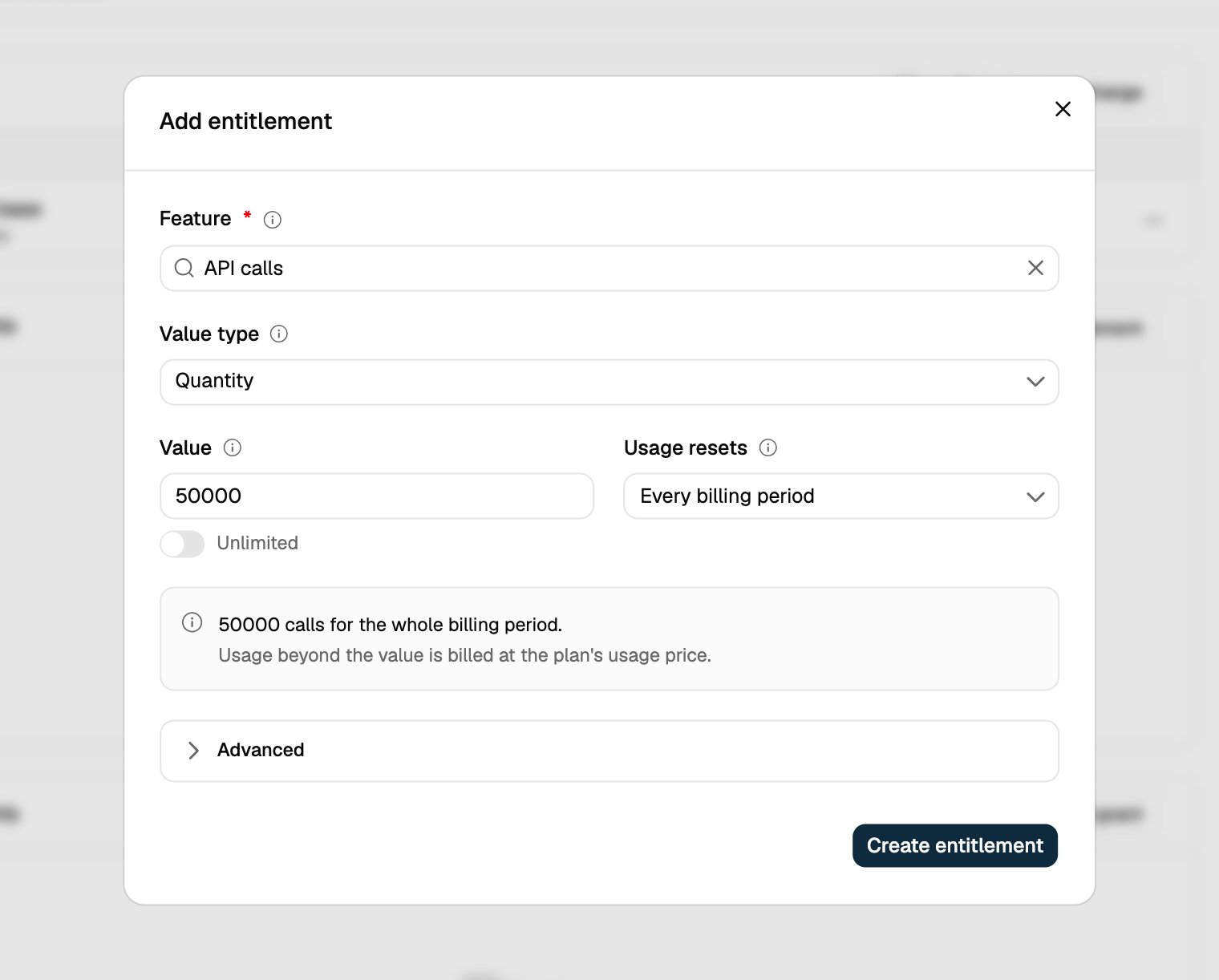
- Choose the Value type: Quantity counts units of usage (e.g. 10,000 API calls), and Amount counts the priced value of that usage.
- Enter the Value: the usage a customer is allowed in each window.
- If there is no cap, turn on Unlimited.
-
Usage reset
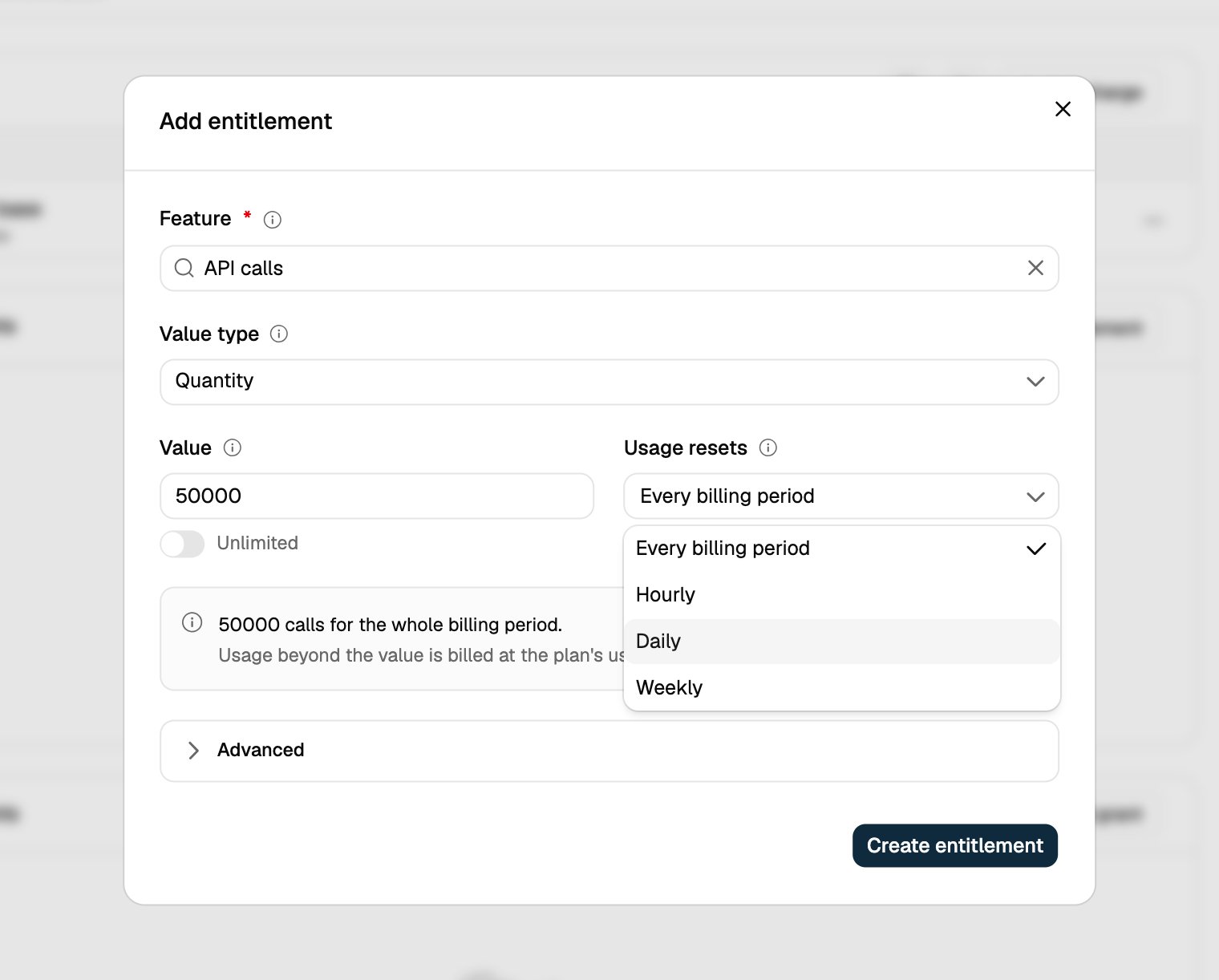
- Every billing period grants the allowance once per billing period.
- Hourly, Daily, or Weekly grant it again each hour, day, or week, independent of the billing period.
- Advanced holds Window starts and Stacking.
-
Setting the Value
-
Overage and hard limits
Flexprice never blocks usage. Usage up to the Value in each window is included in the plan, and usage beyond it is billed as overage at the plan’s usage price for the feature, on the subscription’s arrears invoice. When a window’s value is used up, Flexprice sends the
entitlement.grant.exhaustedwebhook. 💡 Example: A GPT API plan includes 50,000 tokens a month, with a usage price of $0.10 per 1,000 tokens. A customer who uses 60,000 tokens in a month is billed $1.00 for the 10,000 tokens beyond the allowance. To stop customers at the value instead, as on a free tier, enforce the cap in your application. Flexprice updates a window’s usage a few minutes after events arrive, so the exhaustion webhook and the usage fromGET /customers/usageboth trail real usage, and anything used in that gap is billed as overage. Once a window is used up, block requests until itsvalid_to, whichGET /customers/usagereturns ingrant_state.allowances. Flexprice sends nothing when a new window opens, so your application has to lift the block itself. The API’sis_soft_limitfield doesn’t change any of this. It is stored on the entitlement and returned with the customer’s usage so your application can tell which allowances to enforce, but Flexprice still bills the overage. See Entitlement grants for windows, stacking, and how overage is billed. -
Static Features
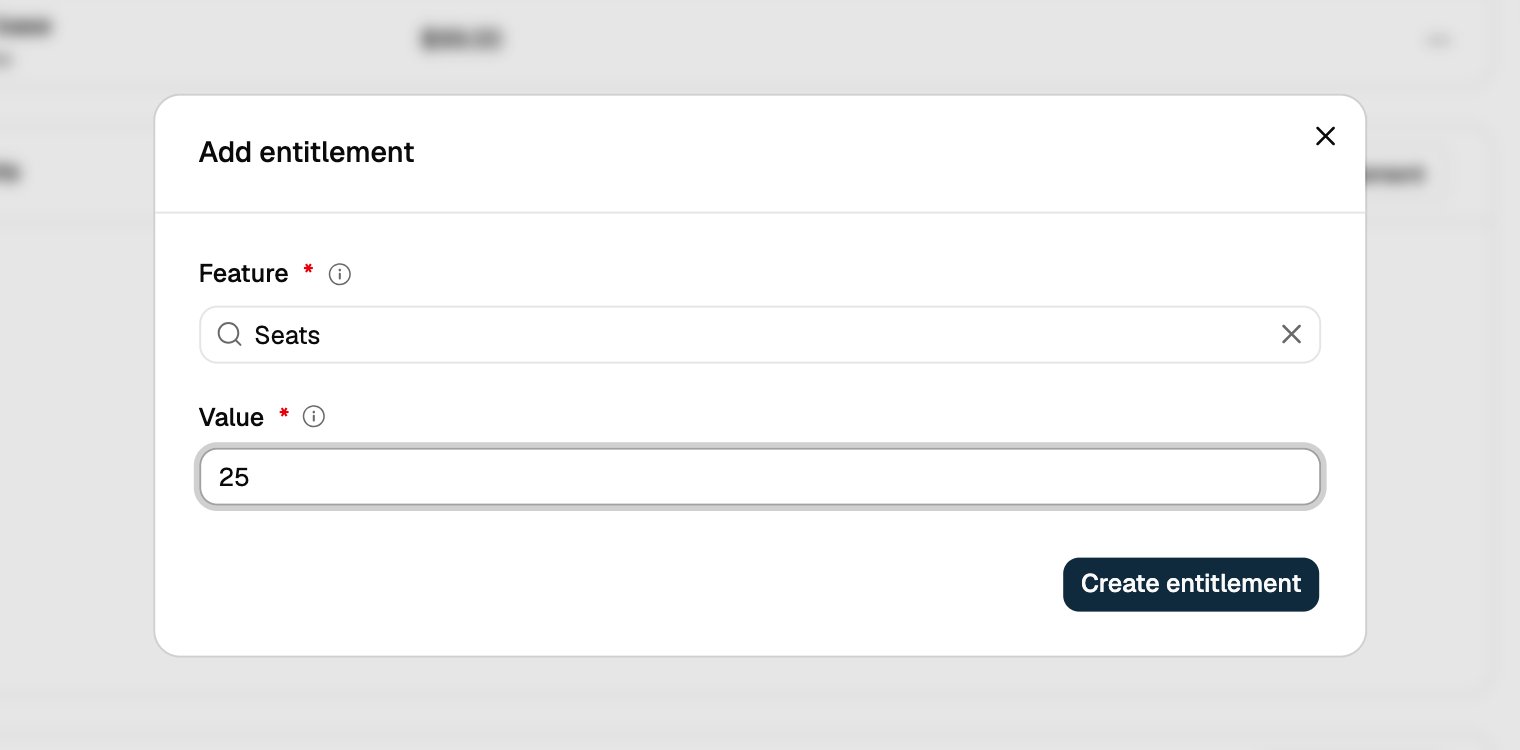
- Instead of setting limits, enter a custom Value.
- Example: 24/7 support, premium customer service, AI model access.
- Customers will see these benefits listed as part of their subscription.