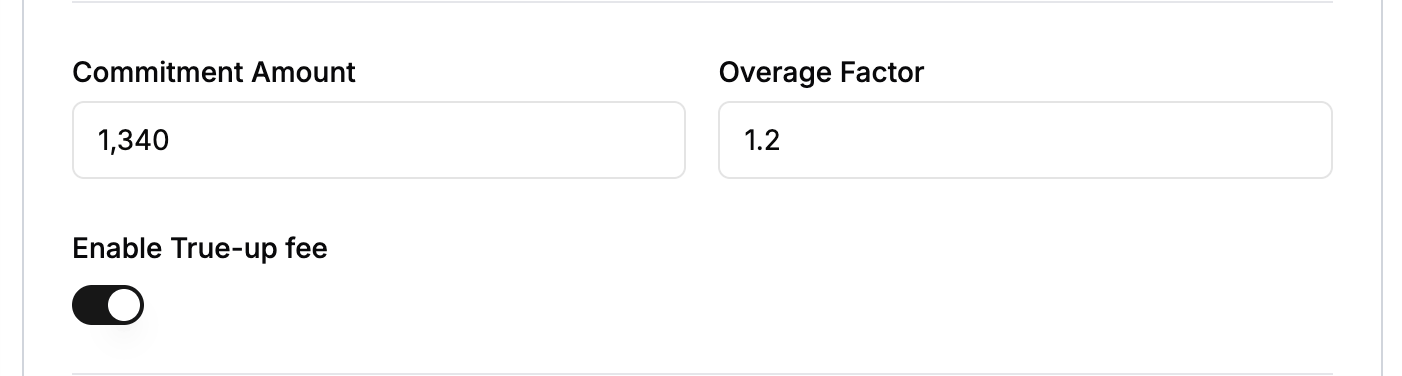
How Commitment Works
When a commitment is configured on a subscription line item:- Commitment amount — The minimum the customer commits to per billing period (e.g. $1,000/month). This guarantees the revenue floor.
- Overage factor — A multiplier applied to usage cost above the commitment (e.g. 1.5x). When usage exceeds the commitment, the excess is billed at the overage rate.
- Usage calculation:
- If total usage cost ≤ commitment: all usage is charged at the base rate.
- If total usage cost > commitment: the commitment portion is charged at the base rate, and the excess is charged at
base_rate × overage_factor.
Steps to Add a Commitment
- Click Add Subscription.
- Scroll to the Commitment & Overage section.
- Set the commitment amount and overage factor.

Understanding True-Up
True-up ensures the customer pays the full commitment even when actual usage falls short. When true-up is enabled and usage at period end is below the commitment, the shortfall is billed as a separate true-up line item.How True-Up Works
- During the billing period — Flexprice tracks usage and computes the running usage cost.
- At invoice generation:
- Usage cost < commitment AND true-up enabled → a true-up line item is added for the shortfall.
- Usage cost ≥ commitment → standard commitment-and-overage logic applies; no true-up is needed.
Steps to Add True-Up
- Click Add Subscription.
- Scroll to the Commitment & Overage section.
- Set the commitment amount and overage factor.
- Enable true-up using the toggle.