- Backtesting to de-risk price changes before rolling them out
- Forecasting for new product pricing
- Churn prediction to identify which customers are most at risk of churning if prices change
Before you start
To use Scenarios, make sure you’re up and running with Flexprice. Specifically, you’ll need to:- Ingest events: gives Flexprice visibility into your product usage to power the scenario
- Define a meter: models the specific usage metric the price change applies to
- Have a plan with subscriptions: defines the customer cohort your scenario will run over
Creating a scenario
1
Define your parameters
Name your scenario for easy reference, set a historical time frame, and select a plan to run the scenario over. This determines the historical data used in your analysis.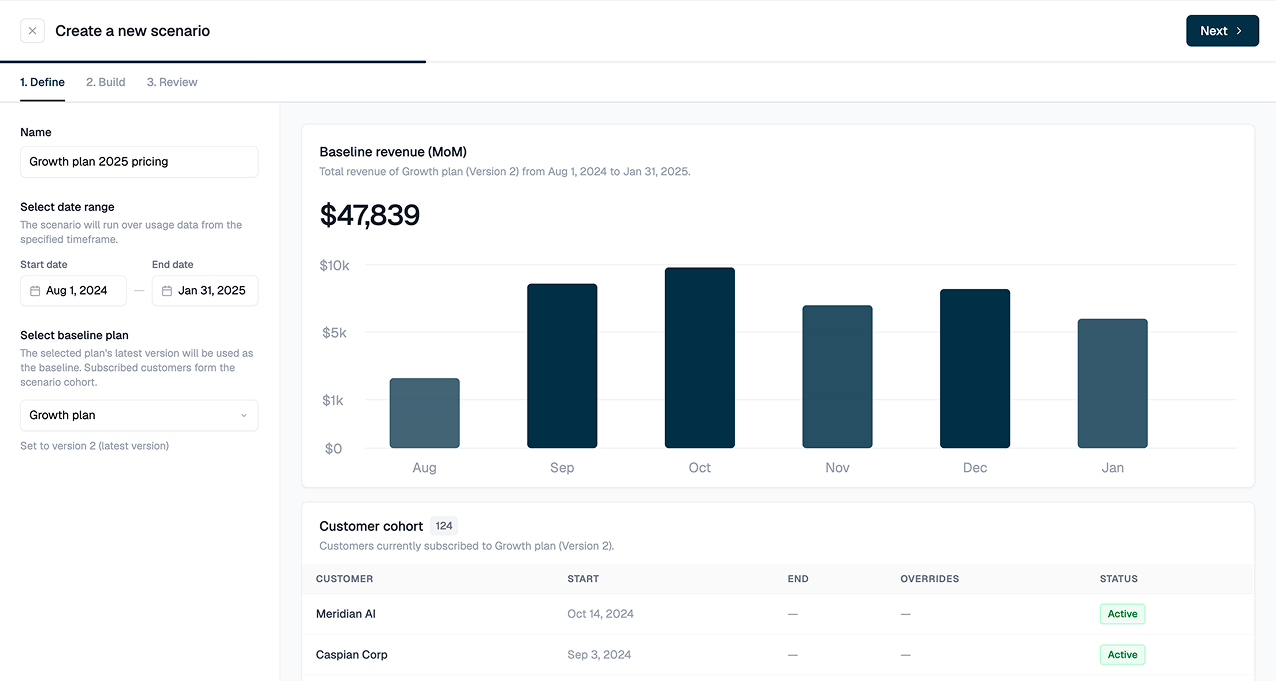
2
Add one or more pricing hypotheses
A hypothesis represents a hypothetical price change you’re considering. Flexprice supports two pricing types:
- Usage-based prices: best for modeling prices that scale with variable events: tokens consumed, API calls made, minutes of audio processed.
- Fixed fee prices: best for capturing upfront repeatable revenue, such as a platform fee or minimum spend.
- Optimize the price point: create a hypothesis, duplicate it, and assign different rates to compare
- Find your value metric: create one hypothesis per metric candidate to compare them side by side
- Compare pricing strategies: model standalone usage-based pricing vs. hybrid usage + fixed fee
- Compare pricing models: evaluate unit pricing vs. tiered pricing on the same data
We recommend up to 5 hypotheses per scenario. Beyond that, the results become harder to compare at a glance.
3
Run the scenario
Flexprice runs your scenario against real historical data. You’ll receive a notification when results are ready to review.
Acting on insights
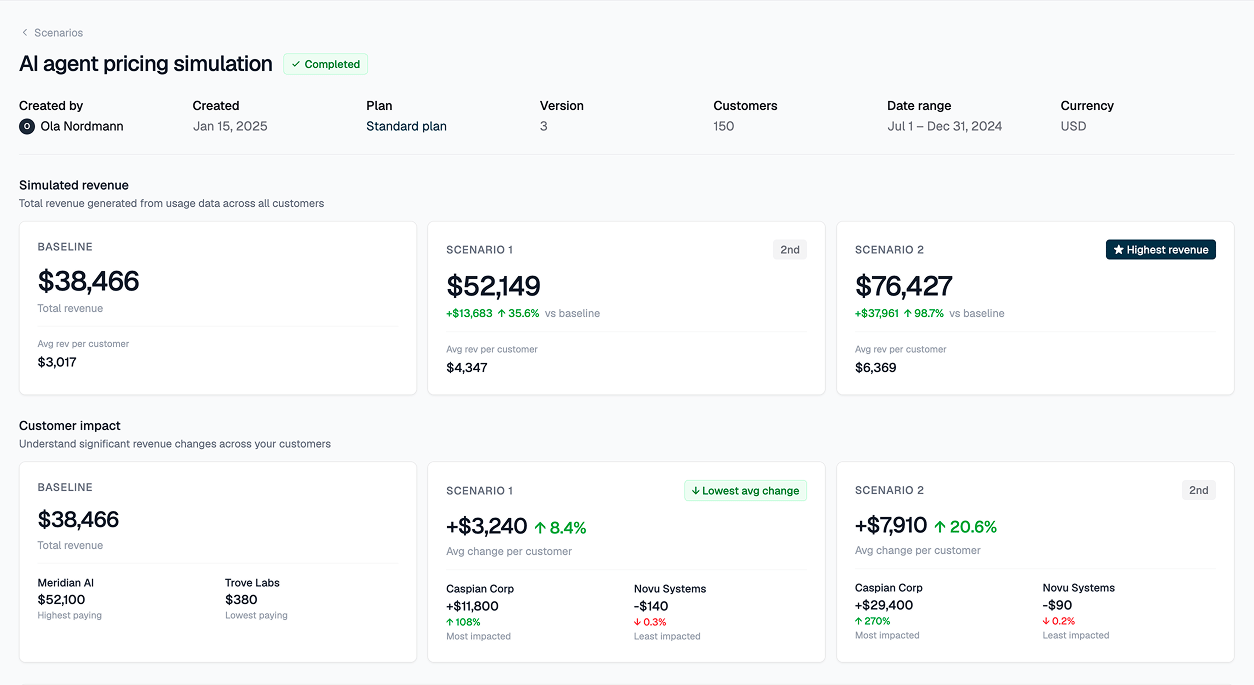
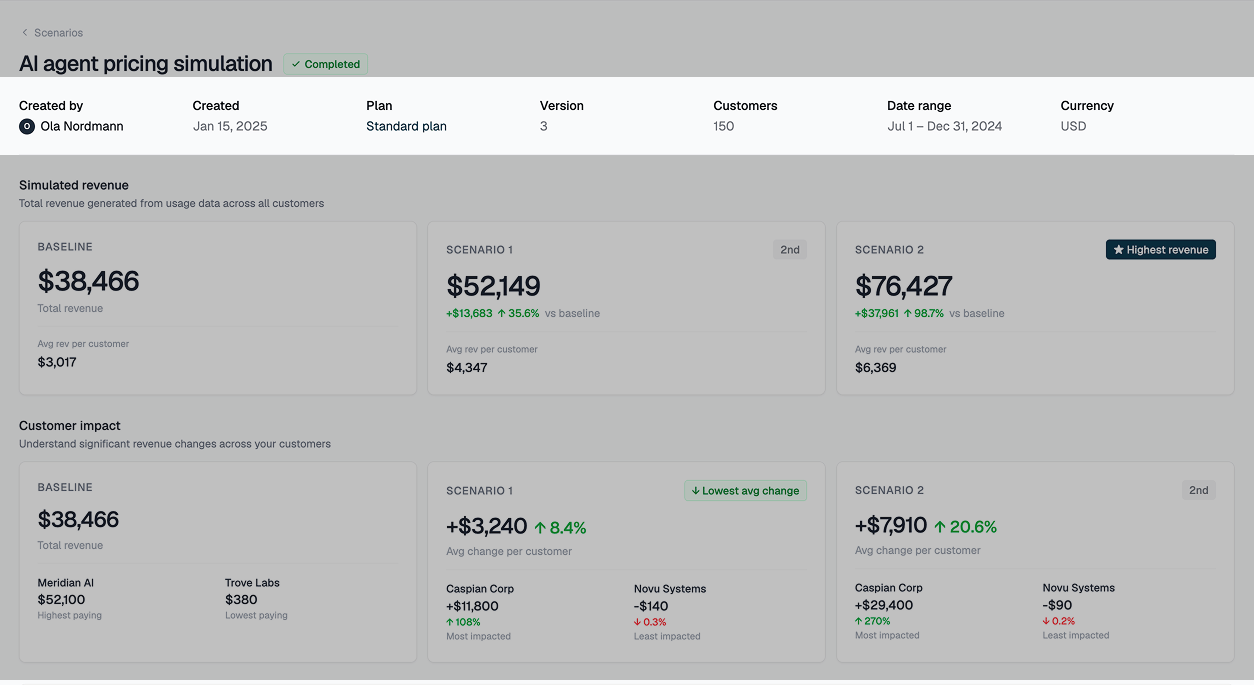
Scenario results are designed to help you decide whether and how to implement your price change. Key revenue and customer risk impacts are surfaced for consideration, replacing the manual spreadsheet alternative.Top-line insights
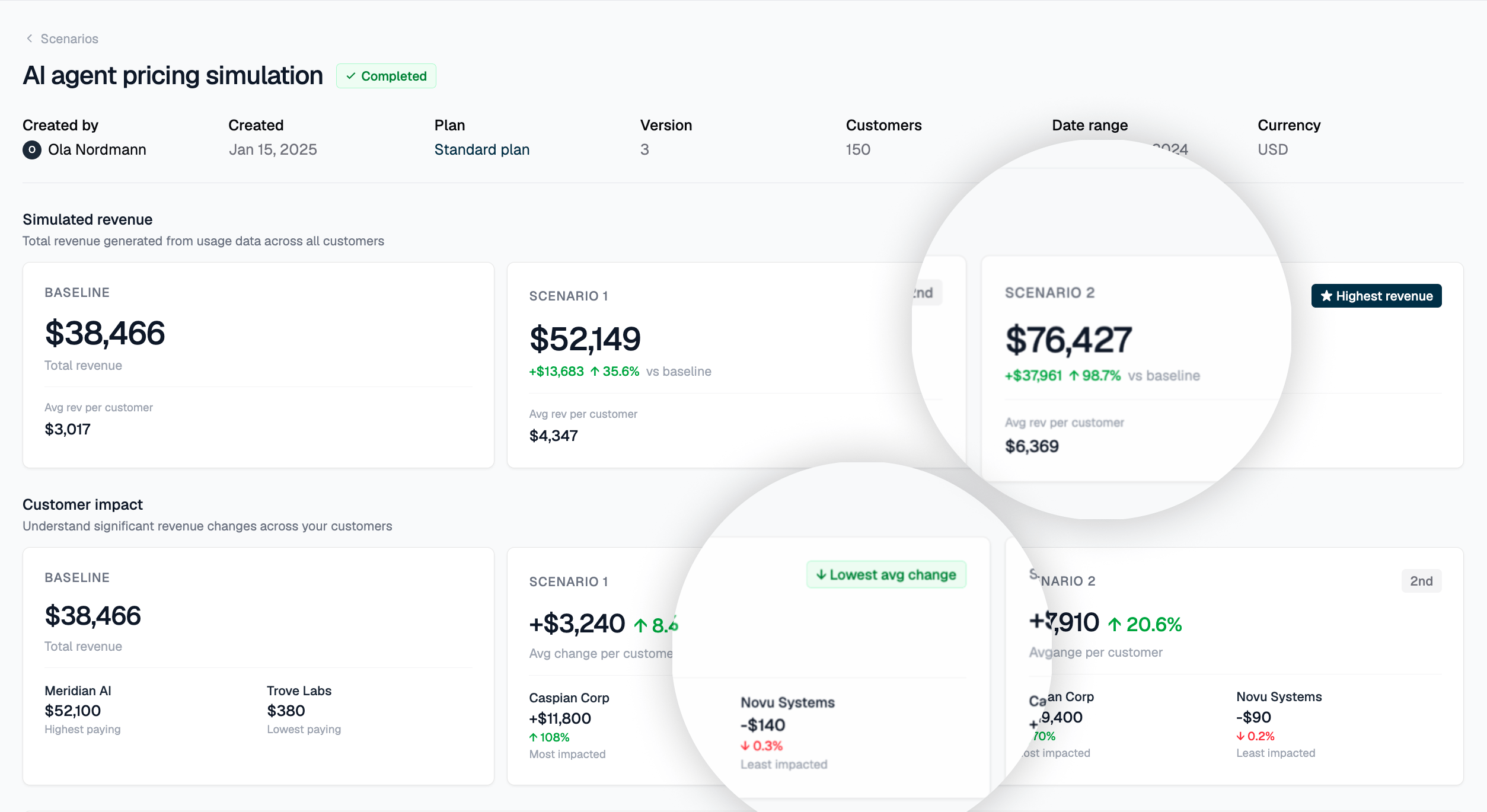
The summary cards highlight the upside potential and downside risk associated with your price change across the customers in your scenario. Flexprice highlights:- The hypothesis with the largest absolute revenue increase
- The hypothesis with the lowest relative % change to what customers currently pay
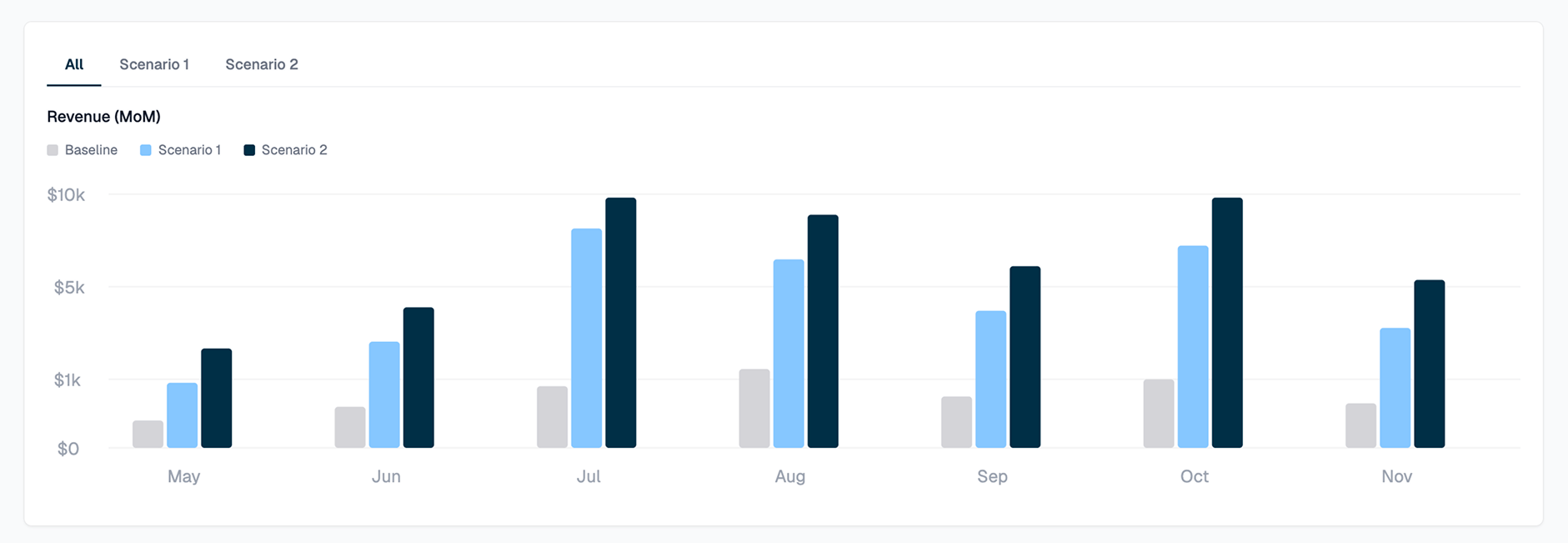
Revenue over time
Monitoring how incremental revenue changes over time across hypotheses helps you:- Diagnose unexpected revenue variability
- Identify seasonality impacts
- Surface underlying product usage patterns worth considering
Aim for a smooth, consistent revenue curve. Inconsistent spikes may suggest the price change is not aligned with your optimal monetization strategy.
Impact concentration
Understand where the impact of your price change is concentrated. A 1 very differently from one paying $100.Aim for outcomes concentrated in the lower-right of the impact chart: the least relative % change to baseline revenue, with the greatest absolute revenue upside.
Customer impact table
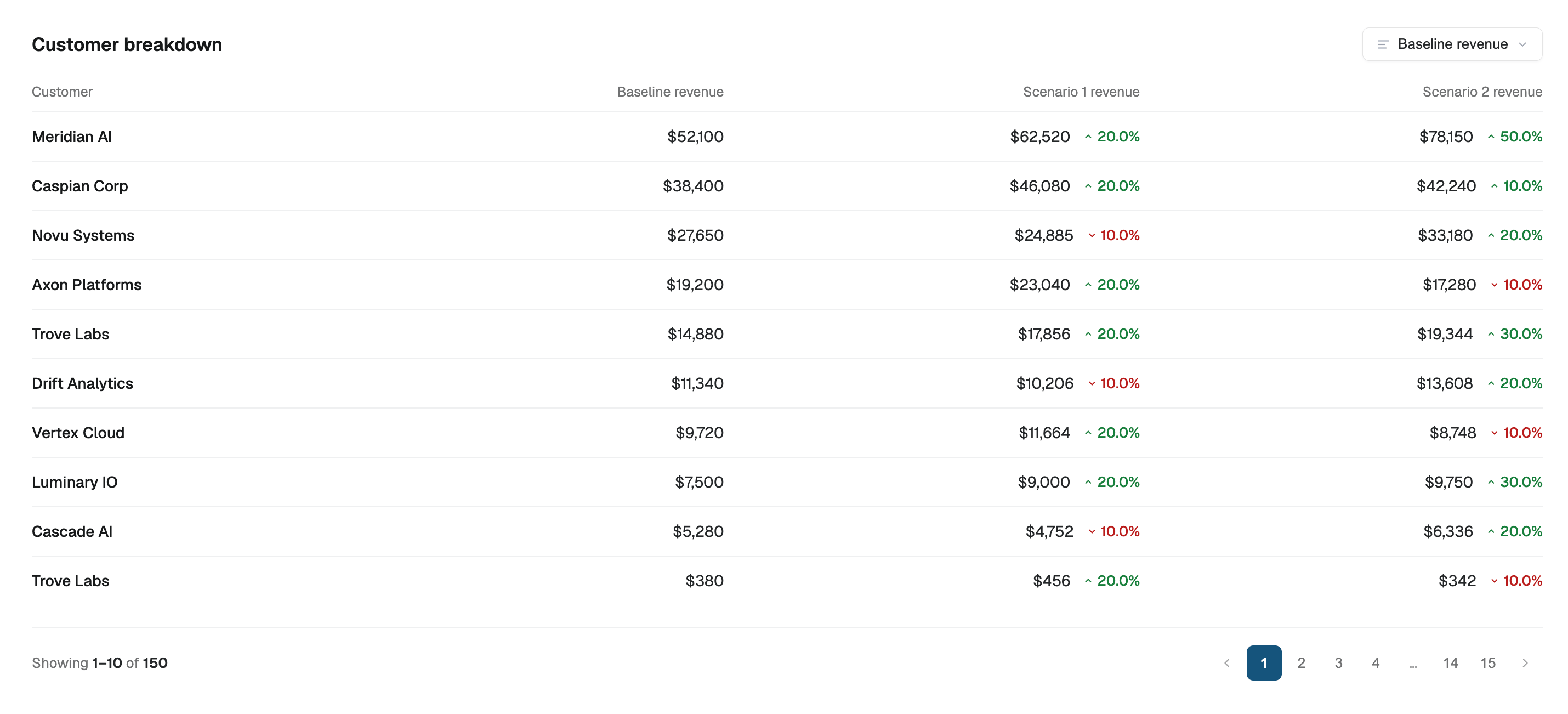
Proactively identify which customers will be affected by your change. Get ahead of notifying your customer-facing teams before the change goes live. From this table, you can:- Review historical subscriptions and invoices to understand customer LTV
- Create a price override to accommodate exceptions
- Migrate affected customers to a new plan version while grandfathering marquee accounts on existing pricing