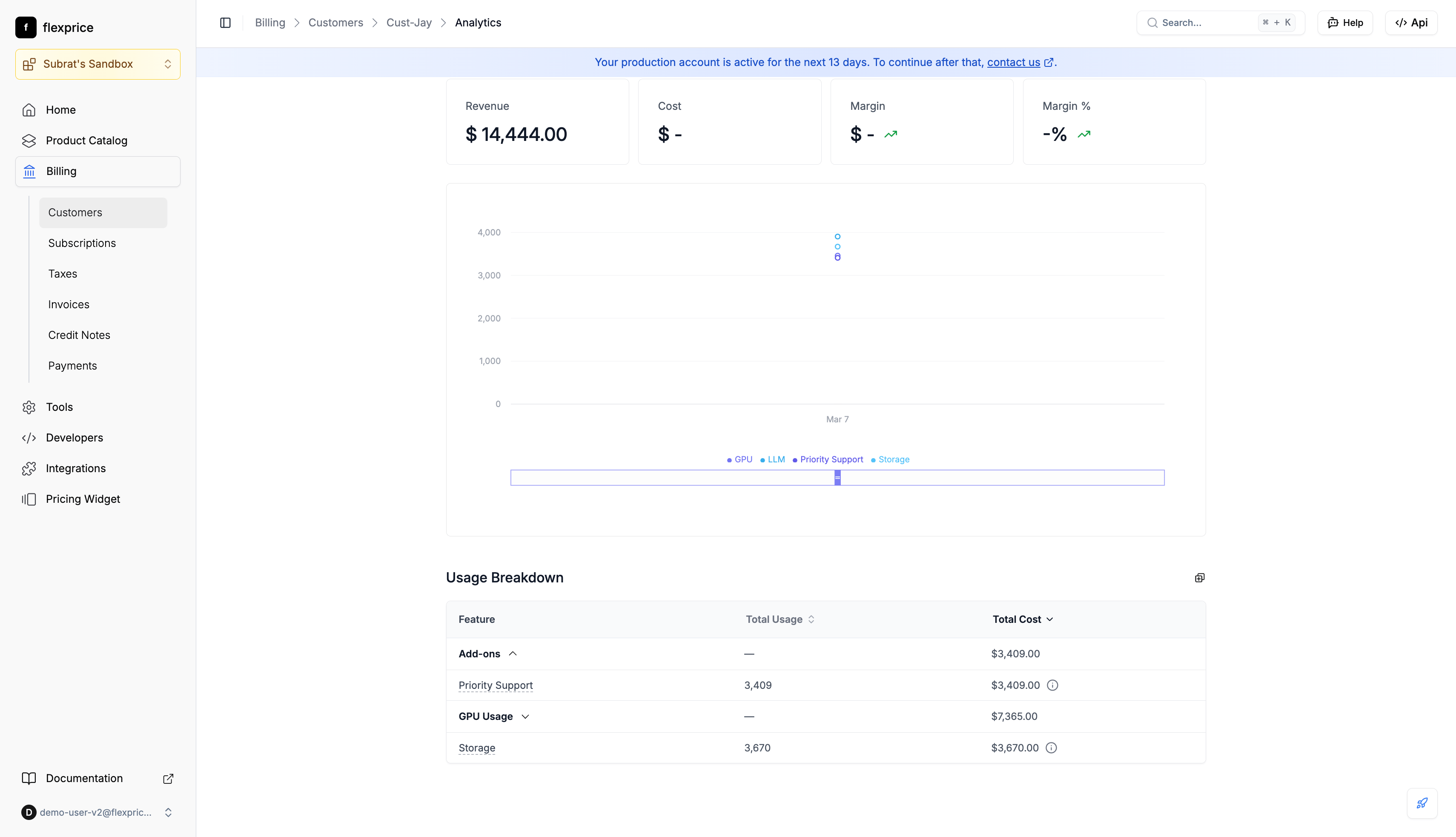
Workflow
1
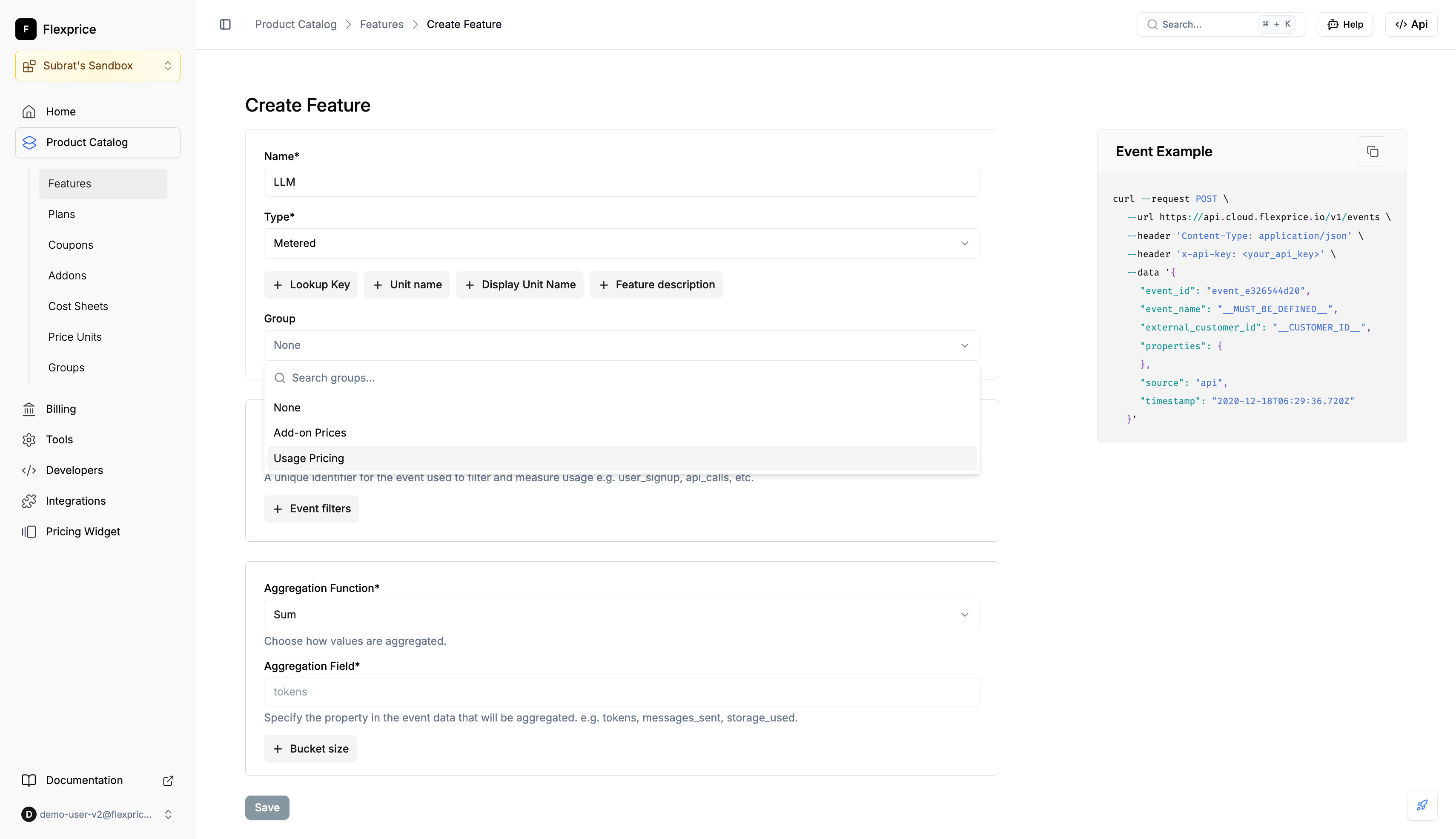
Assign group when creating a feature
- Go to Product Catalog → Features → Create Feature
- In the Group field, search or select a group (e.g. “Usage Pricing”)
- Save; the feature is stored with that group
2
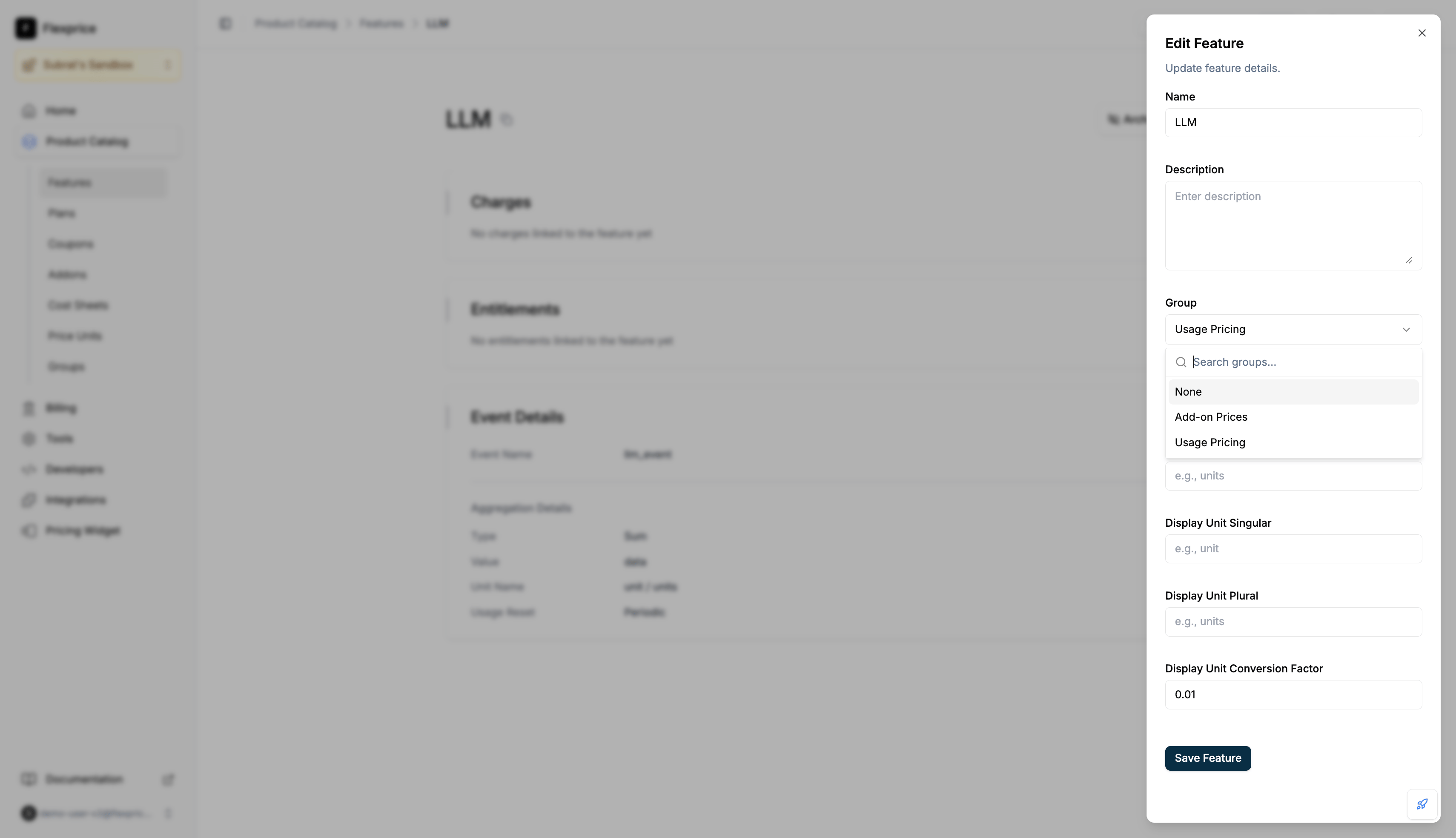
Change group on an existing feature
- Open the feature → Edit
- In Group, set the desired group or None to ungroup
- Save
API (features)
Create: Optional
group_id. Group must exist and have entity_type: "feature". Response includes group_id and group.
Update: Send group_id: "group_..." to assign, group_id: "" to ungroup. Omit to leave unchanged.
Get: Response includes group_id and group when the feature is in a group.
Search: Each item has group_id and group when set. Filter by group: field: "group_id", operator: "eq", value: { "string": "<group_id>" } (or operator: "in" with array).
Where reflected
Usage Breakdown in the analytics dashboard and Customer Portal Usage tab shows usage and cost by group.