

Overview
Every action that affects a wallet balance is recorded as a transaction. The Transactions section provides a complete audit trail of all wallet activity, making it easy to track credits, debits, and monitor account balances.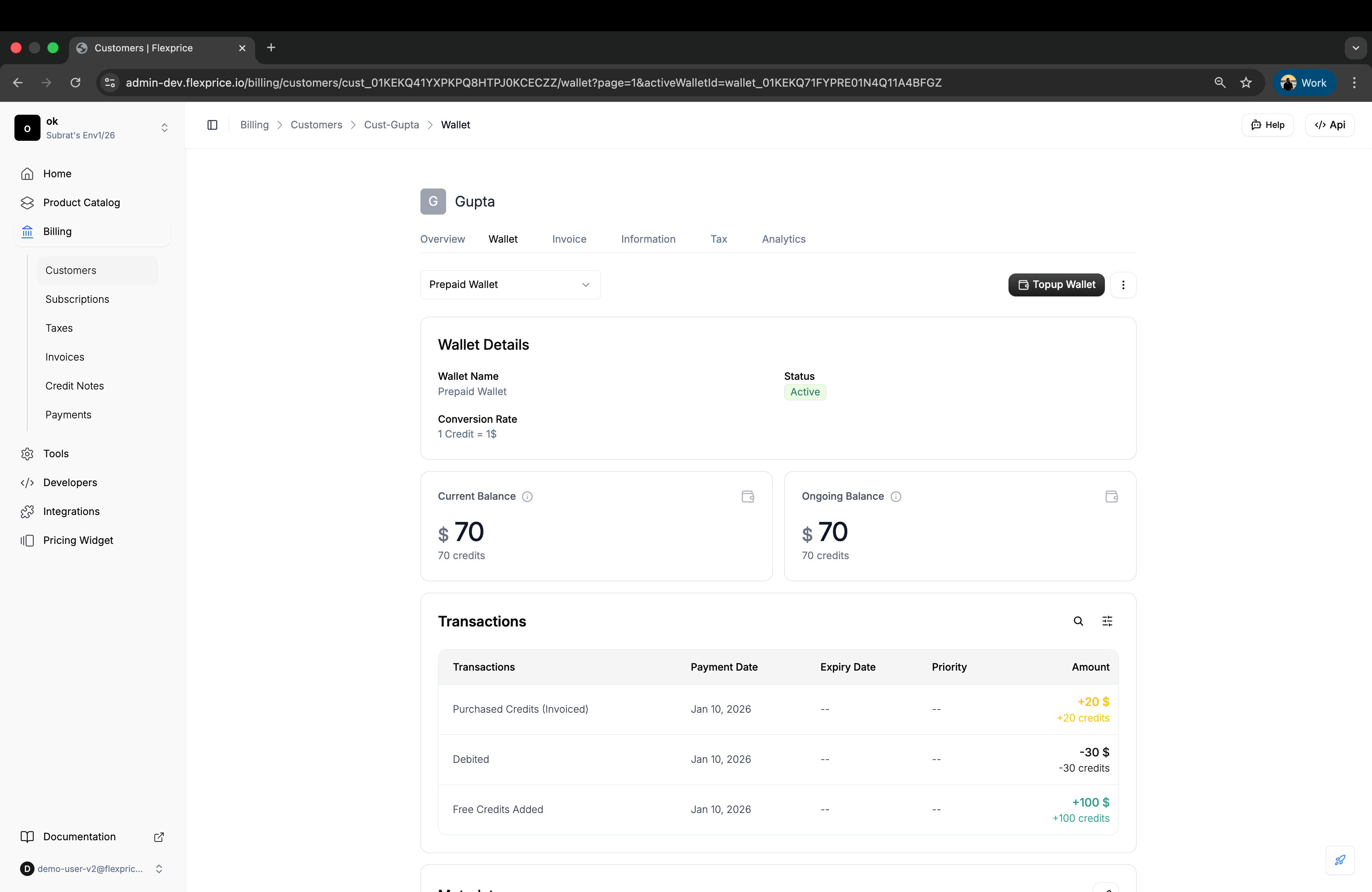
Transaction Types
Wallet transactions fall into three main categories based on how they affect the wallet balance:Free Credits Added
- Credits are immediately available for use
- Balance updates instantly
- No payment or invoice required
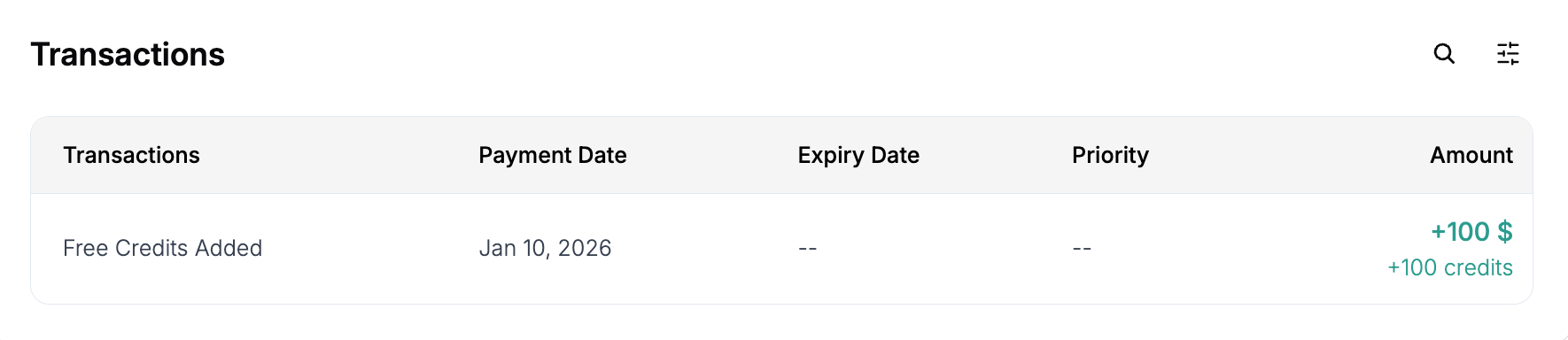
- Reflected with a positive amount (e.g., +100 $)
- Welcome bonuses for new customers
- Promotional campaigns
- Service compensation
- Customer loyalty rewards
- Trial credits
Purchased Credits (Invoiced)

- Transaction remains in pending state until invoice is paid
- Balance is not updated while pending
- Credits become available only after invoice payment
- Reflected with a positive amount (e.g., +20 $)
1
Purchase Initiated
Customer purchases credits and transaction is created in pending state
2
Invoice Generated
An invoice is automatically created for the purchased amount
3
Payment Pending
Transaction remains pending while waiting for invoice payment
4
Payment Received
When the invoice is paid, transaction status updates to completed
5
Credits Available
Wallet balance is updated and credits become available for use
- Enterprise customers with NET payment terms
- Credit packages sold with invoicing
- Prepaid purchases requiring payment confirmation
- Customers who prefer invoiced billing
Pending State: While a purchased credit transaction is pending, the wallet balance remains unchanged. This ensures credits are only added after payment confirmation.
Auto-Complete Purchased Credit Transactions
For automated payment flows, you can enable theAutoCompletePurchasedCreditTransaction setting for your account. When enabled:
- Purchased credit transactions are created directly as completed instead of pending
- Credits are added to the wallet immediately upon transaction creation
- Invoice is still generated but marked as paid automatically
- Useful for automated payment systems where payment is guaranteed
- Integration with pre-authorized payment methods
- Automated billing systems with payment confirmation
- Trust-based credit purchases for verified enterprise customers
Debited

- Credits are immediately removed from wallet
- Balance updates instantly
- Reflected with a negative amount (e.g., -30 $)
- Cannot be reversed once completed
- Feature usage charges (API calls, storage, etc.)
- Subscription fees paid from wallet
- Invoice payments using wallet credits
- Manual balance adjustments by admins
- Service consumption
Transaction Details
Each transaction record in the Transactions section includes:Understanding Transaction Amounts
Transaction amounts are displayed in two formats:- Currency Amount: Dollar value (e.g., +100, -30)
- Credit Amount: Credit units (e.g., +100 credits, -30 credits)
Negative amounts (-) indicate credits removed from the wallet
Accessing Transaction History
View complete transaction history for any customer wallet:1
Navigate to Customer Wallet
Go to Billing → Customers → Select customer → Wallet tab
2
Scroll to Transactions Section
Scroll down to the Transactions section below the wallet details
3
Review Transaction History
View all transactions with type, date, amount, and status information
Transaction States
Understanding transaction states helps you monitor payment flows and credit availability:Completed Transactions
- Credits are available for use
- Balance has been updated
- Transaction is finalized and cannot be changed
- Applies to: Free credits, paid invoiced credits, and debits
Pending Transactions
- Credits are not yet available
- Balance has not been updated
- Waiting for invoice payment
- Applies to: Purchased credits (invoiced) only
Use Cases
For Finance Teams
💡 Audit Trail: Complete transaction history for accounting and compliance 💡 Reconciliation: Match wallet transactions with invoices and payments 💡 Revenue Tracking: Monitor purchased credit transactions and payment flowFor Customer Support
💡 Quick Reference: Review transaction history when resolving customer inquiries 💡 Balance Investigation: Understand why a customer’s balance changed 💡 Payment Status: Check if purchased credits are pending or completedFor Analytics
💡 Usage Patterns: Analyze customer spending and credit consumption trends 💡 Credit Utilization: Track how customers use free vs. purchased credits 💡 Payment Behavior: Monitor invoice payment timelines for purchased creditsRelated Documentation
- Top-Up Wallet - Learn about manual wallet top-ups
- Auto Top-Up - Configure automatic wallet recharging
- Low Balance Alert - Set up balance alerts