

Who is it for?
- Cloud infrastructure — GPU/CPU reservations, storage commitments
- AI / ML platforms — inference-hour commitments, training-job minimums
- SaaS & API providers — API-call or data-transfer commitments
Key Terminology
How Billing Works
For each billing period, Flexprice evaluates one of two outcomes:- Usage ≥ Commitment → Total = Commitment + (Usage Cost − Commitment) × Overage Factor. The customer pays the committed amount at standard rate, plus a premium on everything above it.
- Usage < Commitment, True-Up enabled → Customer pays the full commitment amount (shortfall added as true-up fee).
- Usage < Commitment, True-Up disabled → Customer pays only for actual usage.
Example 1 — AI Inference Platform (Per-Period Commitment)
An AI platform sells inference compute at $2 / vCPU-hour. They want customers to commit to a minimum of 500 vCPU-hours/month and charge a 1.5× premium on any usage above that.1
Requirement
2
Pricing in the plan
The vCPU-hours line item is configured with a unit price of $2 / vCPU-hour in the pricing plan.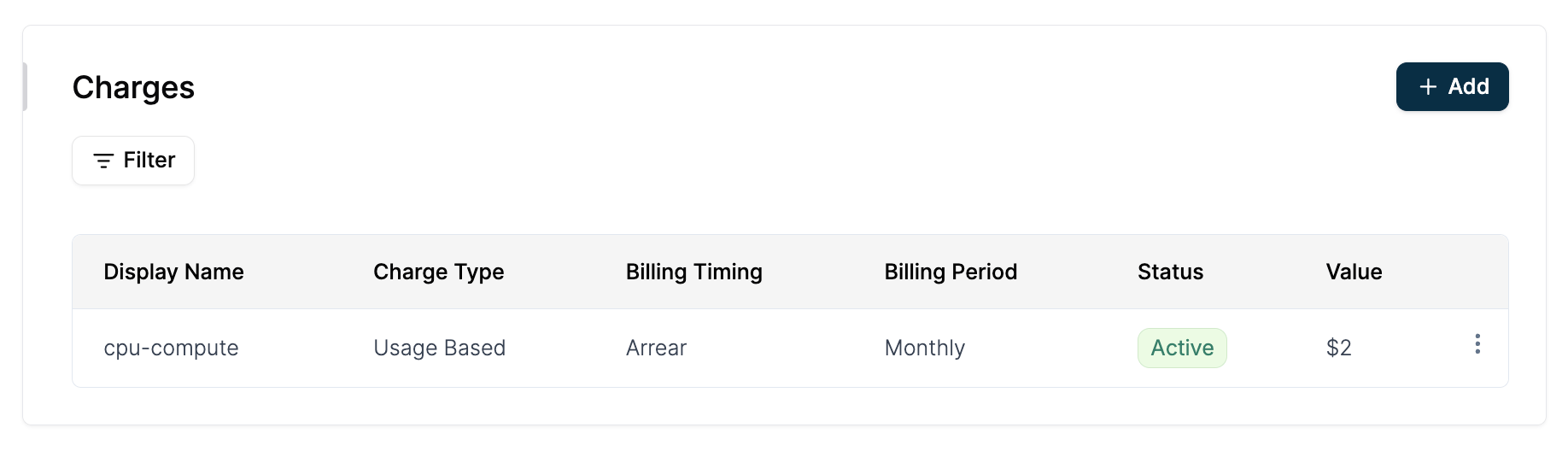
3
Configure commitment from the line item
Navigate to Customers → Select a customer → Add Subscription, and select your pricing plan. Once the plan is loaded, click the three-dot menu (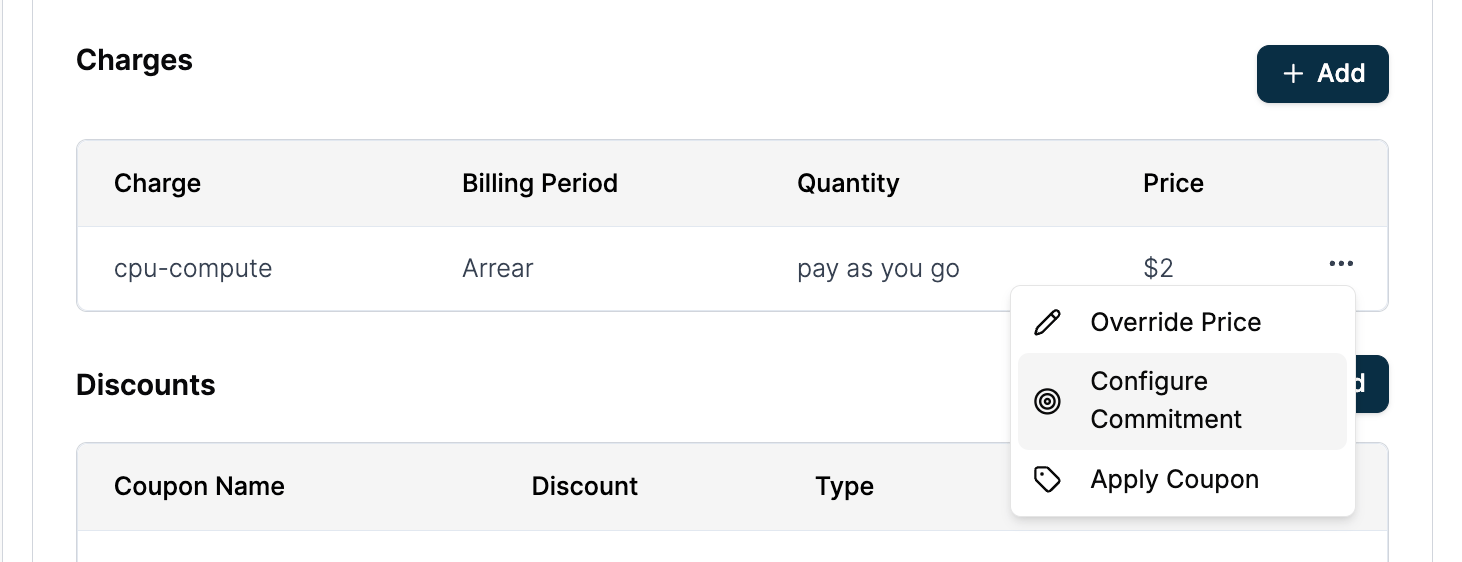
...) next to the vCPU-hours charge and select Configure Commitment.4
Configure the commitment details
In the configuration modal, set the commitment type to Quantity with a value of 500, apply an overage factor of 1.5x, and enable True Up. Save the commitment and proceed to create the subscription.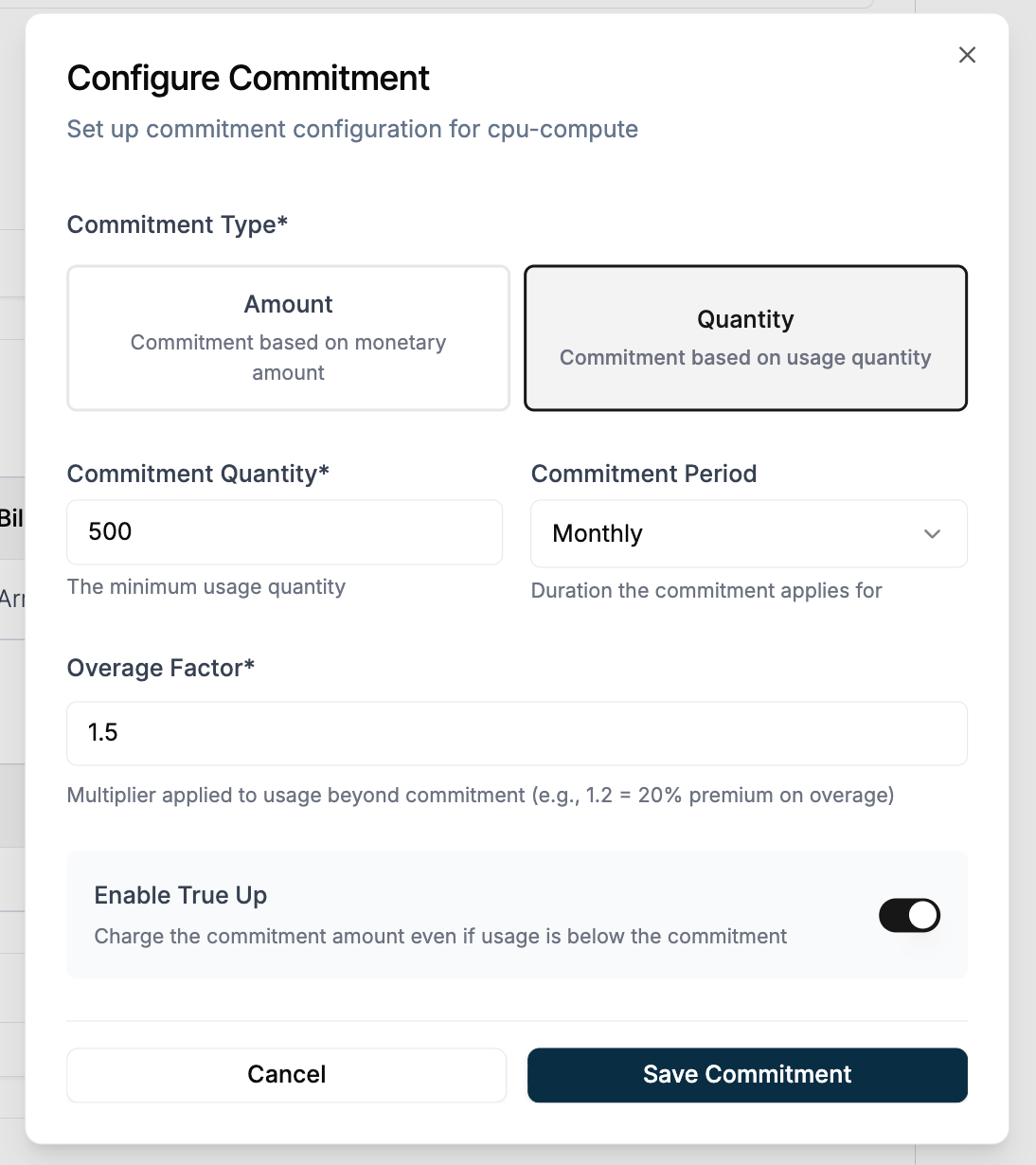
5
Scenario 1 — Usage exceeds commitment (700 vCPU-hours)
6
Scenario 2 — Usage below commitment, true-up enabled (300 vCPU-hours)
True-up is enabled so the full commitment is enforced.
7
Scenario 3 — Usage below commitment, true-up disabled (300 vCPU-hours)
Same usage but with true-up turned off. The customer pays only for what they consumed.
Example 2 — Cloud Infra Company (Windowed Commitment)
A cloud infrastructure company sells GPU compute at $2 / GPU-hour. Instead of a single monthly commitment, they want to commit customers on an hourly basis — a minimum of 10 GPU-hours every hour. Each hour settles independently and the totals are summed at the end of the billing period.Windowed commitment is available only on bucketed features. The window size is inherited from the meter’s bucket configuration.
1
Requirement
2
Pricing in the plan
The GPU-hours line item is configured with a unit price of $2 / GPU-hour in the pricing plan.
3
Configure commitment from the line item
Navigate to Customers → Select a customer → Add Subscription, and select your pricing plan. Once the plan is loaded, click the three-dot menu (
...) next to the GPU-hours charge and select Configure Commitment.4
Configure the windowed commitment details
In the configuration modal, set the commitment type to Quantity with a value of 10. Apply a 1.5x overage factor, enable both True Up and Windowed Commitment, and save your changes before creating the subscription.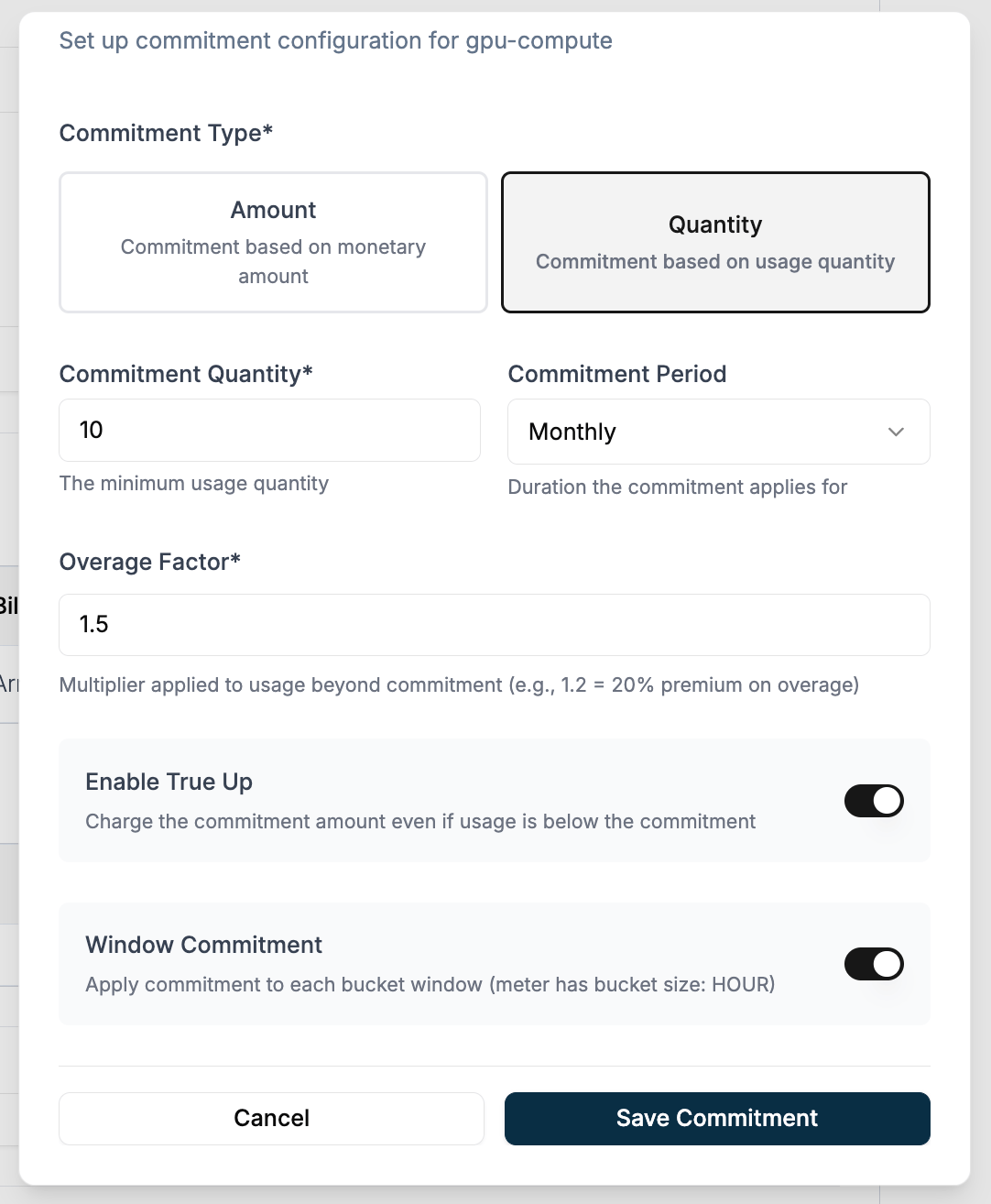
5
Hour 1 — Usage exceeds commitment (15 GPU-hours)
6
Hour 2 — Usage below commitment, true-up kicks in (6 GPU-hours)
7
Hour 3 — Usage matches commitment exactly (10 GPU-hours)
8
Billing period total
Reservation discount applies per-charge commitment and overage. For a single minimum spend across the entire subscription, see Commitment.