

When to Use
- SaaS products that charge per user (e.g. $20/user/month)
- License-based billing (editor seats, API keys, agent instances)
- Hybrid plans: a fixed base fee plus per-seat charges
- Enterprise contracts with minimum seat commitments
How It Works
Seat-based billing has three stages:- Configure a per-seat price on a plan - a fixed price with
billing_model: FLAT_FEEand a per-unitamount. - Create a subscription and set the initial seat count via
line_items[].quantity(oroverride_line_items[].quantityfor a customer-specific count). - Adjust seat count mid-subscription using the modification API with an optional
effective_date.
amount x quantity when generating invoice line items each billing period.
Step 1: Configure a Per-Seat Price on Your Plan
A per-seat price is a fixed price withFLAT_FEE billing model. The amount is the cost per seat per billing period.
Package pricing for seat buckets: If you charge per block of seats (e.g. $100 per 5 seats), use
billing_model: PACKAGE and set transform_quantity.divide_by: 5. The billing engine divides the raw quantity by 5 before applying the price.Step 2: Create a Subscription with an Initial Seat Count
Set the seat count inline_items when creating the subscription. Reference the price by its price_id and pass the initial quantity.
line_items[].id. Save this ID - you will need it in Step 3 to modify seat count.
Customer-Specific Seat Count (Override)
For enterprise customers with a negotiated seat count, useoverride_line_items instead. The plan stays unchanged - only this subscription uses the overridden quantity.
quantity cannot be set on usage-based (metered) prices. It is only valid on fixed prices with FLAT_FEE, PACKAGE, or TIERED billing models.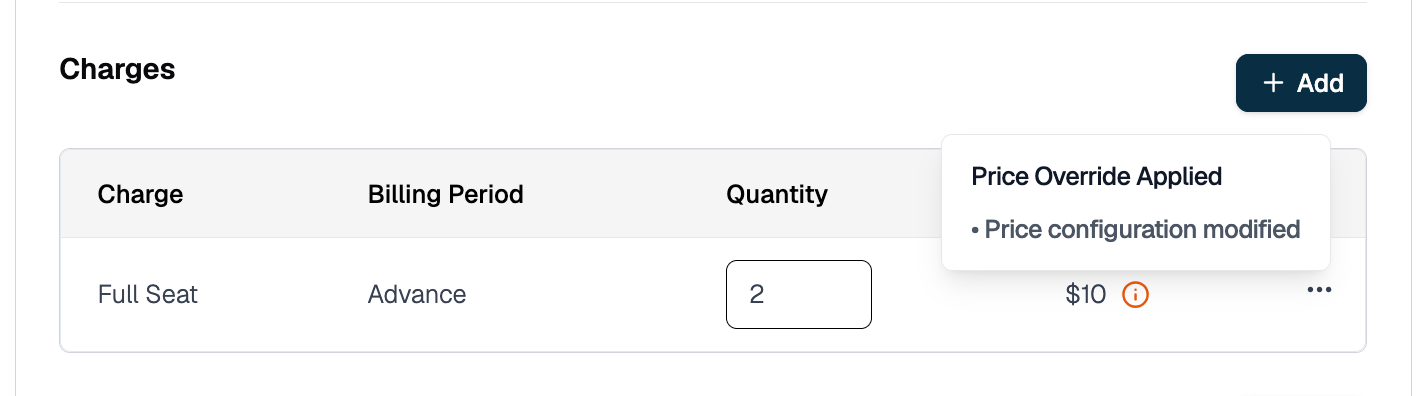
Step 3: Adjust Seat Count on a Live Subscription
Use the subscription modification API to change the seat count after the subscription is active. You can apply the change immediately or schedule it for a future date.3a. Find the Line Item ID
The modification API takes a line item ID (li_...), not a price ID. The line_items[].id is returned when you create the subscription (see Step 2) or when you fetch it:
line_items[].price_id.
3b. Preview the Change (Recommended)
Before executing, preview the billing impact: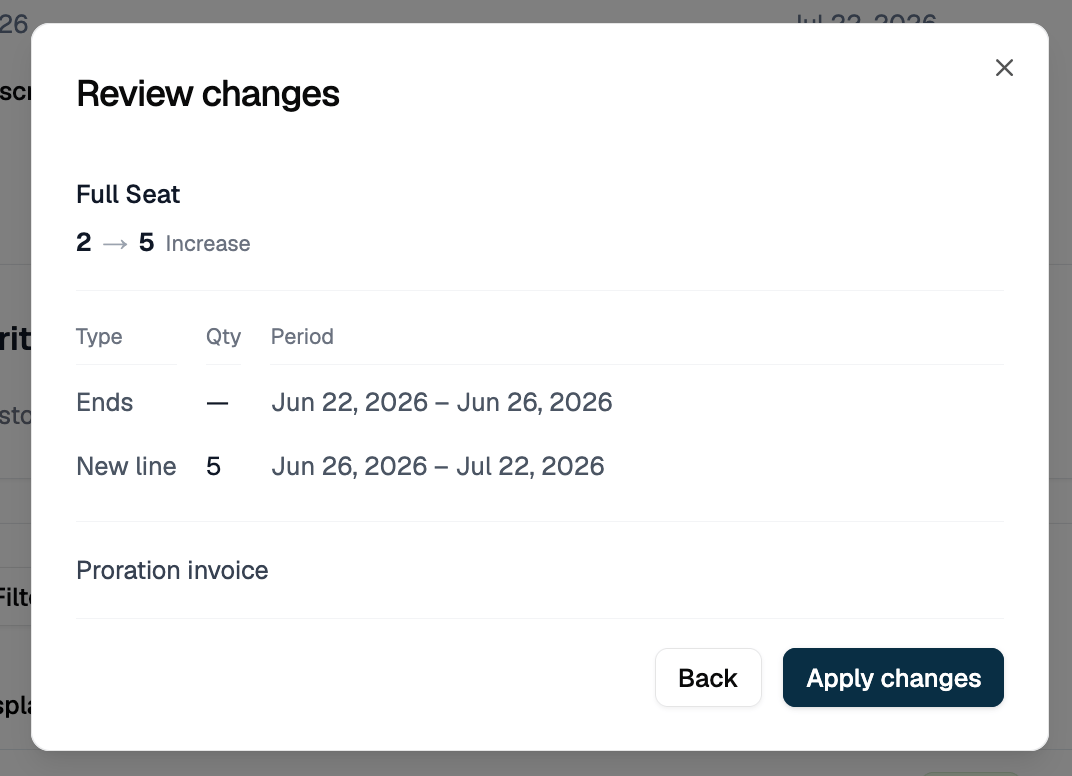
changed_resources:
status: "preview" on the invoice confirms this is a dry run. Preview never writes anything, so the IDs are the placeholders (preview-ended), (preview-created), and (preview-invoice) rather than real IDs.
3c. Execute an Immediate Seat Change
Omiteffective_date to apply the change right now:
quantity: 40. The response has the same shape as the preview, but with real IDs and the invoice’s payment status in place of preview:
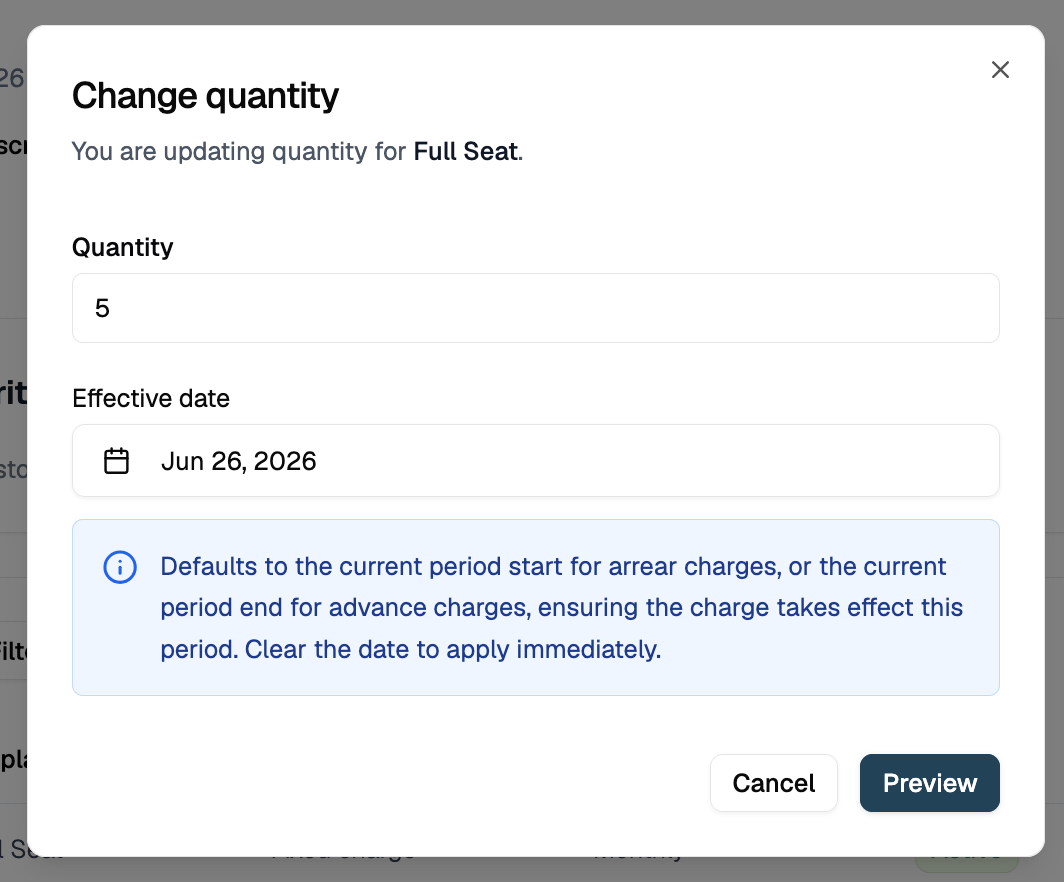
3d. Schedule a Future-Dated Seat Change
Pass aneffective_date to defer the change:
- The current line item’s
end_dateis set to2026-07-01T00:00:00Z - A new line item is created with
start_date: 2026-07-01T00:00:00Zandquantity: 40 - Billing continues at the old quantity until July 1, then switches to 40 seats
3e. Collect Payment Before Seats Change
By default the seat change applies immediately and the proration charge is invoiced afterwards, which can leave an unpaid invoice. To require payment first, add acheckout object to the execute call:
DRAFT proration invoice for the amount, opens a checkout session, and returns a payment link in checkout_session.payment_action.url:
For the session lifecycle, expiry, webhook events, and charging a saved payment method instead of sending a link, see Pay-First Checkout.
Proration on Seat Changes
When you change seat count mid-period, Flexprice prorates based on days remaining in the current billing period.Upgrade (Adding Seats): Mid-Month Example
Before change: 25 seats x 500/month, billed on the 1st. Change on day 10: Increase to 40 seats. Days remaining: 21 of 31.Downgrade (Removing Seats): Mid-Month Example
Before change: 40 seats x 800/month, billed on the 1st. Change on day 10: Decrease to 25 seats. Days remaining: 21 of 31.
What gets issued depends on the price’s
invoice_cadence:
ADVANCE(billed at period start): the customer was already charged for the full period, so a refund of $203.23 is issued.ARREAR(billed at period end): nothing has been charged yet, so a one-off invoice for 541.94 credit offsets the end-of-period invoice.
Skip Proration: Change at Period End
To avoid a mid-period invoice entirely, seteffective_date to the start of the next billing period. The old seat count bills through the end of the current period and the new count takes effect at renewal.
Seat-Based Billing in the UI
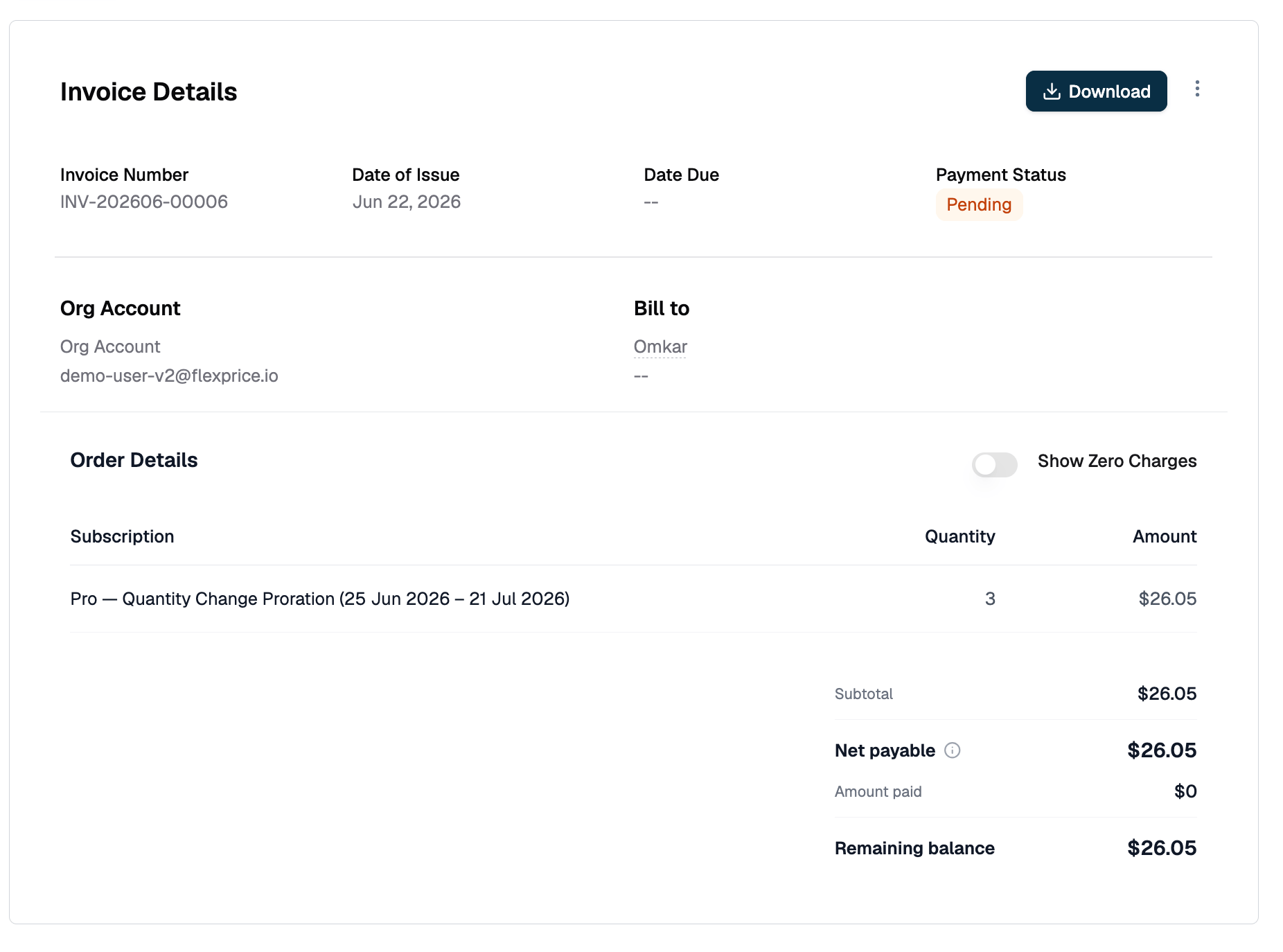
You can manage seat counts from the Subscription detail page in the Flexprice dashboard without touching the API. Viewing seat history: The subscription timeline shows every quantity change with its effective date and the invoice it triggered.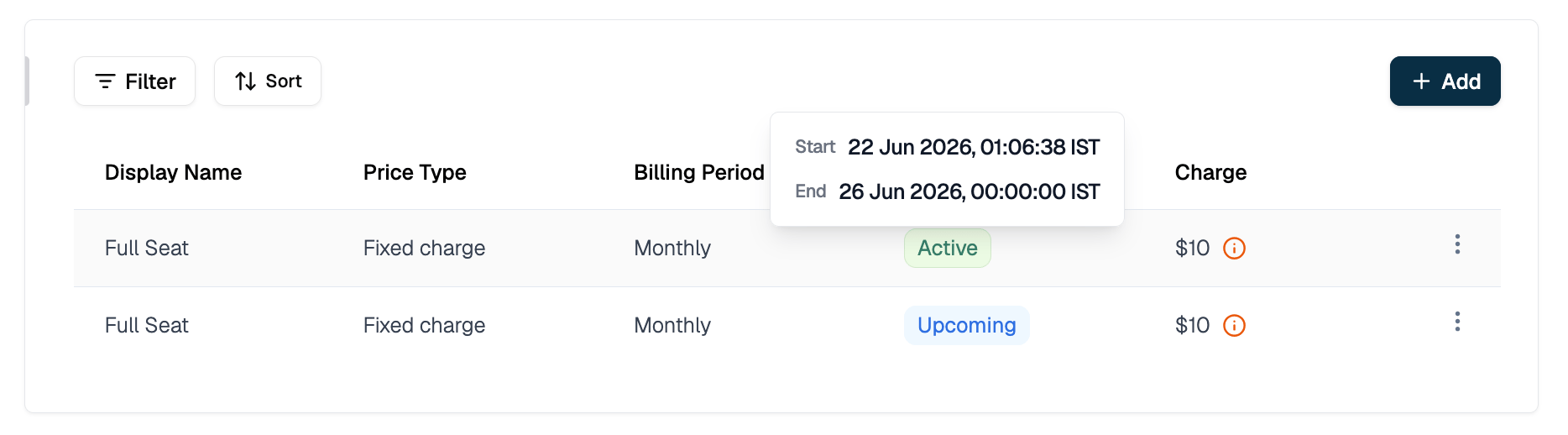
Common Patterns
Edge Cases & Gotchas
quantity lives on the line item, not the subscription.
There is no top-level quantity field on a subscription object. It lives at subscription.line_items[].quantity. If your plan has multiple prices (e.g. a base fee plus a per-seat charge), only the seat price’s line item needs a custom quantity. Leave the base fee line item at quantity: 1.
You need the line item ID, not the price ID.
The modification API takes line_items[].id (format: subs_line_01...), not price_id. Fetch the subscription first with GET /subscriptions/{id} to find it.
Usage-based prices reject quantity.
Setting quantity on a metered price line item returns an error. Usage is computed from ingested events, not a quantity field.
Future-dated changes produce two line item records.
Between the request and effective_date, two records exist for the same price: the old one ending at effective_date and the new one starting at it. Only one is active at any point in time. Do not delete or modify the old record before the effective date fires.
Multiple seat changes in one period are fine.
Each change prorates against the state at the time of the call. The billing engine generates a separate invoice per change.
Setting quantity to zero stops billing for that line item.
The remaining period’s charge is credited in full. Use with care.
effective_date must fall inside the line item’s active window.
Targeting a line item before it starts or after it ends returns a validation error naming the line item and its start date. This usually means you picked the future-dated record from a scheduled change instead of the currently active one.