

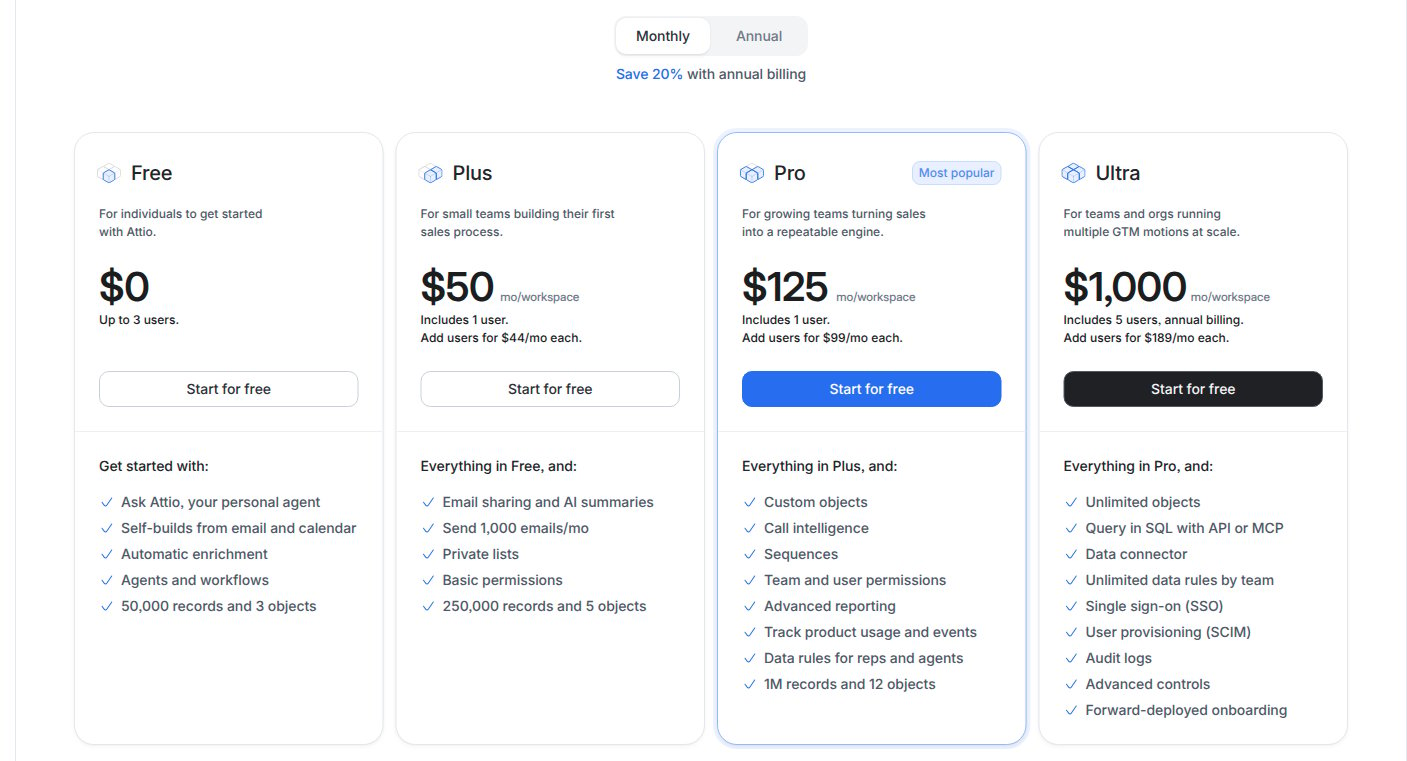
Attio monthly plan comparison from the official site, 2026-11-25. This guide models only Pro monthly.
Pricing profile
What Attio charges
Design takeaways
- Charge for the workspace before counting extras. Keep the first seat in the base price. A single flat price multiplied by all seats either double-charges the first seat or loses the workspace fee Published terms.
- Use a seat ledger per workspace. Suspending a member frees their seat without changing what was bought. Track purchased capacity separately from assignments and calculate each workspace subscription independently Published terms.
How Attio’s pricing maps to Flexprice
Configure the plan and subscription
These requests are illustrative. Use your test environment and replace example IDs with the IDs returned by your setup. Create a plan withPOST /plans:
POST /prices for each fixed recurring price below. Amounts are in USD for the full billing period, not cents.
include_price_ids and omit the extra-seat override. Leaving the list out would attach both matching monthly prices.
Create or select the payer’s customer record. When paid billing begins, use POST /subscriptions with that customer ID and the returned plan and price IDs. Where a quantity is needed, set it through a line-item override. To set up a subscription now without raising the advance invoice yet, create a draft and activate it when billing begins.
Worked bill
A workspace has four purchased seats, three assigned and one vacant. Bill the $125.00 workspace fee once and three additional seats at $99.00 each: $125.00 + (3 × $99.00) = $422.00** for the month. A single purchased seat costs **$125.00 because it is included. Verify the fixed charge amounts and quantities on the opening invoice. No usage line should be present in this example.Pricing sources
- Attio pricing: Pro workspace and extra-seat rates.
- Attio billing and payments: Billing at the start of the interval and purchased seat rules.