

sync_config.invoice.outbound in the API.
When Attio invoice sync runs
Flexprice syncs an invoice when all of these are true:- The Invoices toggle is on for the Attio connection.
- The invoice’s customer is linked to an Attio company or person. Customer sync creates this link, both for customers it creates and for existing customers it matches by email.
- The invoice is finalized. Draft invoices are not synced.
Flexprice writes every record through Attio’s upsert endpoint, matching on Flexprice invoice ID, so a retried sync updates the existing record instead of creating a duplicate. A sync that fails is retried up to three times, and finalizing or paying an invoice in Flexprice never waits for Attio.

The Flexprice Invoices object
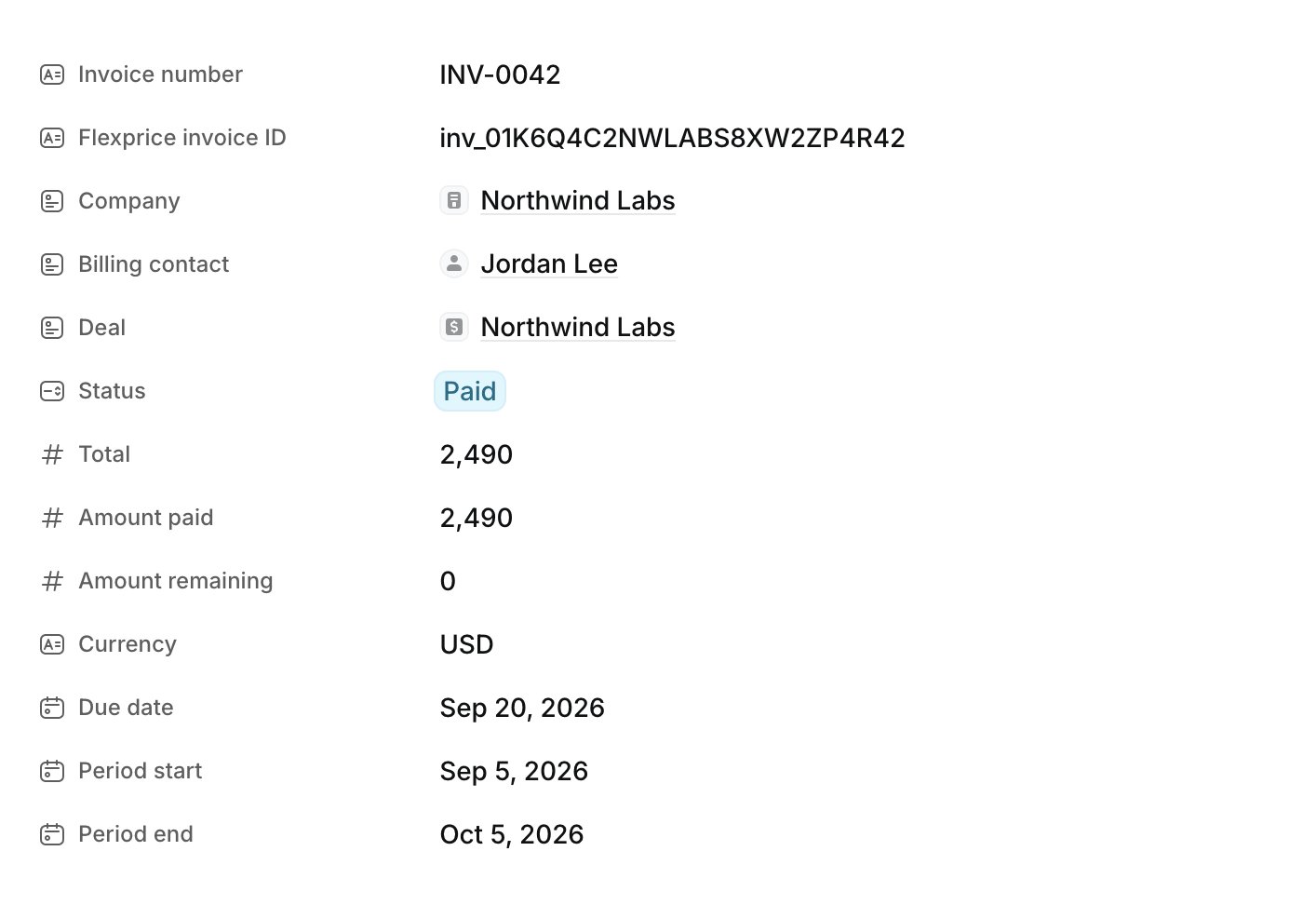
The first time invoice sync runs, Flexprice creates this custom object in your Attio workspace, which is why the token needs Object Configuration at Read-write:The Flexprice Invoices object counts toward your Attio plan’s object limit. If your plan has no free object slot, Flexprice cannot create the object, and invoice sync fails until you free a slot or change plans.
Flexprice Invoices attributes
Amounts are Number attributes next to a separate Currency attribute. Attio’s currency attributes hold one currency for every record, and your invoices can be in several currencies.
Retrying an Attio invoice sync
To sync an invoice again, for example after you fix a missing scope or link its customer to Attio, call the integration sync endpoint with the invoice ID:What Attio invoice sync leaves unchanged
- Edits made in Attio. Flexprice does not read records back. A status changed by hand in Attio is not applied in Flexprice, and the next update overwrites the synced attributes.
- Line items. The record holds the invoice totals. Open Invoice PDF for the line-by-line breakdown.
- Payments collected outside Flexprice. Record the payment in Flexprice, and the Attio record follows.
- Customers without an Attio link. Their invoices are not recorded in Attio.