

sync_config.customer.inbound in the API.
When Attio customer sync runs
Customer sync starts when Attio sends a deal event to the webhook that Flexprice registers for the connection. See How Flexprice receives Attio deal events. With Attio’s default pipeline, moving a deal into the Won 🎉 column starts customer sync.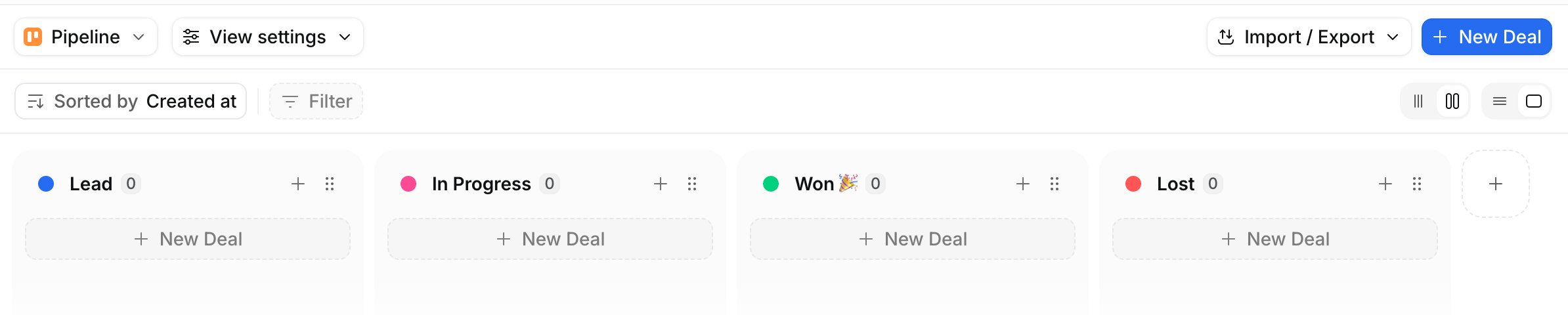
- One customer per company. Every won deal for the same company links to the same customer.
- A deal with neither a company nor a person creates nothing.
How Flexprice picks the company and billing contact
Flexprice reads two attributes on the won deal:
If the deal has no associated company, Flexprice creates the customer from the billing contact instead, as described in Customers created from a person.
The billing contact’s email address becomes the customer’s email in Flexprice. List the person who handles billing first under Associated people on the deal, or make sure they are the first person with an email address.
How Flexprice matches Attio companies to customers
Flexprice checks each won deal in this order:- Company already linked. If a Flexprice customer is already linked to the deal’s company, Flexprice does not create another one. It sets the customer’s
attio_deal_idto the newly won deal, so the customer’s next subscription syncs to that deal. - Same email. If a Flexprice customer has the billing contact’s email address, Flexprice links that customer to the company and adds the Attio metadata keys. It leaves the customer’s name and address unchanged.
- New customer. Otherwise, Flexprice creates a customer from the company, as described in the next section.
Attio fields copied to Flexprice customers
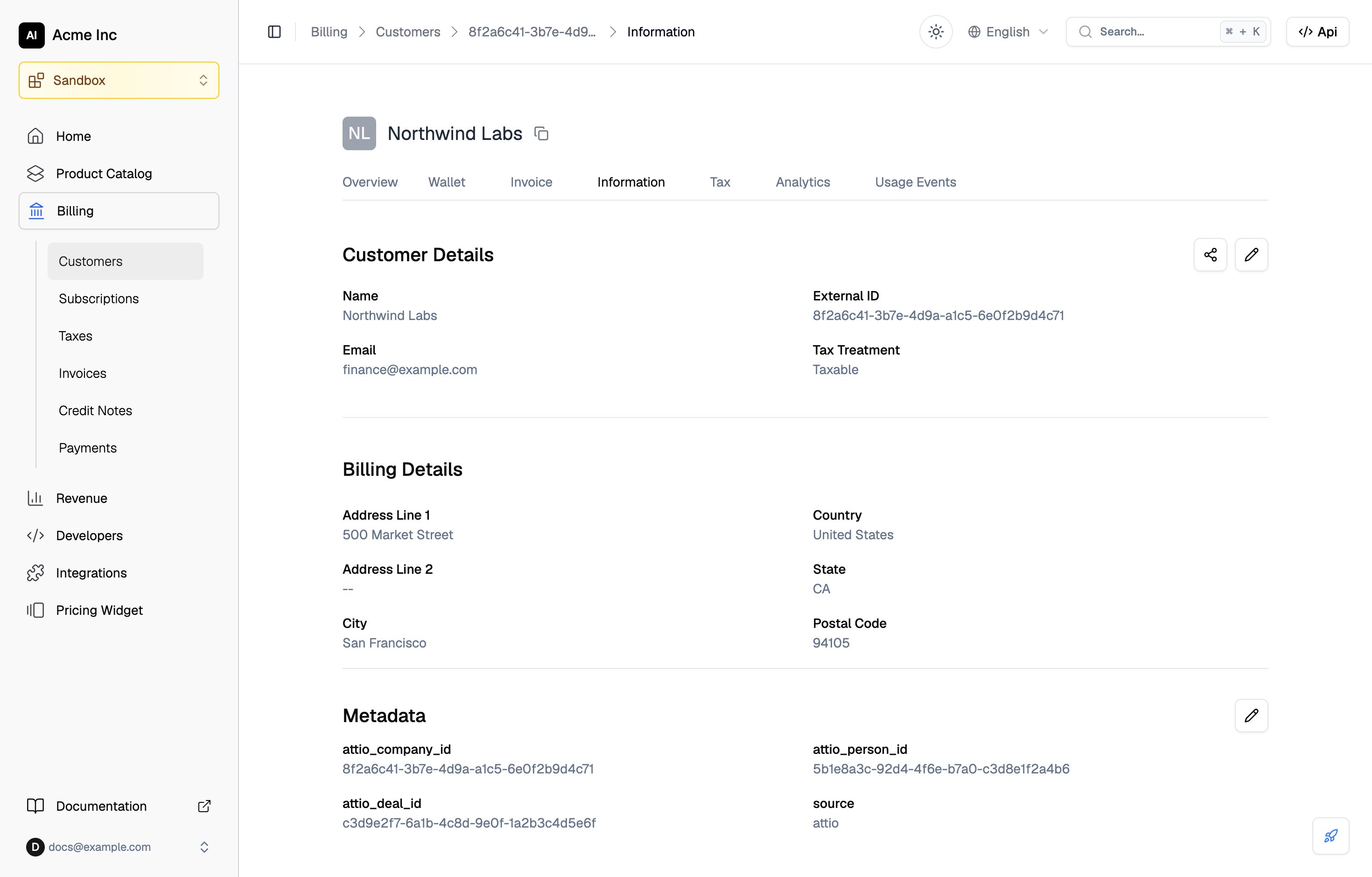
A customer created from an Attio company gets these values:
Attio stores
country_code as a two-letter ISO 3166-1 code, the format Flexprice expects, so the country maps without conversion. Fields that are empty in Attio stay empty on the customer.
Customers created from a person
When the won deal has no associated company, the customer is built from the billing contact:
Flexprice matches these customers on the person’s record ID instead of a company’s.
Finding the Attio record linked to a customer
Customers created by customer sync carry the company ID inmetadata.attio_company_id. For any linked customer, including customers linked by email, call Get entity integration mappings:
provider_type set to attio. Its provider_entity_id is the Attio company record ID, or the person record ID for a customer created from a person.