

What the Connection Does
Prerequisites
- Zoho Books admin access to the organization you want to connect.
- A Zoho API Console client of type Server-based Applications. You need its Client ID and Client Secret.
-
Your Zoho Books Organization ID. In Zoho Books, open Settings > Organization > Profile. The ID is shown next to the page title.

-
Your Zoho data center. Zoho runs separate data centers (
.in,.com,.eu,.com.au,.jpand others). Use the one your Zoho Books account signs in on.
Step 1: Create the Zoho API Console Client
- Open the Zoho API Console for your data center, for example api-console.zoho.in or api-console.zoho.com.
-
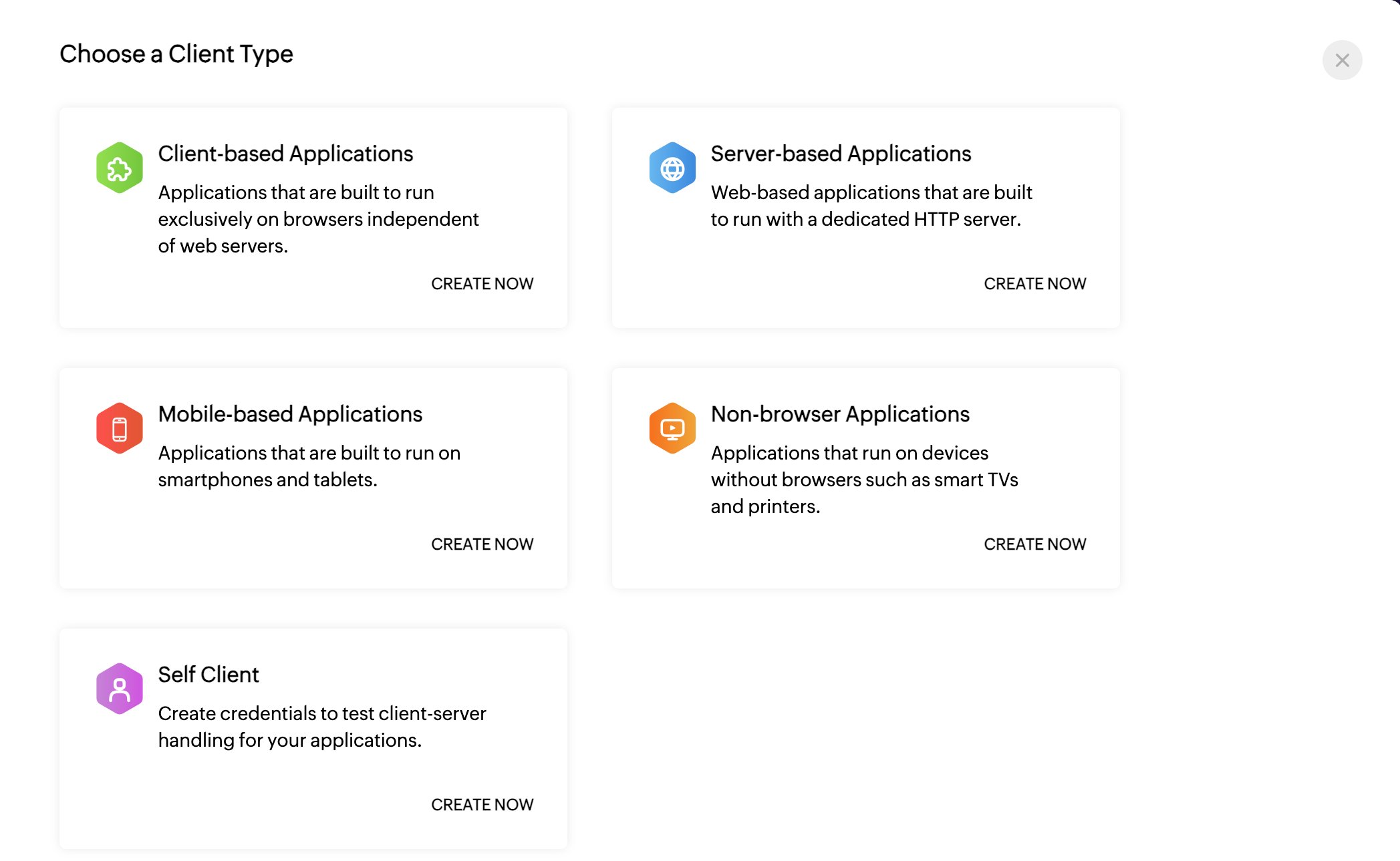
Click Add Client and choose Server-based Applications.
- Enter a client name and homepage URL.
-
Under Authorized Redirect URIs, add the Redirect URI that Flexprice shows on the first step of the Connect Zoho sheet (Step 3 below). For the Flexprice cloud console it is
https://app.flexprice.io/tools/integrations/oauth/callback. Copy it from the sheet rather than typing it: the URI must match character for character.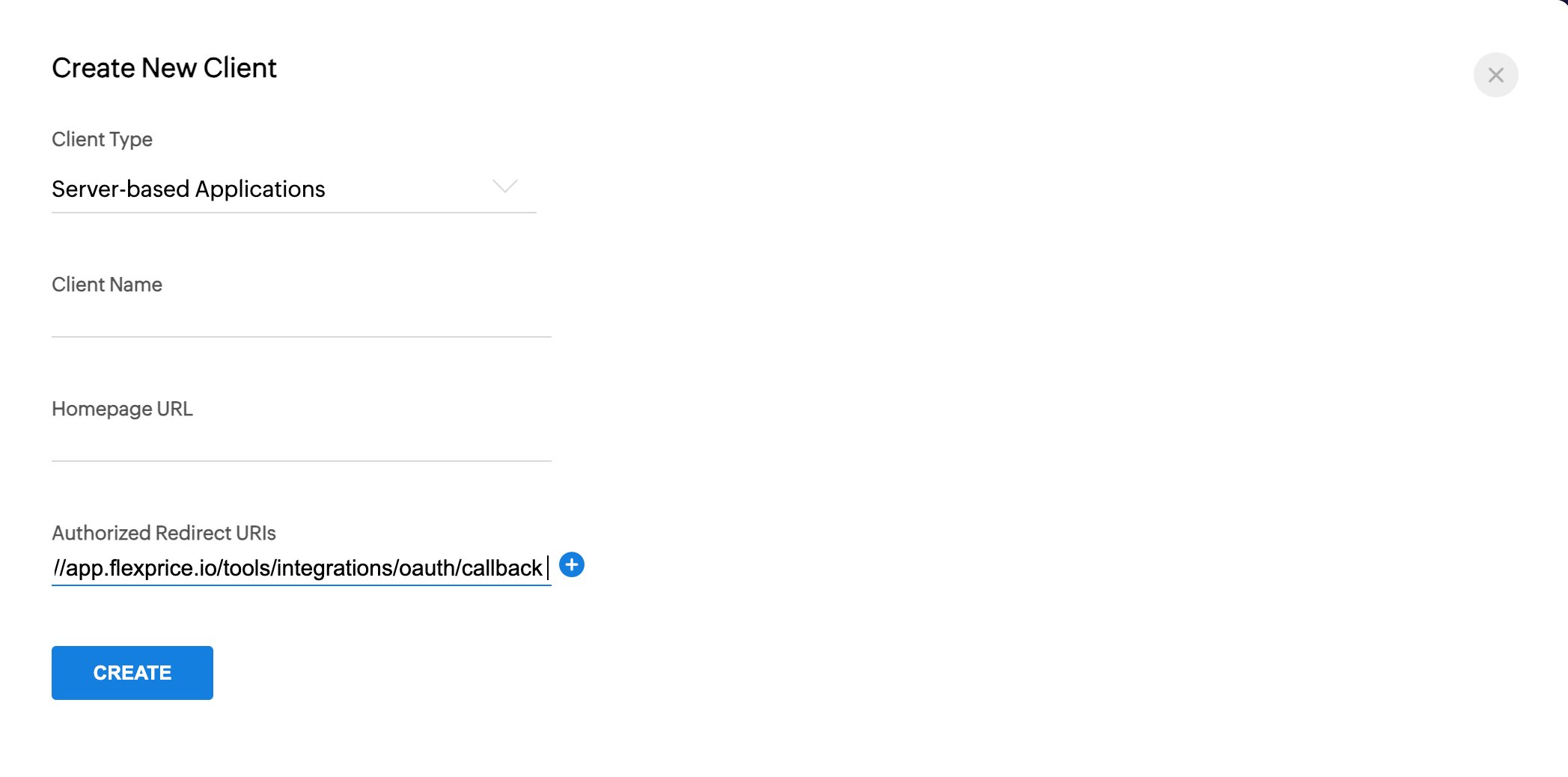
- Click Create and copy the Client ID and Client Secret.
Step 2: Choose a Webhook Secret
Zoho Books does not generate a webhook signing secret. You make one up, for example a long random string, and enter the same value in two places: the Flexprice connection (Step 3) and each Zoho webhook (Step 4). Flexprice rejects any webhook whoseX-Zoho-Webhook-Signature header does not match it.
Step 3: Connect Zoho in Flexprice
1
Open the Zoho card
In the Flexprice console, open Integrations from the sidebar and click Connect on the Zoho card.
2
Enter credentials
Copy the Redirect URI into your Zoho API Console client if you have not already. Then fill in: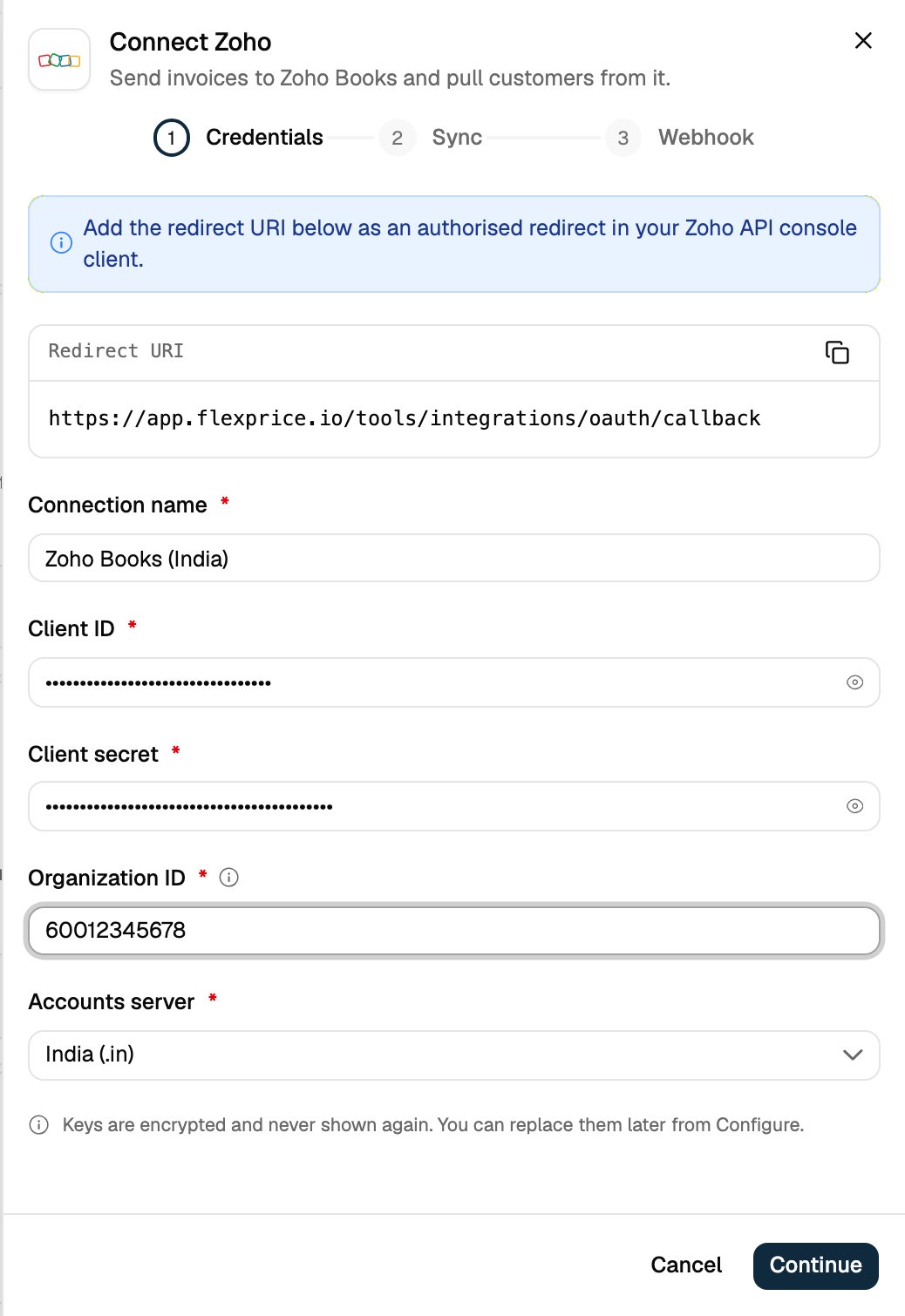
Click Continue.
3
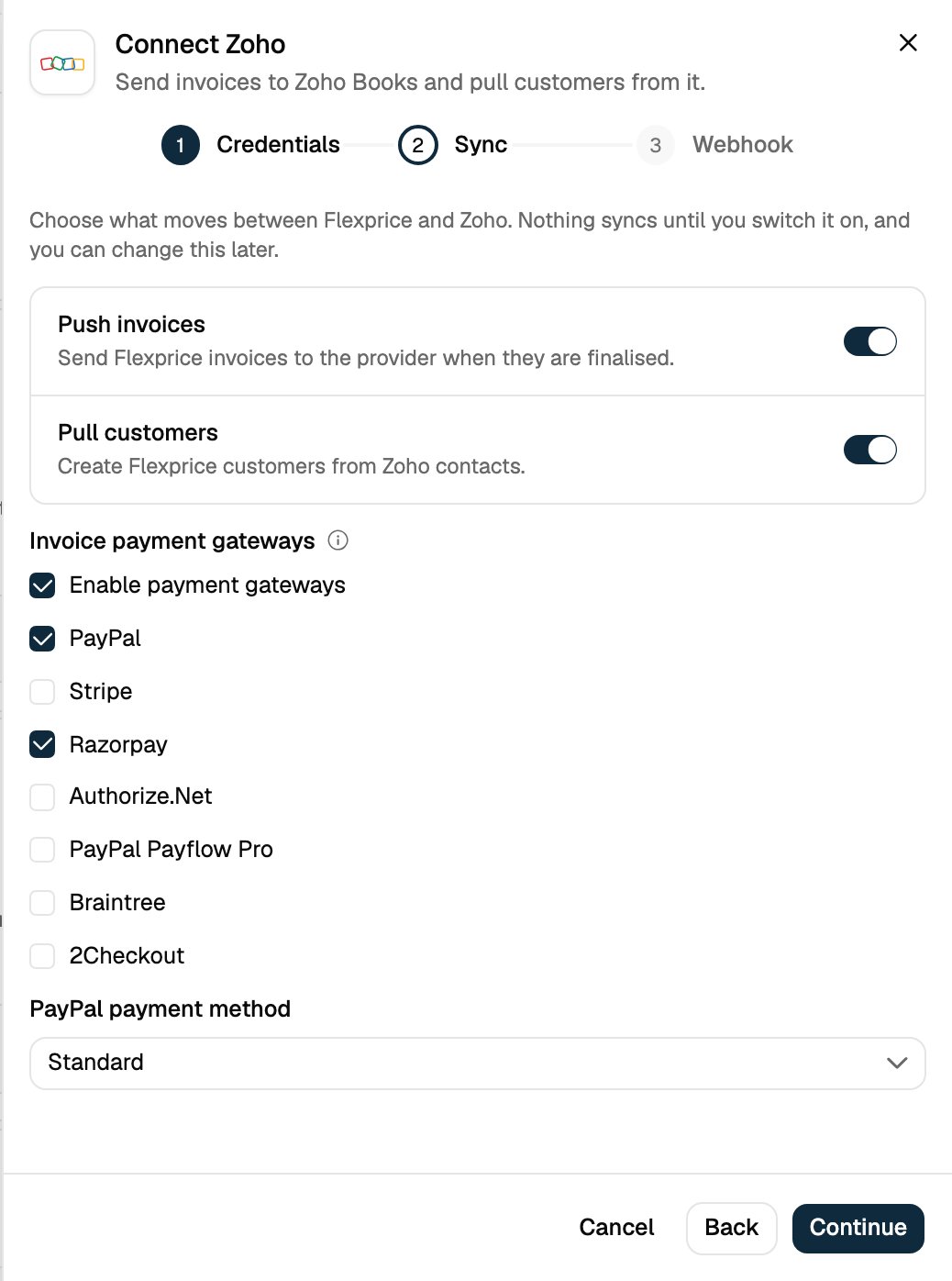
Choose what syncs
Push invoices sends finalized Flexprice invoices to Zoho Books. Pull customers creates Flexprice customers from new Zoho customers. Both are on by default; switch off any you do not want.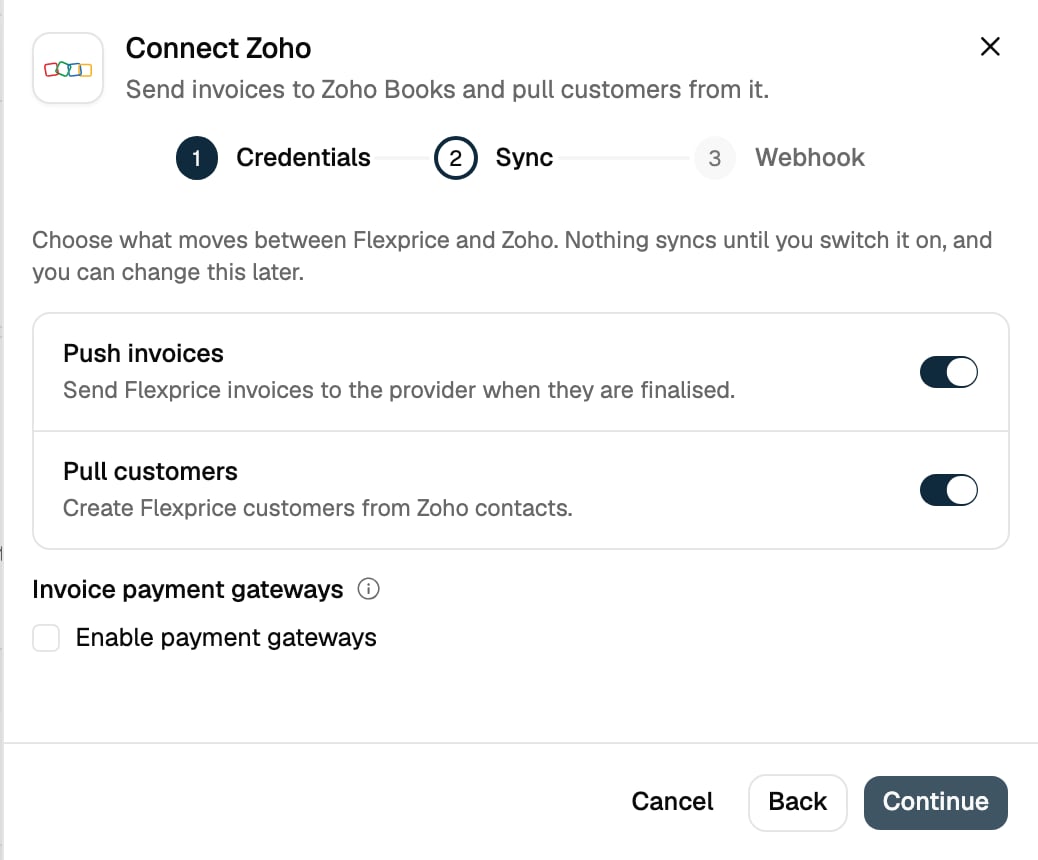
4
Add the webhook secret
Copy the Webhook URL for Step 4. Enter the secret from Step 2 in Webhook signing secret.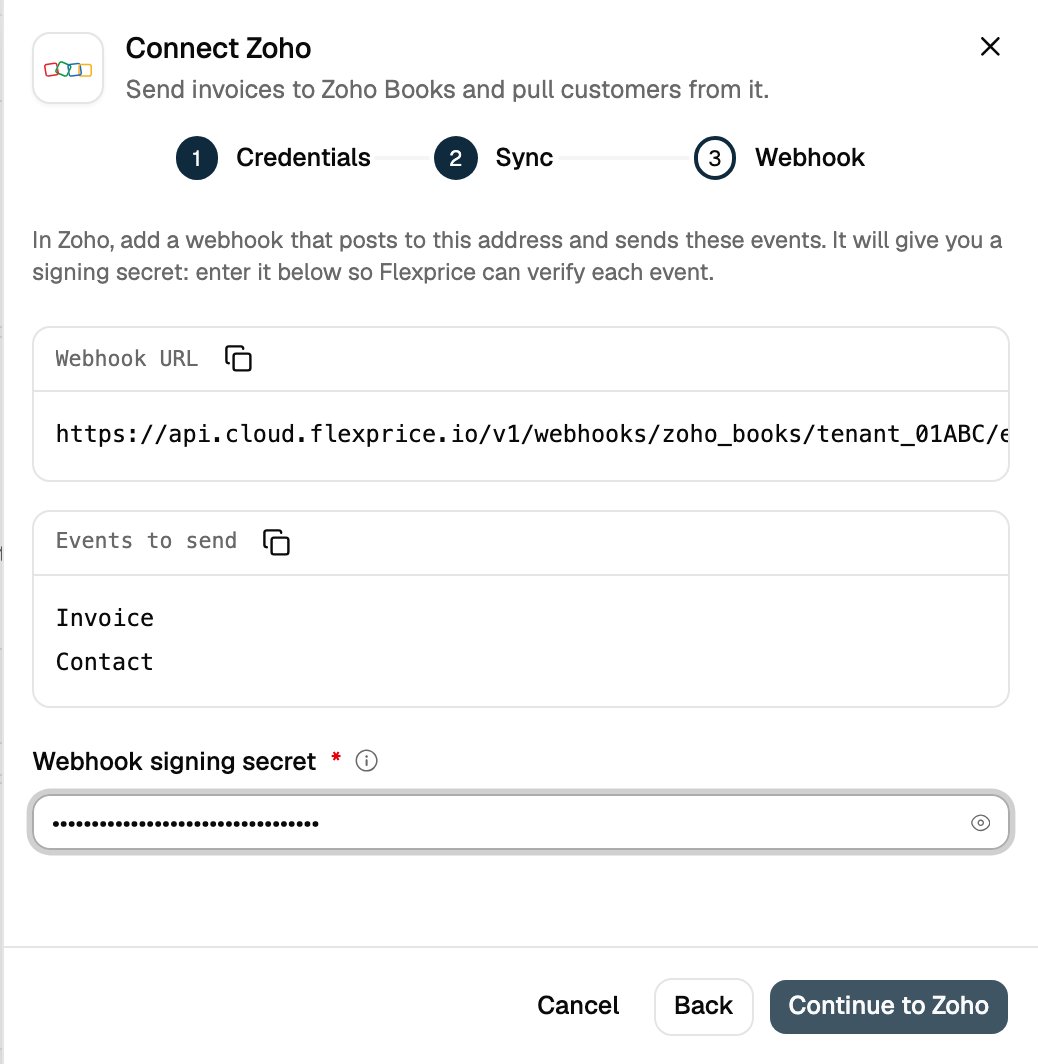
5
Authorize in Zoho
Click Continue to Zoho, sign in to Zoho and accept the consent screen within 5 minutes. Zoho returns you to Flexprice and the Zoho card shows Connected. Flexprice refreshes the Zoho access token on its own from then on.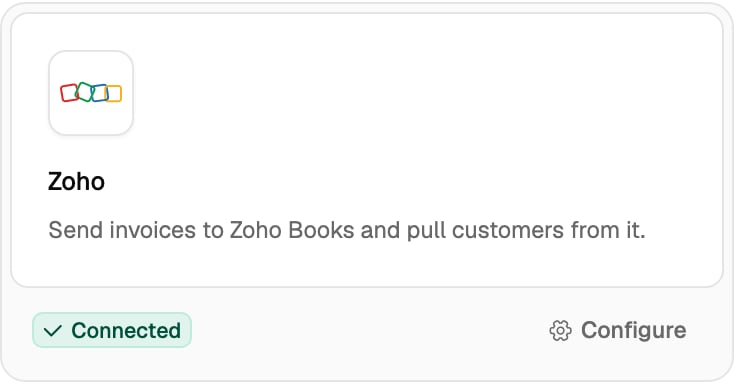
Step 4: Register the Webhooks in Zoho Books
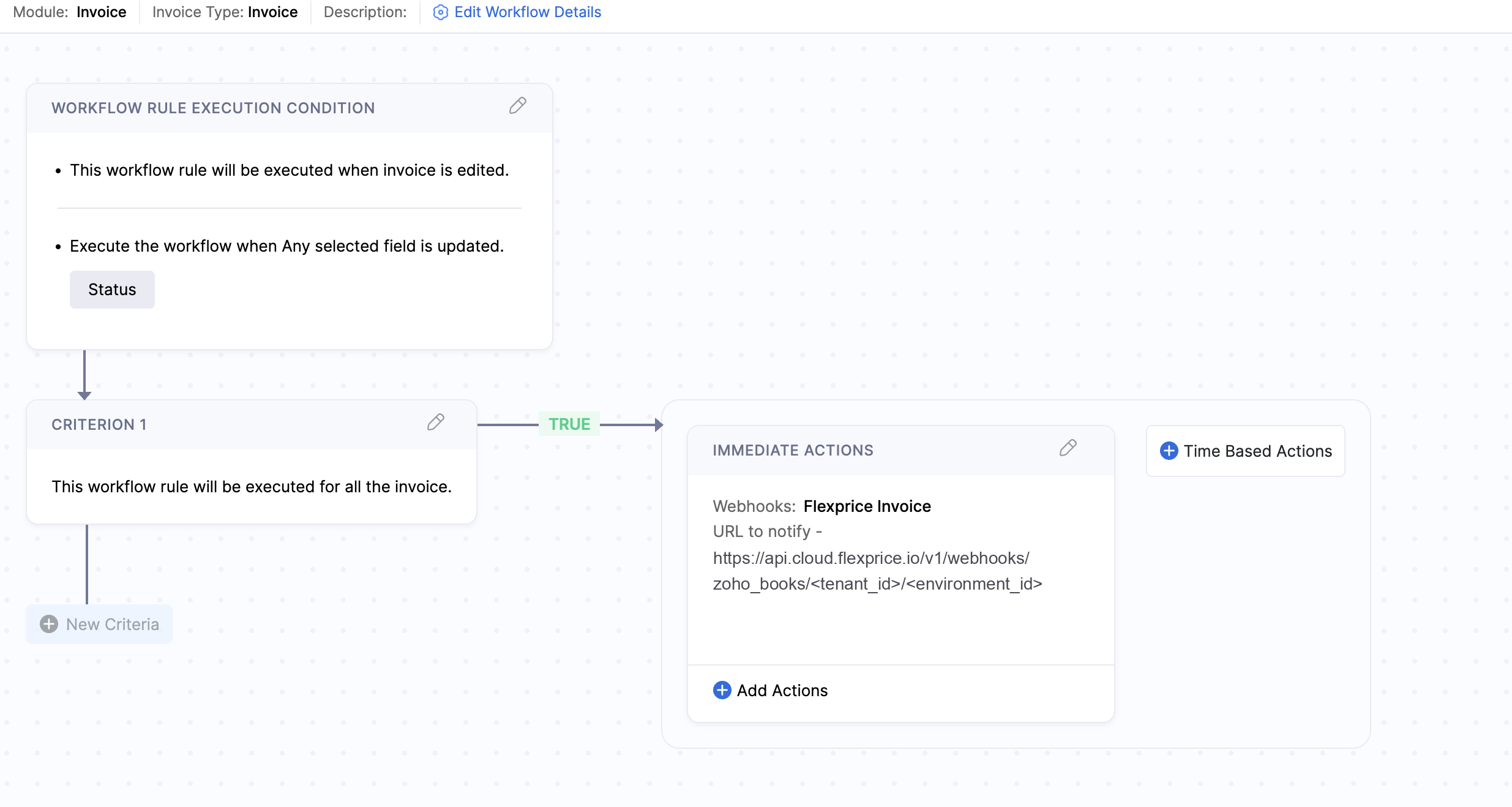
Zoho Books sends webhooks from workflow rules. Create one rule per module, both posting to the same Flexprice URL:https://api.cloud.flexprice.io (India) or https://us.api.flexprice.io (United States).
In Zoho Books, open Settings > Automation > Workflow Rules:
-
Invoices rule. Module Invoices, triggered when an invoice is edited and the Status field is updated. Add an immediate action of type Webhook: method POST, the Flexprice URL, body as the default Invoice entity JSON, and your secret in the webhook’s secret field.
-
Customers rule (only if Pull customers is on). Module Customers, triggered On Create, with the same webhook action.
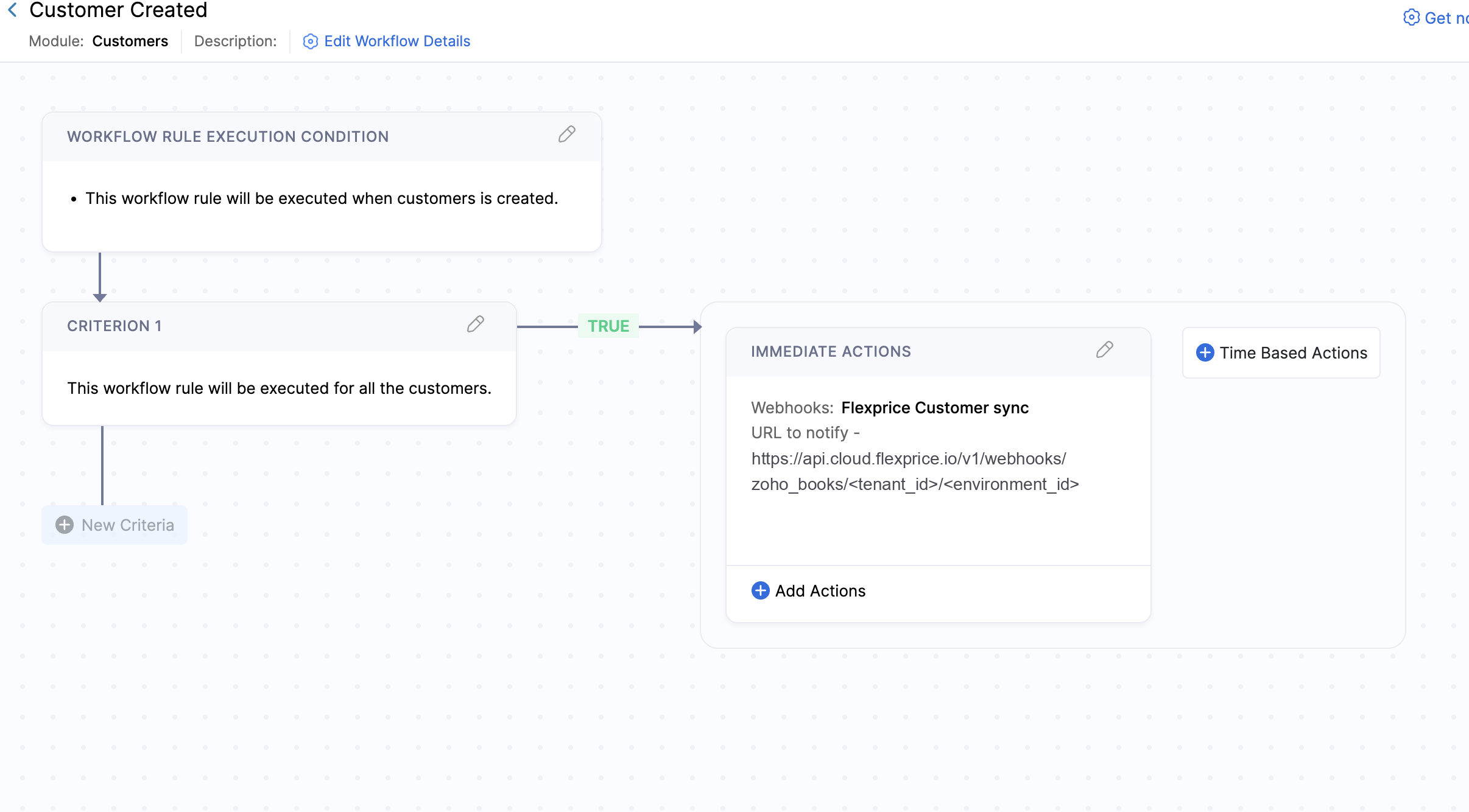
If you connect more than one Zoho Books organization in the same environment (one per billing entity), append
?connection=<connection_id> to the URL so Flexprice knows which connection the webhook belongs to.Managing the Connection
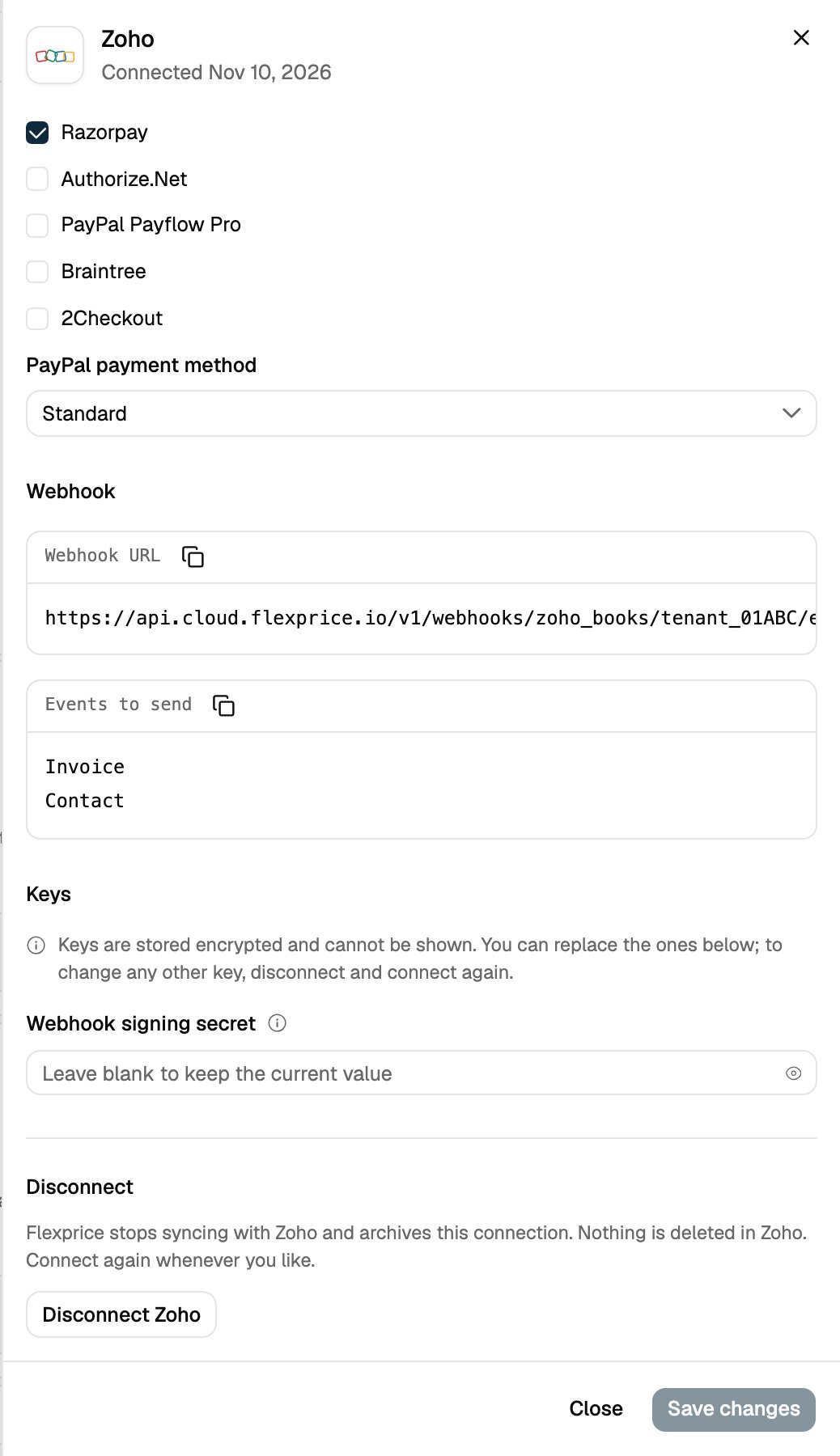
Click Configure on the Zoho card to rename the connection, switch syncs on or off, change payment gateways, copy the webhook URL or replace the webhook signing secret. Leave the secret blank to keep the current one.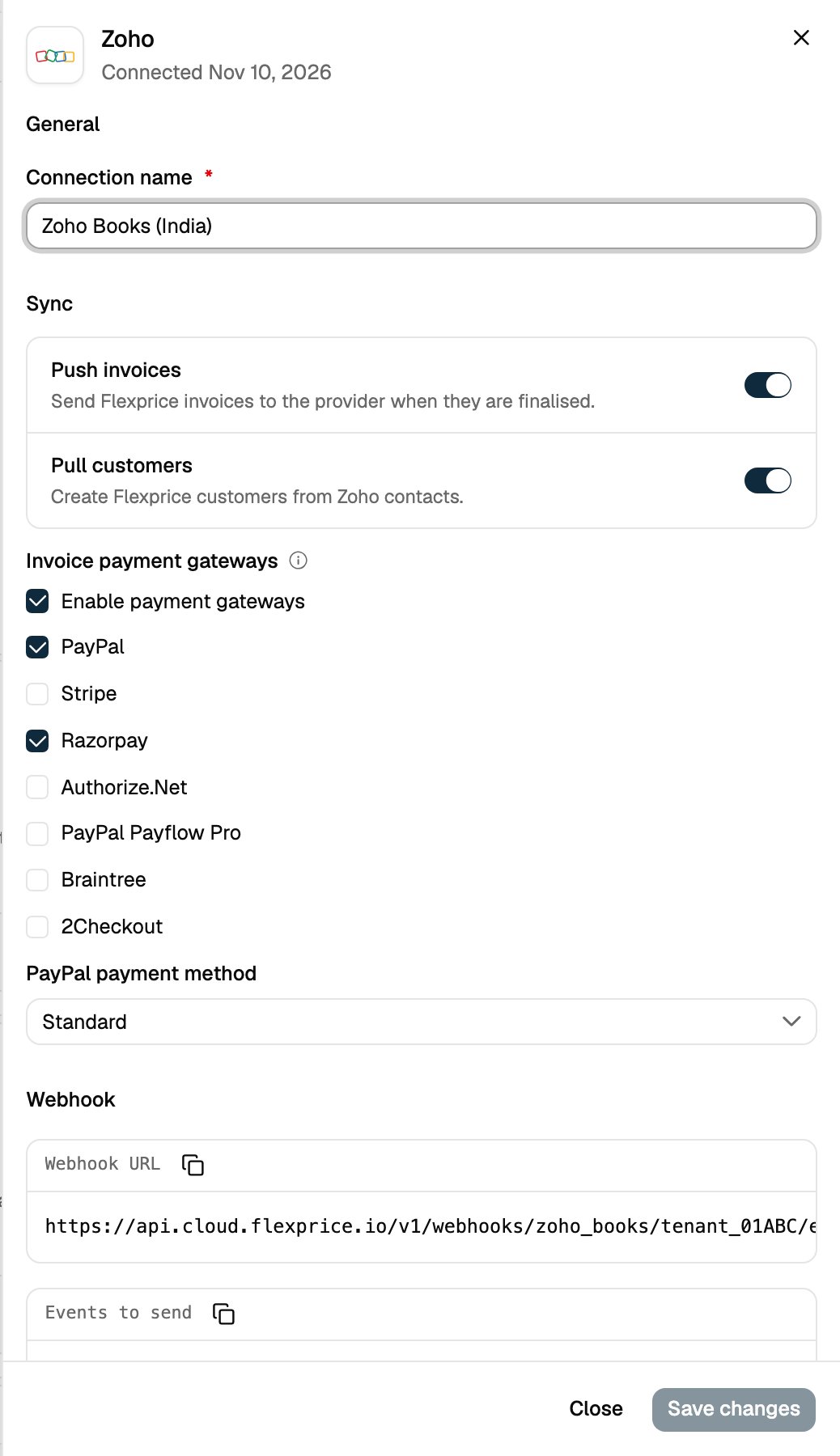
Connecting Through the API
The console flow is a thin layer over two API calls. Start the OAuth flow:oauth_url and a session_id. Send the user to oauth_url. Zoho redirects back to your redirect URI with code, state and accounts-server. Finish within 5 minutes:
accounts_server on /oauth/complete as on /oauth/init. The API also accepts the data centers the console does not list: https://accounts.zoho.com.cn, https://accounts.zoho.sa, https://accounts.zoho.uk and https://accounts.zohocloud.ca.
To change settings later, use PUT /v1/connections/{id}. Invoice settings such as custom fields, approval and payment mode are only available through the API: see Invoice Sync.
Troubleshooting
Related Articles
Invoice Sync
What Flexprice sends to Zoho Books, and the settings that control it.
Webhooks and Customer Sync
How paid and voided invoices and new Zoho customers reach Flexprice.