

Overview
Payment links in Flexprice provide a secure, hosted checkout experience powered by Nomod. Customers click a payment URL and are redirected to Nomod’s secure checkout page to complete their payment.Key Features
- Secure checkout: Hosted by Nomod with PCI compliance.
- Multiple Payment Methods: Supports various payment methods available in Nomod
- Real-time Updates: Webhook-driven status updates
- Auto-generated Links: Nomod automatically generates payment link URLs
Payment Link Lifecycle
Payment Status Flow
Status Transitions
Status Definitions
Creating Payment Links
Prerequisites
- Nomod Connection: Active Nomod connection configured
- Invoice Status: Invoice must be finalized and unpaid
- Valid Amount: Payment amount must match invoice outstanding
- Connection Status: Connection must be in “Published” status
Recording Payments with Nomod
You can use Nomod to generate payment links when recording payments:1
Open Record Payment Dialog
Navigate to the invoice or customer page, click “Record Payment”, and enter the payment amount.
2
Select Payment Method
In the Payment Method dropdown, select “Payment Link”. In the Payment Provider dropdown, select your Nomod connection. Optionally add a description.
3
Generate Payment Link
Click “Record” to create the payment. A payment link will be generated via Nomod and a success dialog will display the payment URL. You can copy the URL to share with the customer, open the link in a new tab, or close the dialog.
4
Customer Payment
Share the payment link with your customer. The customer clicks the link and completes payment through Nomod. Payment status updates automatically via webhooks.
API Request
Endpoint:POST /api/v1/payments
Headers:
Response
payment_url is automatically generated by Nomod and returned as a URL.
Payment Link Configuration
Required Fields
Payment Link Features
- Secure: All payments processed through Nomod’s secure infrastructure
- Multiple Payment Methods: Supports various payment methods available in Nomod
- Automatic Updates: Payment status updates automatically when customer pays
- Success/Cancel URLs: Automatically configured to redirect back to Flexprice
API reference
Payment Link: Create a new paymentInvoice Sync
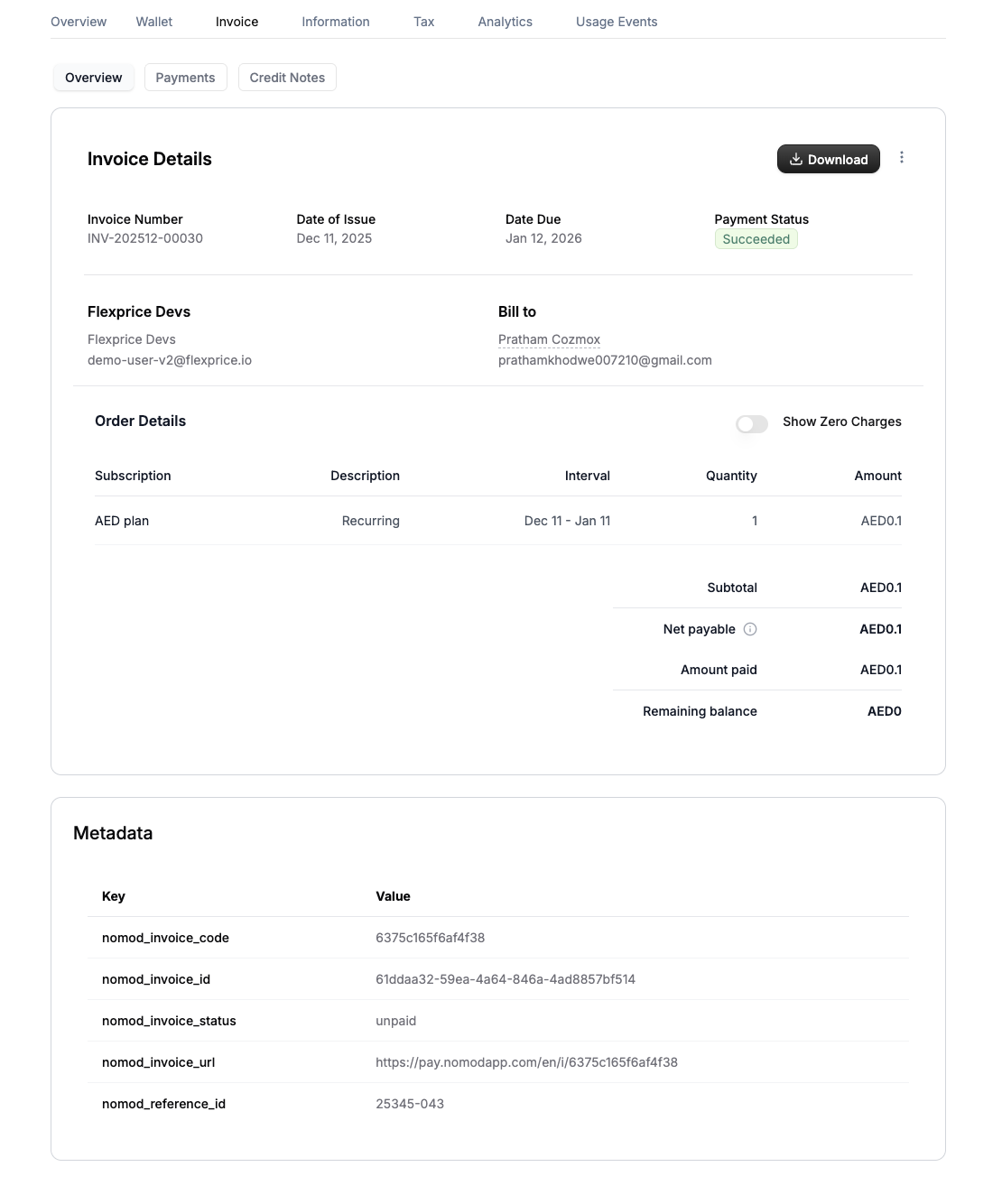
Whenever an invoice is generated in Flexprice it’s synced to Nomod in realtime and Nomod generates a payment link for the invoice.- Payment Link Reuse: If a payment link is requested for a synced invoice, the existing Nomod invoice payment URL is returned
- Automatic Association: Payments made through the URL are automatically associated with the invoice
- Metadata: Once synced, you get the Nomod invoice details and payment URL in the Flexprice invoice metadata
Invoices are automatically synced to Nomod when:
- Invoice is finalized (status changes from
DRAFTtoFINALIZED) - Invoice outbound sync is enabled in the Nomod connection
- Customer is successfully synced to Nomod (if applicable)
Error Handling
Common Payment Errors
Security Considerations
Payment Link Security
- HTTPS Required: All payment links use HTTPS
- Link Expiry: Links expire based on Nomod settings
- One-time Use: Each link can only be used once
- Signature Verification: All webhooks verified
Data Protection
- PCI Compliance: Nomod handles sensitive payment data
- No Card Storage: Card details never stored in Flexprice
- Encrypted Storage: All payment data encrypted at rest
Webhook Endpoints
POST /api/v1/webhooks/nomod/{tenant_id}/{environment_id}- Nomod webhook handler