

customer_portal_config setting key, and the portal fetches it on load.
Anything you leave unset falls back to a default, so a tenant that has never touched the configuration still gets a complete portal.
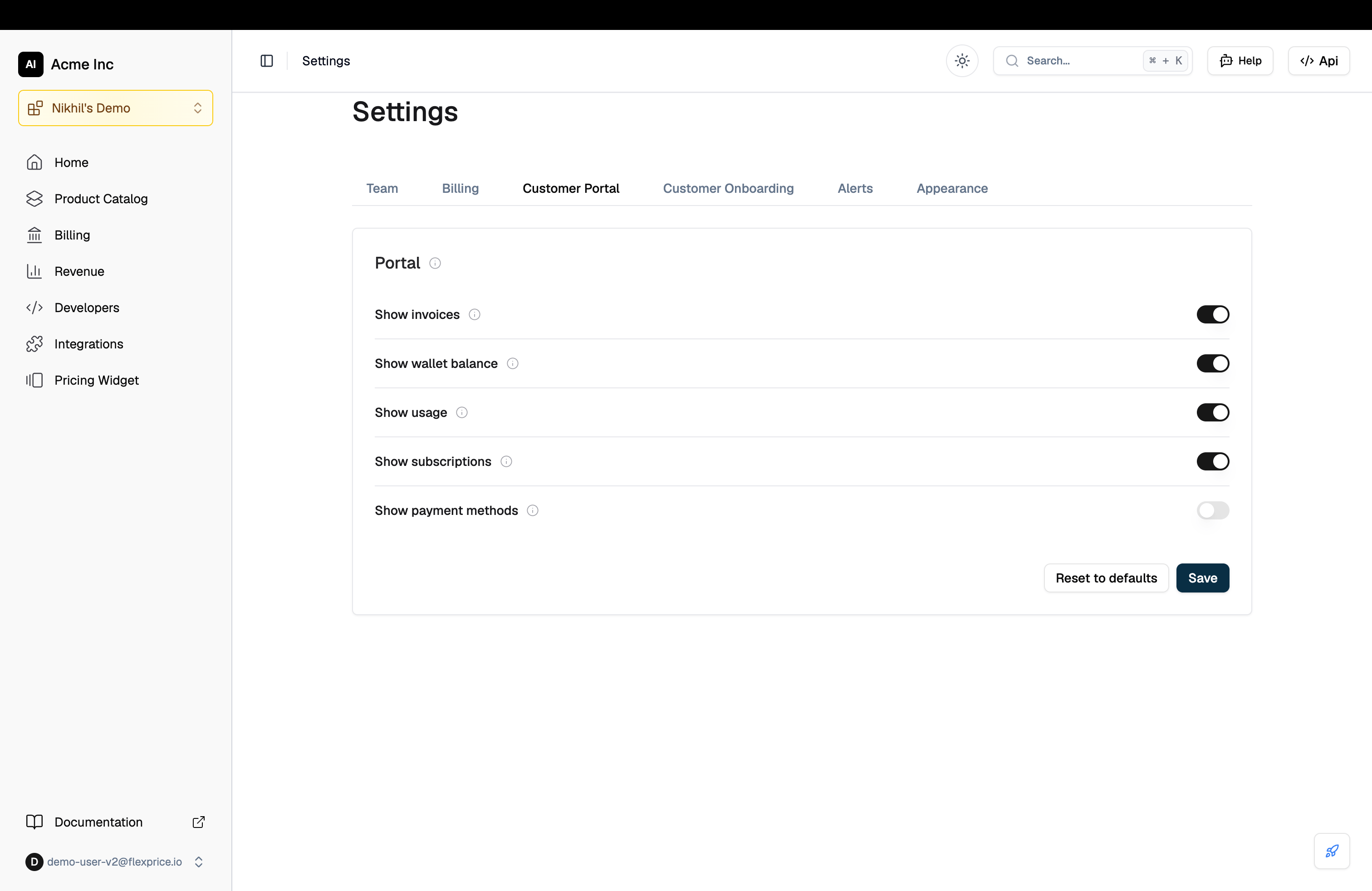
Settings toggles
The dashboard exposes the five section-level switches most tenants need. Go to Settings and open the Customer Portal tab.
Changes apply to every portal session opened in that environment from the next page load.
Configuration schema
For anything beyond the five toggles, write the configuration directly through the settings API under the keycustomer_portal_config.
Section fields
Widget fields
Widget types
Usage graph configuration
Valid presets are
today, last_7_days, last_30_days, current_month and last_month.
Metric cards configuration
How your configuration merges with the defaults
Understanding the merge matters when a Flexprice release adds a section or changes one.- Your sections win on content. Labels,
enabledand the widgets inside a section are yours. - Standard sections take the product’s ordering. A stored configuration carries the
ordervalues current when you saved it, so a section later promoted in the defaults would otherwise stay where it was. Sections you add yourself keep their own order and are placed after the standard ones. - New default sections are appended, not dropped. A wholesale replace would hide any section shipped after you saved, so a section you have never seen is added rather than lost. Express removal as
"enabled": false, not by deleting the entry. - Overview’s composition is fixed. Overview is balance, payment methods and subscriptions. It is not customisable per tenant, because any analytics widget placed there also renders the section’s date filter, which duplicated Usage.
- A theme with no values is ignored. An empty theme object does not override the default light appearance.
The Payments section is retiredSaved cards used to live in a section of their own. They now sit on Overview, beside the balance they top up and the subscriptions they pay for. A stored configuration naming a
payment_methods section is honoured as hidden. Use the Show payment methods toggle to control the widget.Theming
Supply four brand colours and the portal derives the rest, including text colours, from the brightness of your background.
Leave the whole
theme object out to use the portal’s default light appearance.
Reading the configuration from the portal
A portal session reads its own resolved configuration, already merged with the defaults:Related resources
Customer Portal
Sessions, sections and the security model
Portal payments
Invoice payment, top-ups, auto top-up and saved cards
Settings
All tenant and environment setting keys
Exportable UI
Embed the same widgets directly in your own product