

What customers see
When the feature is on, the Usage section shows a toolbar under the date filter.
Active filters appear as removable chips under the toolbar, with Clear all.
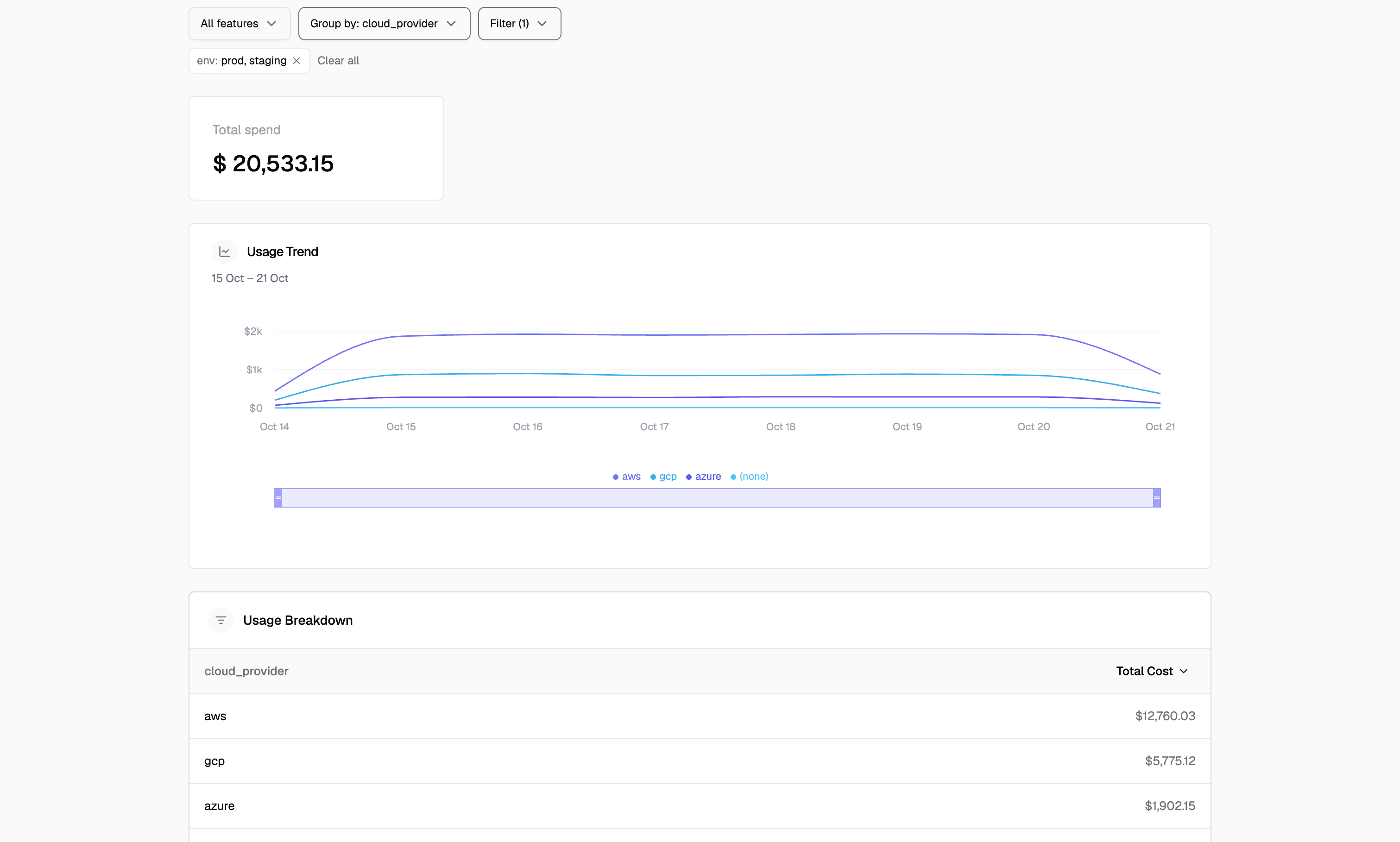
- The chart shows cost per property value. Cost adds up across features, where usage in different units does not.
- The top 8 values get their own line. The rest are combined into Other.
- Usage without the property appears as (none).
- The breakdown table lists one row per value, sorted by cost.
- Metric cards (total spend, cost, margin) respect the active filters.
Turning it on
Go to Settings, open the Customer Portal tab, and with Show usage on, turn on Group and filter usage by properties.
Both pickers suggest properties seen in your usage over the last 7 days. You can also type a property name.
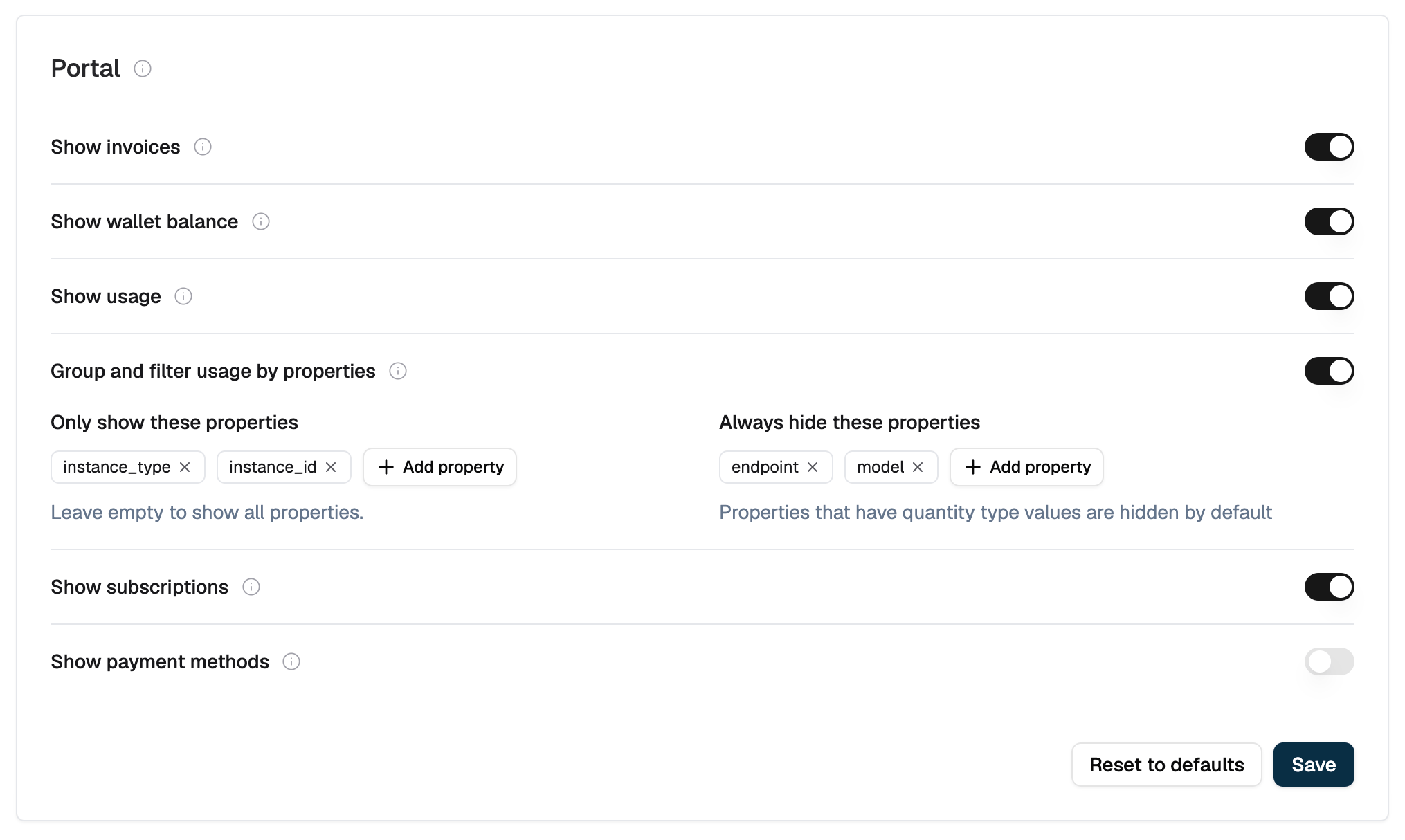
analytics_config in the customer_portal_config setting:
A property in both lists is hidden
hidden_keys always wins over allowed_keys.Which properties customers can use
A property is available to customers only when all of these hold:- The feature is turned on, and the property passes your show and hide lists.
- It is not an aggregation property. Properties a meter aggregates on are always hidden: the
fieldof aSUM,MAX,AVG,LATESTorSUM_WITH_MULTIPLIERmeter, and any property used in a meter’sexpression. This applies across every meter on the same event. The fields ofCOUNTandCOUNT_UNIQUEmeters are identifiers, not quantities, so they stay available. - Its name uses only letters, numbers,
_and.
API
The portal calls these endpoints with its session token. Request bodies takestart_time, end_time and optional feature_ids.
400 with property key "<key>" is not available.
The same lookups exist for your own API key at /v1/meter-usage/properties and /v1/meter-usage/properties/values. They take an external_customer_id and do not apply the show and hide lists, so you can see every property. Without external_customer_id, the properties lookup covers the whole environment.
Limitations
- Customers group by one property at a time. Use a filter to narrow within it, for example filter
regiontous-east-1and group byinstance_id. - Grouping by a property with thousands of values returns every group, which makes the response large and slower to load.
- After you change the setting, open portal sessions can take up to a minute to reflect it.
Related resources
Customer Portal
Sessions, sections and the security model
Portal configuration
The full configuration schema and theming
Portal API reference
Every endpoint available to a portal session
Metered features
How meters aggregate event properties