

How It Works
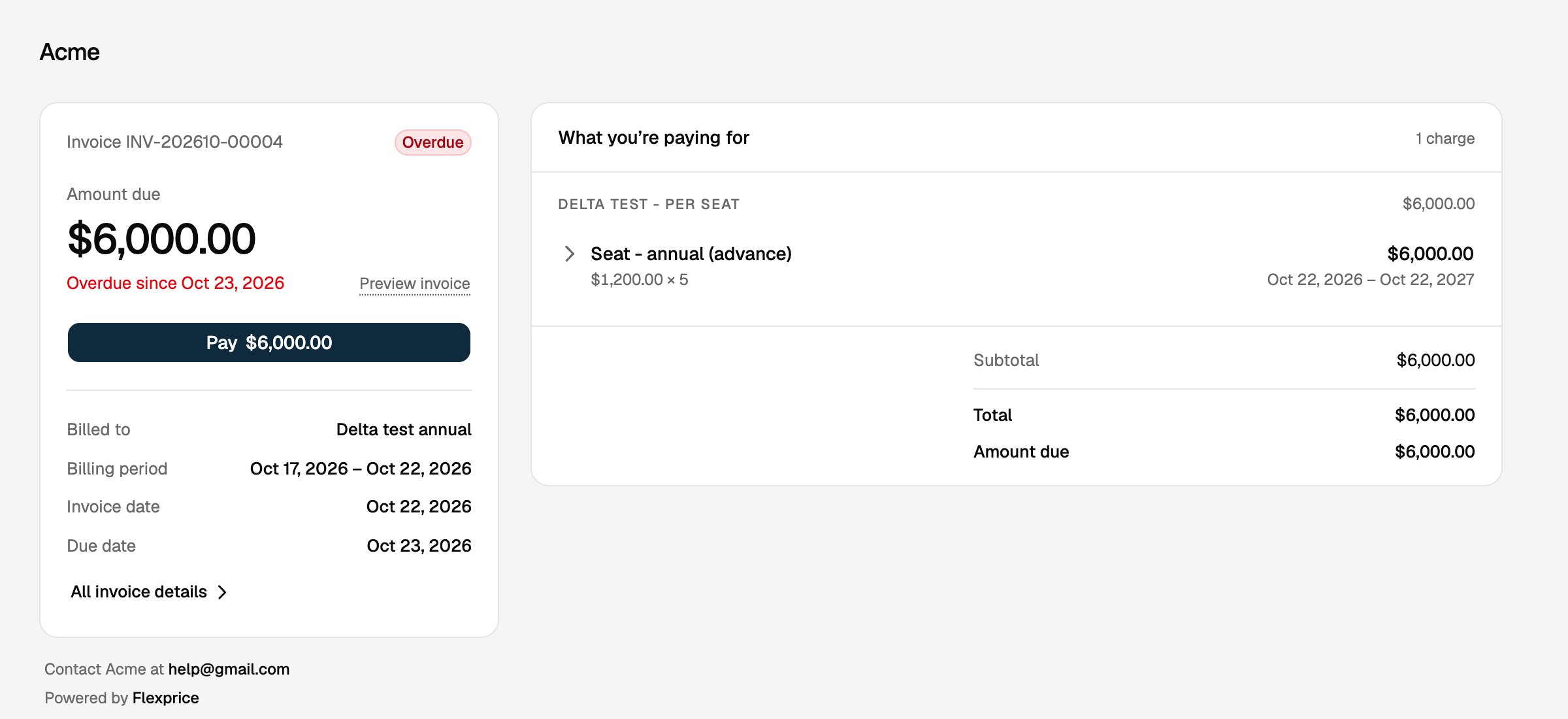
- One link per invoice: Flexprice creates the link when the invoice is finalized. Draft invoices have no link.
- No sign-in: anyone with the link can open the page. Each link opens only its own invoice.
- Always current: the page shows the invoice as it is right now, so a payment, a status change or a new due date shows up the next time the page loads.
- Pay online: when a payment gateway is connected, the page shows a Pay button for the amount remaining. It opens the gateway’s checkout in a new tab, and the page updates once the payment is recorded.
- Preview and download: Preview invoice opens the invoice PDF.
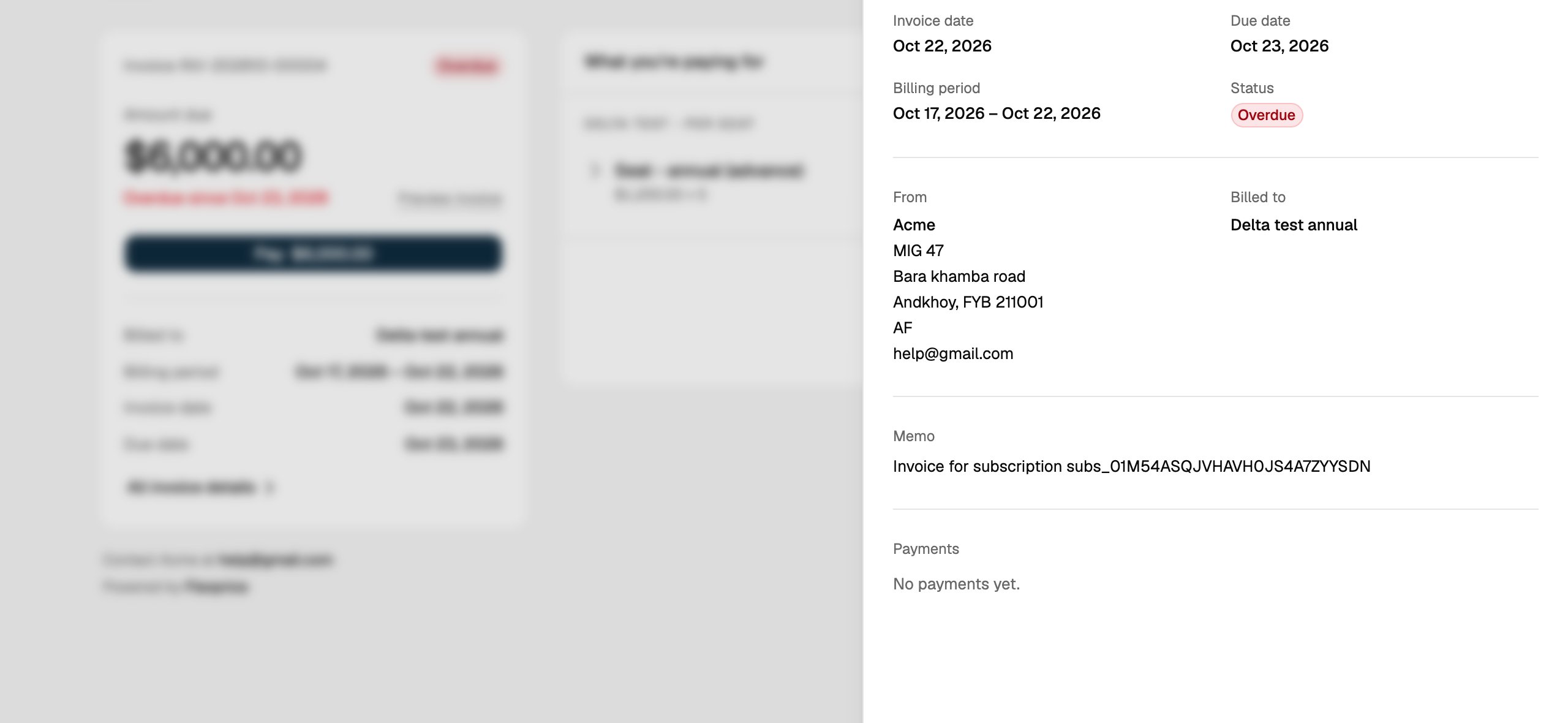
- Full details: All invoice details opens a panel with the invoice dates, your billing address, the customer’s details, the memo and the payment history.
Getting the Link
From the dashboard
Open an invoice under Billing > Invoices. The Payment page row on the right links to the hosted invoice, and the … menu has Open hosted invoice and Copy hosted invoice link. The row menu on the invoice list also has Open hosted invoice.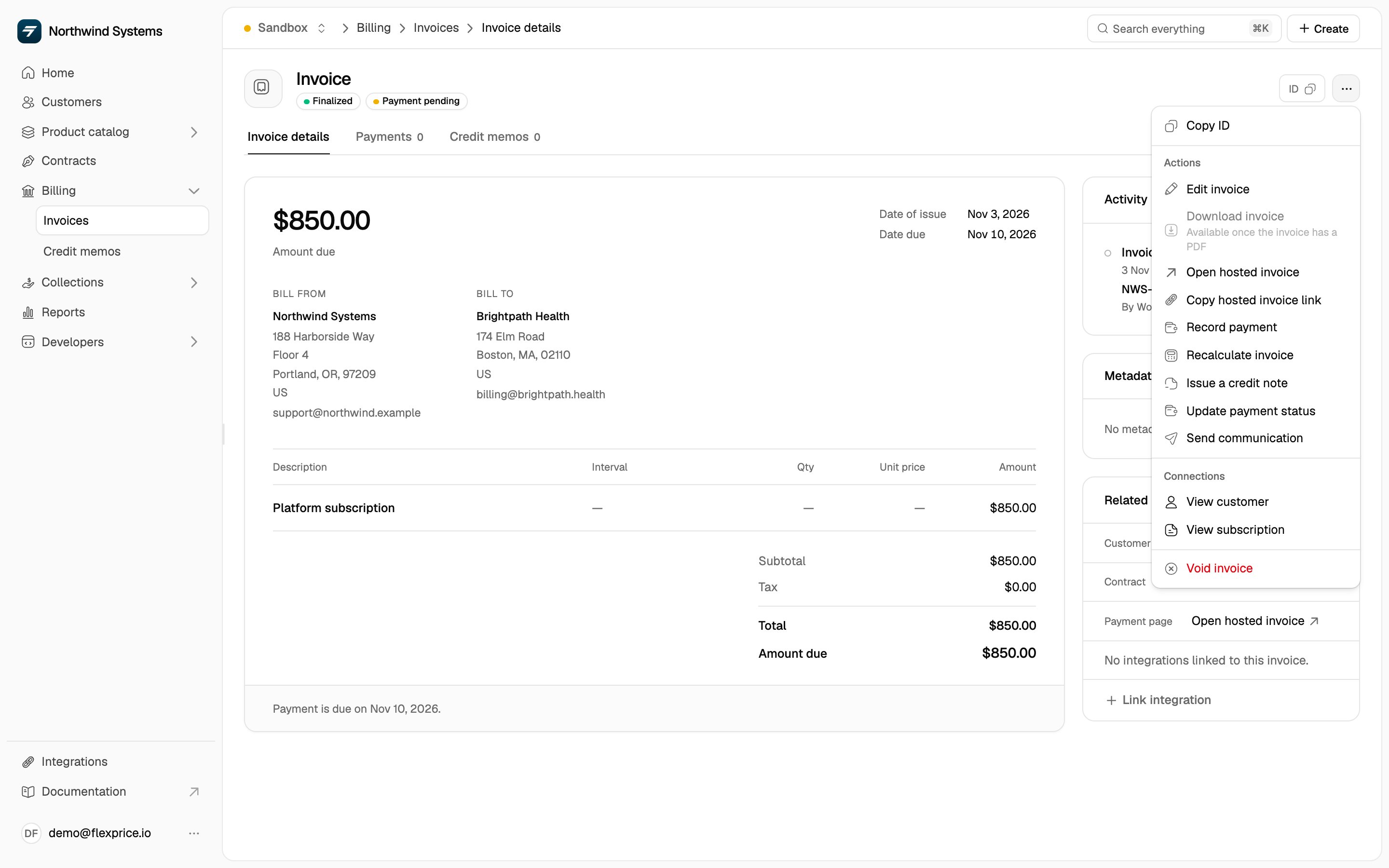
From the API
Finalized invoices carry the link inhosted_invoice_url:
hosted_invoice_url is returned by:
Use the field to put a View invoice or Pay now link in your own emails, in-app billing pages or reminders.
Invoices Synced to Stripe
If Stripe invoice sync is on, Stripe already hosts a page for the invoice. In that casehosted_invoice_url is Stripe’s hosted invoice URL, and the Flexprice page link for that invoice stops working. Your customer gets one page per invoice, never two.
Link Expiry
A link works until 30 days after the invoice’s due date. If the invoice has no due date, the 30 days count from finalization. Every link lasts at least 30 days and at most 120 days after the invoice is finalized. When the due date changes, the expiry moves with it. After a link expires, the page tells your customer it is no longer valid and to contact you.What the Page Shows by Invoice State
Limitations
- Finalized invoices only. Draft invoices have no link, and invoices finalized before hosted invoice pages were available have none either.
- Pay needs a payment gateway. Without one, the page still shows the invoice and PDF, but no Pay button. See Portal payments for which gateways support paying an invoice.
- No custom domain or branding yet. The page is served from
invoice.flexprice.ioand shows your business name.
Related Articles
Managing Invoices
View, update and download invoices in the dashboard.
Customer Portal
A self-service portal for all of a customer’s invoices, usage and credits.
Portal Payments
Payment gateways and how invoice payments are collected.
Stripe Invoice Sync
Sync invoices to Stripe and use Stripe’s hosted page.