

Find invoices with Query invoices and Get invoice, seal or cancel them with Finalize invoice and Void invoice, and see the next one early with Get invoice preview. For the dashboard, see Managing Invoices. For the arithmetic, see Invoice Calculation Order.
Telling invoices apart by billing reason
Every invoice has aninvoice_type and a billing_reason. Filter on billing_reason to separate renewals from other invoices, and on subscription_id to find everything a subscription billed: a mid-period quantity change, for example, bills on a ONE_OFF invoice that carries the subscription’s ID.
Each billing_reason, when Flexprice creates it, and the invoice_type it gets:
SUBSCRIPTION_CREATE(SUBSCRIPTION): a subscription is created. It bills the first period’s advance fees.SUBSCRIPTION_CYCLE(SUBSCRIPTION): a billing period ends.SUBSCRIPTION_UPDATE(SUBSCRIPTIONorONE_OFF): a mid-period quantity or plan change charges or credits the difference.SUBSCRIPTION_TRIAL_START(SUBSCRIPTION): a trial starts. It shows the advance fees at zero, previewing the first paid invoice.SUBSCRIPTION_TRIAL_END(SUBSCRIPTION): a trial ends. It bills the first paid period’s advance fees.PRORATION(SUBSCRIPTION): a plan change, or an immediate cancellation that asks for a final invoice, cuts a period short.AUTO_INVOICE_THRESHOLD(SUBSCRIPTION): usage crossesauto_invoice_thresholdmid-period. See Progressive Billing.WALLET_AUTO_TOPUP(ONE_OFF): an invoiced wallet auto top-up runs.MANUAL(the type you send): you set it on Create one-off invoice. Flexprice never sets it.
ONE_OFF or, for a credit adjustment, as CREDIT.
Combining advance fees and arrears usage on a subscription invoice
Each price’sinvoice_cadence decides which invoice bills it (see Advance vs Arrear). An ADVANCE fee is billed at the start of the period it pays for, and an ARREAR charge once its period is over. Usage is always billed in arrears: Flexprice rejects a usage price with ADVANCE cadence. A subscription’s regular invoices therefore come in two kinds:
SUBSCRIPTION_CREATEis raised when you create the subscription, unless it starts as a draft or in a trial. It bills the first period’sADVANCEfees. Without advance fees, its subtotal is zero and Flexprice marks itSKIPPED.SUBSCRIPTION_CYCLEis raised when each period ends. It bills that period’sARREARcharges, usage included, and the next period’sADVANCEfees.
Example: a platform fee in advance and API usage in arrears
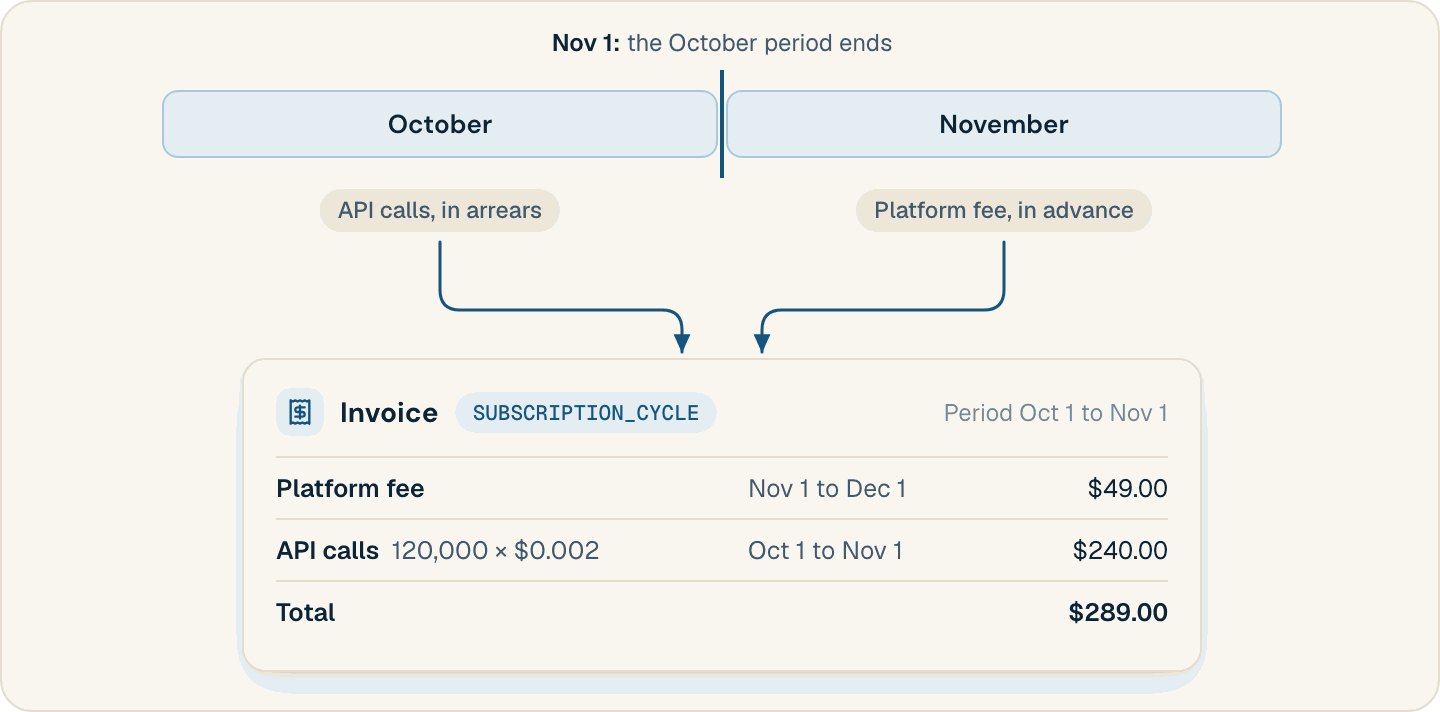
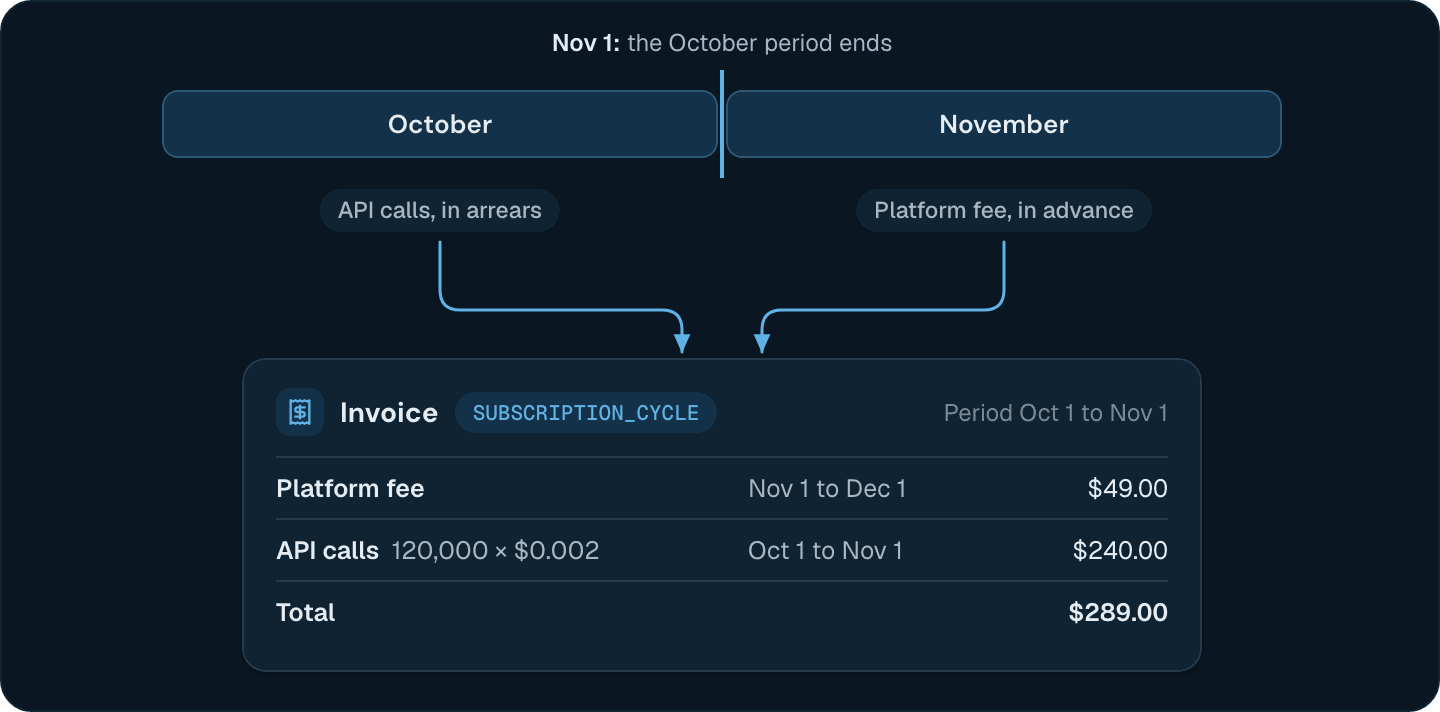
ADVANCE) and API calls at $0.002 each (ARREAR). On October 1, the SUBSCRIPTION_CREATE invoice bills $49 for October’s platform fee. The customer makes 120,000 calls in October. Once finalized, the SUBSCRIPTION_CYCLE invoice raised when October ends looks like this, with no coupons, credits, or tax (abbreviated):
Moving an invoice from draft to finalized
Most invoices are finalized as soon as Flexprice computes them: a subscription’s opening, trial, threshold, cut-short, mid-period change, and replacement invoices, and the
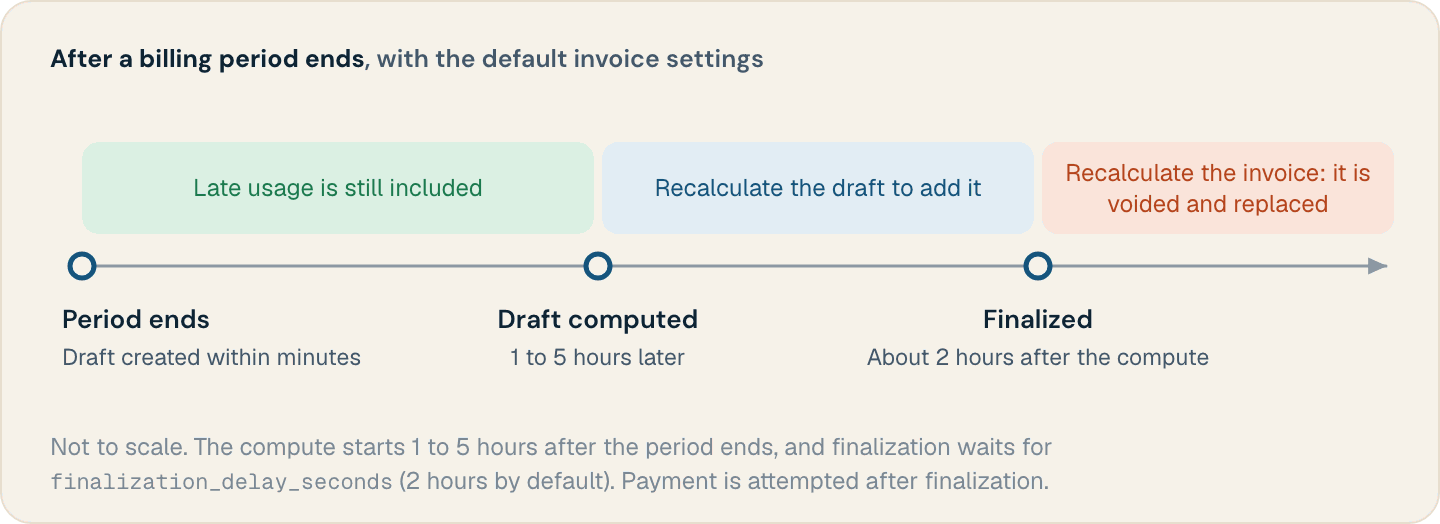
ONE_OFF and CREDIT invoices from Create one-off invoice. A checkout can hold one as a draft until the customer pays. The SUBSCRIPTION_CYCLE invoice waits, to leave room for late usage:
- Within minutes of the period end, Flexprice sets up a draft for the period.
- One to five hours later, at a random point, it computes the draft from the usage received so far.
- Once
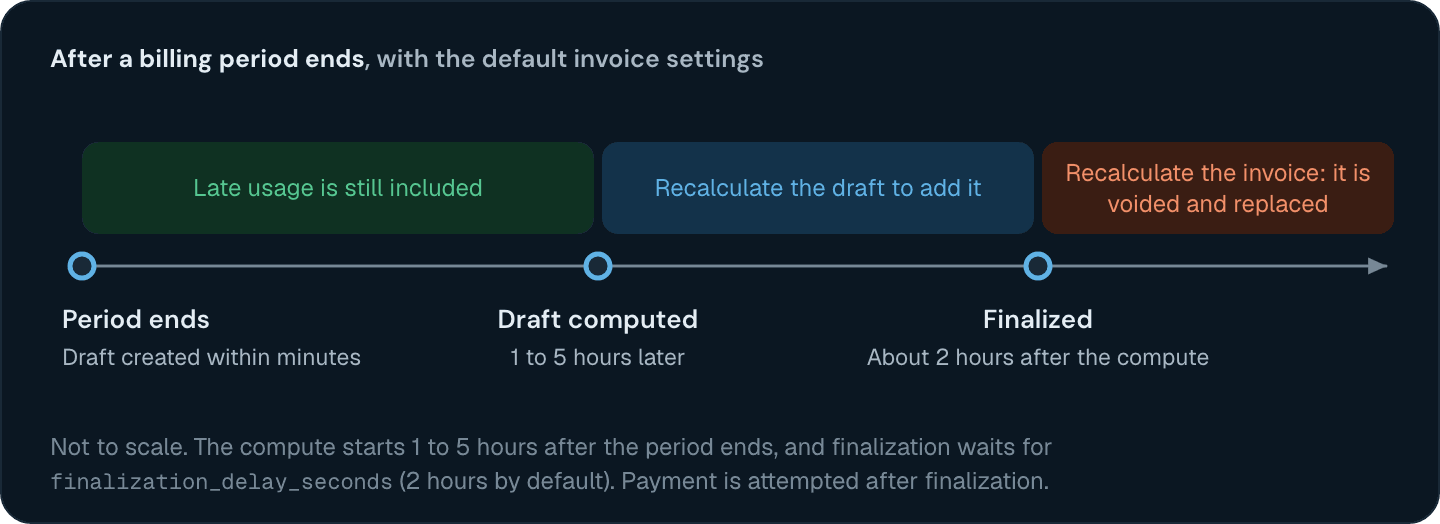
finalization_delay_seconds(in theinvoice_configsetting, 7,200 seconds by default) has passed since that compute, a job that runs every 30 minutes finalizes the draft as it stands, without recomputing it. Finalizing applies prepaid credits and tax and assigns the invoice number. Flexprice then attempts payment.
Billing usage that arrives after the invoice is computed
An event counts on the invoice for the period itstimestamp falls in only if it reaches Flexprice before that invoice is computed. Send late usage within an hour of the period end, before the earliest compute. After that, it depends on the invoice’s state:
DRAFT: recompute it with Recalculate draft invoice, which also finalizes the invoice unless you passfinalize=false.SKIPPEDorFINALIZED: the usage isn’t billed until you replace the invoice, as described in Correcting a finalized invoice.
Applying discounts, wallet credits, and tax to an invoice
Flexprice builds a subscription invoice’s amounts in this order. Invoice Calculation Order works through examples.subtotal: the sum of the line items.total_discount: line item coupons, then subscription coupons, each applied to what’s left.total_prepaid_credits_applied: at finalization, the customer’s active prepaid wallets in the invoice’s currency pay down usage line items, after their discounts. Fixed fees and tax stay inamount_due.total_tax: calculated onsubtotalminustotal_discount, so credits don’t lower it. Exclusive tax is added to the total. Inclusive tax is already part of the subtotal.total:subtotalminustotal_discountminustotal_prepaid_credits_applied, plus exclusive tax.amount_duestarts attotal, andamount_remainingisamount_dueminusamount_paid.
payment_status tracks collection separately from invoice_status:
PENDING: owed, including after a partial payment.FAILED: owed, and the last payment failed.SUCCEEDED: paid in full, or finalized with a zero total.OVERPAID:amount_paidexceedsamount_due.PARTIALLY_REFUNDEDandREFUNDED: after a refund credit note or a void.
Correcting a finalized invoice
A finalized invoice keeps its line items. Choose the fix by what went wrong:- Charged too much. Issue a credit note with Create credit note. On an unpaid invoice (
PENDINGorFAILED), Flexprice makes it anADJUSTMENTthat lowersamount_due. On a paid one (SUCCEEDEDorPARTIALLY_REFUNDED), it’s aREFUNDto the customer’s prepaid wallet, or to the original card, payment link, or UPI payment whenrefund_targetisBACK_TO_SOURCE. No credit note line can exceed the invoice line it credits. - Usage or charges missing. Call Recalculate invoice on a subscription invoice. In the background, it voids the invoice if it isn’t voided yet, creates and finalizes a replacement for the same period from current usage, and stores the replacement’s ID in the original’s
recalculated_invoice_id. Each invoice can be recalculated once.
Previewing the next invoice
Get invoice preview builds what a subscription’s current period would bill with the usage recorded so far, and saves nothing: the period’sARREAR charges, the next period’s ADVANCE fees, coupons, and tax. It doesn’t apply prepaid credits, so a customer with a wallet balance can owe less than the preview’s total.
period_start and period_end to preview another window.
Setting invoice due dates and payment terms
A subscription invoice is due a number of days after itsperiod_end, which for a SUBSCRIPTION_CREATE invoice is the end of the first period. The number is the subscription’s payment_terms when set (15 NET to 90 NET, in steps of 15), and otherwise due_date_days in the invoice_config setting, which is 1 by default. A one-off invoice is due on the due_date you send. Update invoice can change either one to a date in the future.
If subscription auto-cancellation is on in subscription_config (it’s off by default), a finalized subscription invoice still unpaid grace_period_days after its due_date gets the subscription cancelled immediately and the invoice voided.
Invoices
What an invoice holds and the states it moves through.
Invoice Calculation Order
How coupons, wallet credits, and tax combine, with worked examples.
Managing Invoices
View invoices, update their status, and download PDFs in the dashboard.
Backfill Past Usage
Load historical usage and get it onto draft or finalized invoices.