

event_id and timestamp, so you decide what counts as a copy by how you set those two fields.
How Flexprice deduplicates usage events
- Copies match on
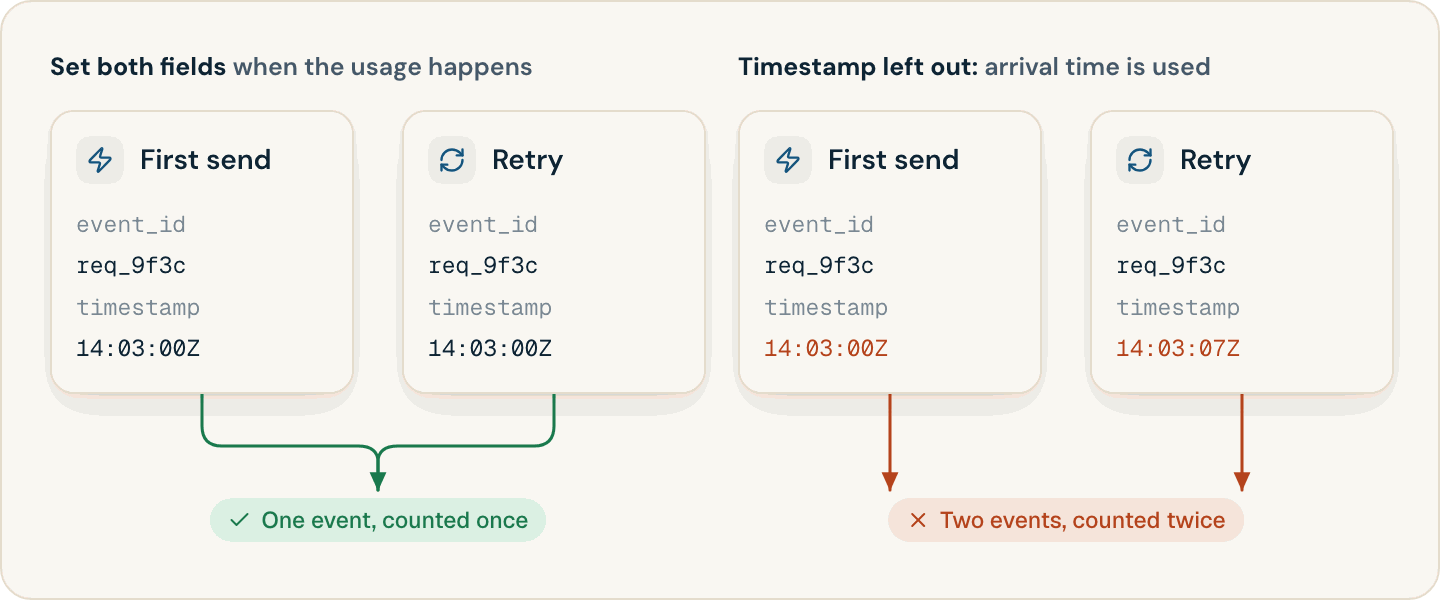
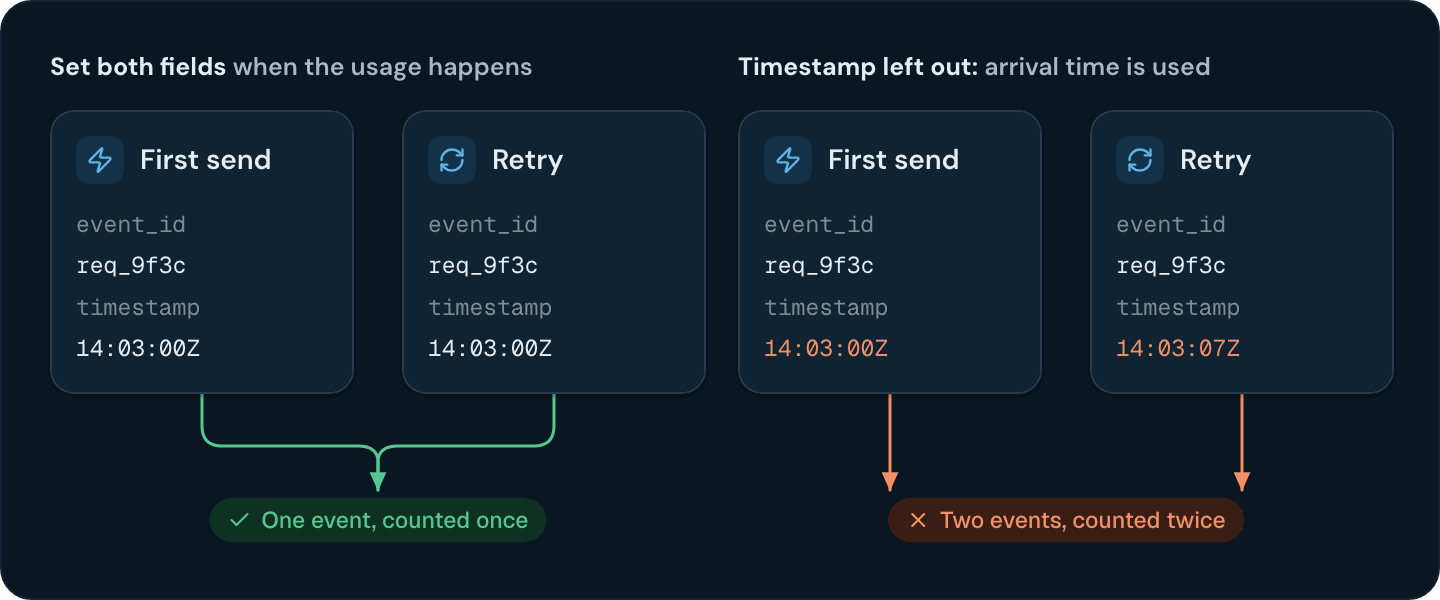
event_idandtimestamp. Two events for the same customer with the sameevent_idand the sametimestampare stored as one event. An event with the same ID and a different timestamp is a different event. - Deduplication happens in storage, after ingestion. The API accepts every copy with
202. Copies collapse when Flexprice merges stored usage, however far apart they arrive. - Invoices are always calculated from deduplicated usage. Usage analytics, upcoming invoice previews, and wallet balances can include a copy until it collapses.
- Count features count distinct event IDs. A resent event with the same
event_idnever adds to a Count feature. Sum, Max, and the other aggregations that read a property depend on the fullevent_idandtimestampmatch.
Usage event deduplication when event_id or timestamp is missing
Flexprice fills in whichever field you leave out, and each copy gets a different value:Choosing an event_id for a usage event
Derive the ID from the usage, not from the attempt to send it:- API gateway: the request ID.
- Batch job: the job ID plus the step or chunk number.
- LLM call: the provider’s response ID.
Choosing a timestamp for a usage event
Capture the time once, when the usage happens, and store it with the event. A timestamp read from the clock at send time changes on every retry, which turns each retry into a new event. Every copy of an event must carry exactly the sametimestamp value.
Making heartbeat events idempotent
Some usage events report state on a schedule instead of an action: a node reporting its CPU cores every minute, or a nightly snapshot of storage or seats. Give every heartbeat a deterministicevent_id and timestamp for its measurement period, so that every heartbeat sent in the same period is a copy of the same event:
cpu_cores then counts core-minutes. Send two or more heartbeats per period: the extra copies collapse, and a delayed timer no longer leaves a minute unbilled.
Resending a failed bulk request
When a bulk request fails with a network error or a5xx, or with a 400 after some events were accepted, resend the whole batch. Events that Flexprice already accepted collapse with their resent copies, as long as every event in the batch carries its own event_id and timestamp.
Send Usage Events
What to put in a usage event, and how to queue, retry, and log events.
High-Volume Ingestion
Batch events with the bulk endpoint, the SDKs, or the Flexprice Collector.