

What gets copied
- Plan — New plan in the same environment with the name and lookup key you provide; description, display order, and metadata can be overridden or copied from the source.
- Prices — Only active (published and non-expired) plan prices.
- Entitlements — Only published plan entitlements.
- Credit grants — Only published, plan-scoped credit grants.
What does not get copied
- Subscriptions or line items
- Expired prices
- Draft or archived prices, entitlements, or grants
Plan cloning is supported within the same environment only. The cloned plan is created in the same environment as the source plan.
Steps to clone a plan
1
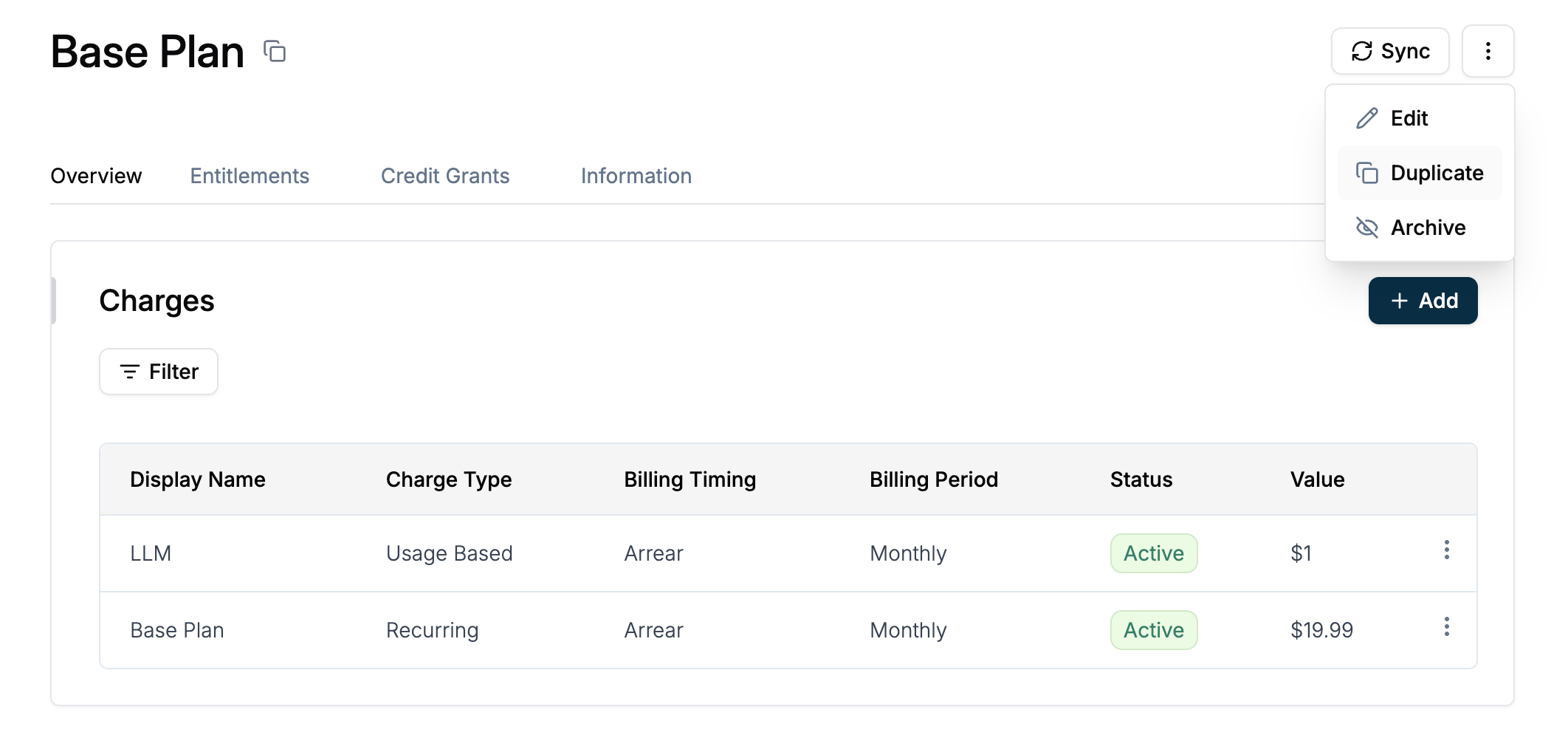
Navigate to the plan and open Duplicate
- Go to Product Catalog → Plans
- Open the plan you want to duplicate
- Click the three-dot menu (⋮) in the top right corner
- Select Duplicate from the dropdown menu
2
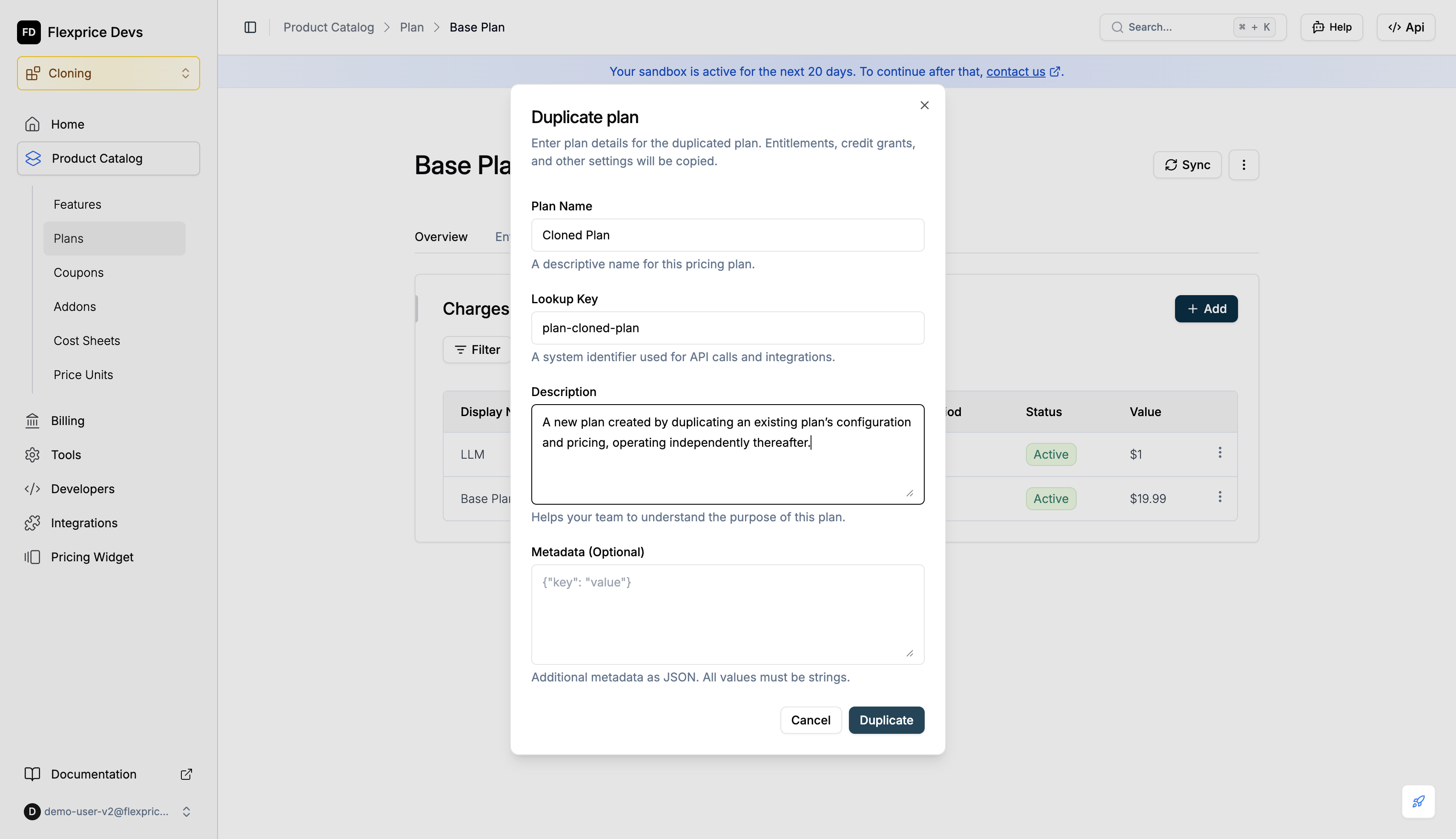
Enter plan details
- Enter Plan Name (required)
- Enter Lookup Key (required, must be unique). It is auto-generated by default.
- Optionally enter Description and Metadata
- Click Duplicate
3
Confirm cloned plan
A new plan is created with the same charges, entitlements, and credit grants as the source.
You are directed to the cloned plan after plan cloning is successful.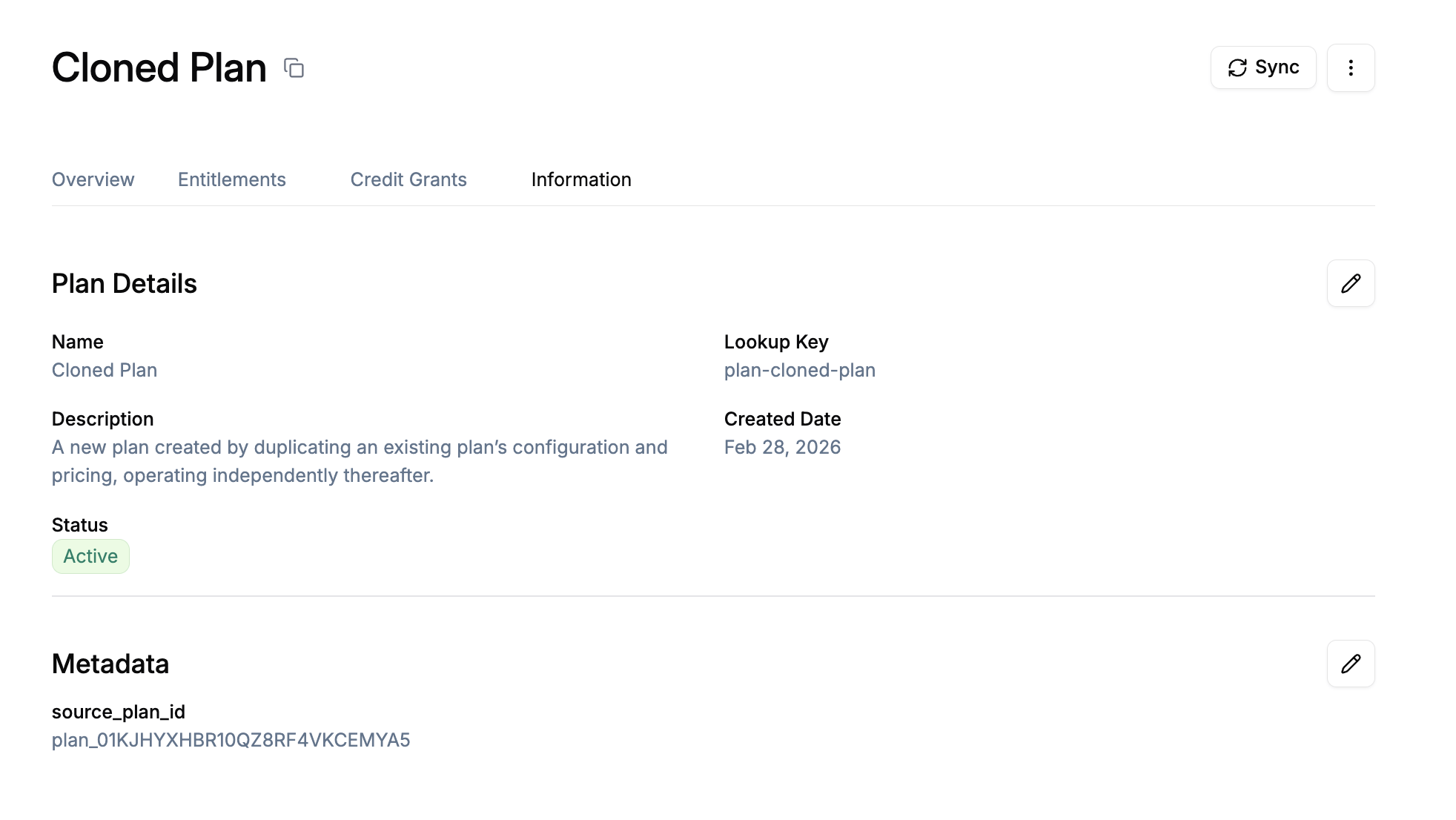
Flexprice always adds
source_plan_id to the cloned plan’s metadata set to the source plan ID, so you can tell which plan it was duplicated from.Use cases
Plan versioning
- Annual updates: Clone “Pro 2024” to “Pro 2025” and adjust prices or features on the new plan while keeping the same structure.
- Product evolution: Duplicate a plan before changing entitlements or credit grants so existing subscribers stay on the original.
Experimentation and rollback
- Safe experimentation: Clone a plan, change the duplicate, and only move customers over when ready. The source plan stays unchanged.
- Rollback: Keep a copy of a plan before major changes so you can reference or re-use the previous configuration.
Best practices
💡 Use a unique lookup key: Every cloned plan must have a lookup key that does not match any existing published plan. Use a naming pattern (e.g.pro_2025, pro_plan_v2) to avoid conflicts.
💡 Set a clear name and description: Give the cloned plan a descriptive name and, if needed, a description so your team can tell it apart from the source (e.g. “Pro 2024 v2 – cloned from Pro 2024”).
💡 Use source_plan_id in metadata: The cloned plan’s metadata always includes source_plan_id. Use it in reporting or automation to track plan lineage and which plans were duplicated from which.
💡 Clone instead of editing live plans: When you want to change structure (prices, entitlements, credit grants), clone the plan and edit the copy. Existing subscribers stay on the original; new sign-ups can use the new plan.
💡 Review what gets copied: Only active (non-expired) prices and published entitlements and plan-scoped credit grants are copied. Draft or archived items and subscriptions are not. Confirm the source plan has everything published before cloning.