

Why Use Service Accounts?
Service accounts let you:- Isolate access: Each service gets its own account with only the permissions it needs
- Improve security: If an API key is compromised, the damage is limited to that service’s permissions
- Track usage: See which service is making which API calls
- Manage easily: Revoke access for one service without affecting others
Creating a Service Account
Choose the Right Role
Before creating a service account, decide which role fits your use case: Flexprice currently supports following custom roles:Via Dashboard
Navigate to Developers > Service Accounts and click Create to open the service account creation dialog.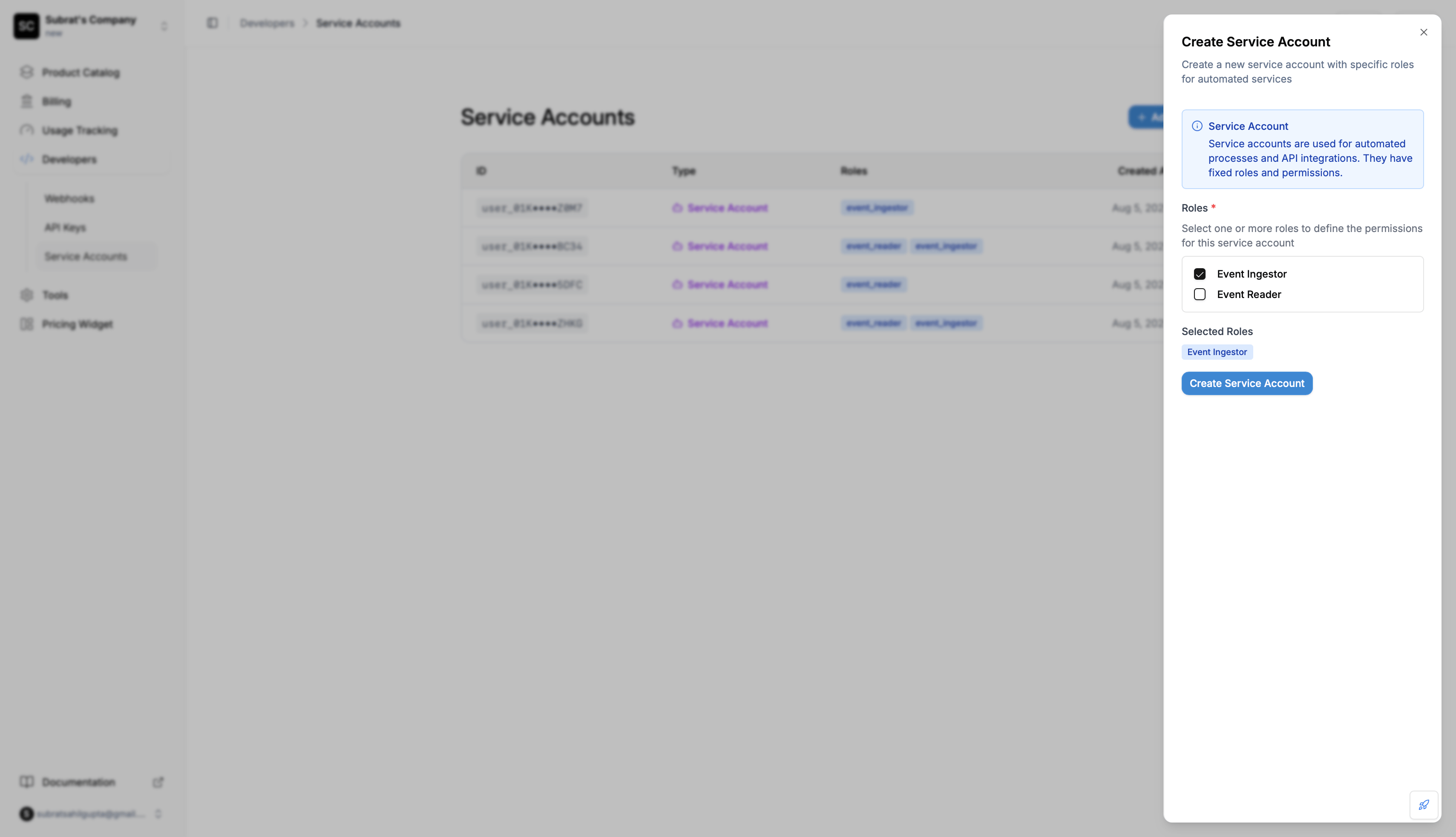
- Enter a name for the service account
- Select the roles you want to assign, for example
all_readerfor a read-only integration orevent_ingestorfor an event pipeline - Click Create Service Account
Via API
Response
Read-Only Service Account
To issue read-only API keys, create a service account with theall_reader role. Keys created for this account can read every resource in the environment and get 403 Forbidden on any write.
service_account_id set to the returned id. The key inherits all_reader.
Request Fields
string
required
Must be set to
"service_account".array
required
List of roles to assign. Must include at least one role.Available roles:
super_admin- Full access to every resourceall_reader- Can read every resource, cannot writeevent_ingestor- Can send eventsevent_reader- Can read events
string
Display name shown in the dashboard and audit logs. Helps you identify the
service account later when listing or updating it.
Validation Rules
Common Errors
No Roles ProvidedReal-World Examples
Example 1: Event Ingestion Service
Scenario: You have a service that sends user events to Flexprice. Create service account with:- Role:
event_ingestor
- ✅ Service can send events
- ❌ Service cannot read events (403 Forbidden)
- ❌ Service cannot access other resources (403 Forbidden)
Example 2: Analytics Dashboard
Scenario: You have a dashboard that displays event data. Create service account with:- Role:
event_reader
- ✅ Dashboard can read events
- ❌ Dashboard cannot send events (403 Forbidden)
- ❌ Dashboard cannot modify anything (403 Forbidden)
Example 3: Reporting or Data Warehouse Sync
Scenario: A nightly job pulls customers, subscriptions, invoices, and usage into your data warehouse. It never writes to Flexprice. Create service account with:- Role:
all_reader
- ✅ Job can read every resource (customers, plans, subscriptions, invoices, wallets, events)
- ❌ Job cannot create, update, or delete anything (403 Forbidden)
Assigning Multiple Roles
You can assign more than one role to give combined permissions: Service account with both roles:- Roles:
event_ingestorandevent_reader
- ✅ Can send events (from
event_ingestor) - ✅ Can read events (from
event_reader)
Updating a Service Account
Rename a service account at any time. Only the displayname can be changed; roles and type are immutable.
Deleting a Service Account
Archive a service account when it is no longer in use. Existing API keys for that account stop working immediately.204 No Content on success. The account is soft-deleted, so its history remains in audit logs.
Best Practices
One Service Account Per ServiceCreate separate service accounts for each automated service or integration.
Assign Minimal PermissionsOnly assign the roles your service actually needs.
Troubleshooting
Service Getting 403 Errors
Symptom: Your service is getting “Forbidden” errors when making API calls. Possible Causes:- The service account doesn’t have the required role
- The API key was created before you assigned roles
- The role doesn’t include permission for that endpoint
- Check what roles the service account has:
GET /v1/users/usr_abc123 - Verify those roles include the permission you need
- If you recently added roles, create a new API key
Cannot Create Service Account
Symptom: Getting an error when creating the service account. Possible Causes:- Forgot to include
rolesin the request - Used an invalid role name
- Specified
rolesas an empty array
Next Steps
Generate API Keys
Create API keys for your service account →